


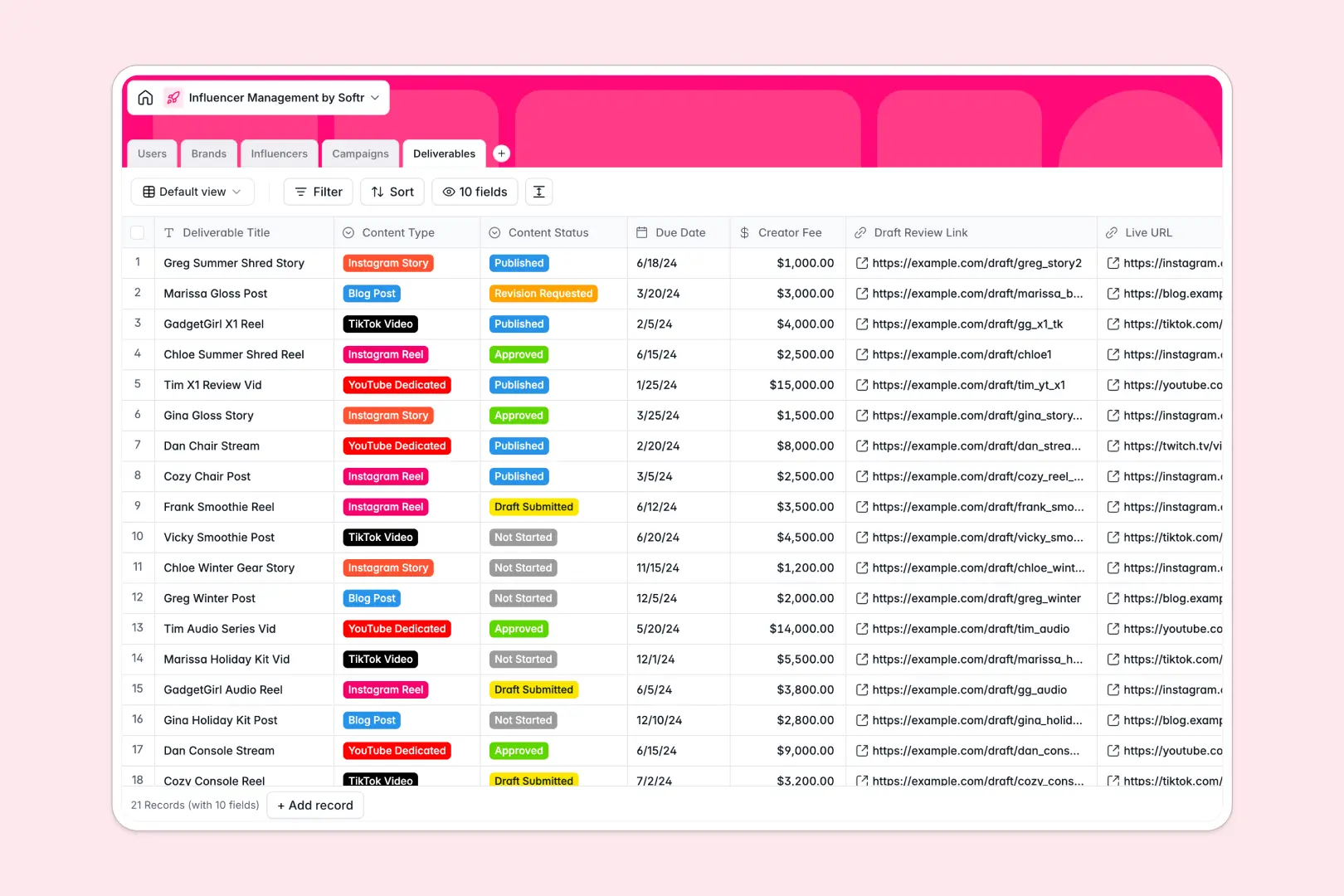
Your Influencer Management database at a glance
This template centralizes your creator roster, client brand profiles, marketing campaigns, and individual content deliverables in one connected system. Keep every collaboration on track from initial outreach to published post.
Five dedicated tables link influencers directly to specific campaigns, assign internal talent managers, and track deliverable statuses like draft submissions and live URLs without duplicate entry.
Native AI fields automatically summarize brand websites, research influencer profiles from live social links, and generate creative caption ideas for every deliverable.
When creators, briefs, and deliverables live across separate tabs
Influencer campaigns involve too many moving pieces for flat rows to handle. A single campaign touches multiple creators, each with distinct fees, content types, and draft deadlines that quickly break when maintained in static sheets.
What a structured database changes
Typed columns ensure creator fees stay formatted as currency, deadlines remain valid dates, and review links open properly every time.
Tables link together natively so you can assign an influencer to a campaign and connect multiple deliverables without copying details across tabs. When a creator updates their draft status, the entire campaign timeline reflects the change instantly.
This is exactly what Softr Databases are designed for, giving your team relational records that stay organized as your talent roster grows.
What you can do with this template
Track campaign budgets and aggregate total client initiatives automatically using connected rollup fields.
Let Database AI agents research creator social channels to build bios, scrape brand overviews, and draft caption concepts directly inside your database records.
Monitor content reviews and live links across platforms like Instagram, TikTok, and YouTube in a unified pipeline ready to use right away.
-
Users
Coordinate internal team members, roles, and managed accounts
-
Brands
Track sponsor brands with campaign links and AI company overviews
-
Influencers
Manage creator profiles, reach metrics, and AI-generated bios
-
Campaigns
Organize marketing initiatives with budgets, briefs, and timelines
-
Deliverables
Track content assets, review workflows, and AI caption drafts
Who is this Influencer Management database for
This database is built for marketing and talent teams managing multi-creator partnerships:
- Influencer Marketing Agencies: Manage rosters of creators across dozens of concurrent brand campaigns in one shared workspace.
- In-House Brand Marketers: Track creator outreach, content approvals, and deliverable schedules for internal product launches.
- Talent Management Agencies: Coordinate creator bookings, monitor assigned manager workloads, and track client fee structures.
- Freelance Campaign Coordinators: Organize creator deliverables, draft review links, and publication deadlines for multiple clients.
How to take it further
Customize this database immediately by updating niche categories, adding platforms like Twitch or Pinterest, or adjusting content review stages to match your exact review process.
Import your existing creator roster and brand contacts via CSV upload, or use the API to sync live creator metrics from external analytics tools.
When your team is ready, you can generate an app with AI directly on top of this database. Build a private portal where brands review submissions and creators upload drafts, using granular users and permissions to ensure everyone sees only their assigned deliverables.
-
1
-
2
-
3
-
4
Frequently asked questions
-
What is an influencer management database?
-
Why use a no-code database to build an influencer management system?
-
How can AI help managing data for influencer campaigns?
-
Can I build an app with this influencer management database?
-
Is this Influencer Management database free?
-
Can I import my existing influencer roster into this database?
Start building today. It's free!
Build and launch your first app in under 30 minutes.