


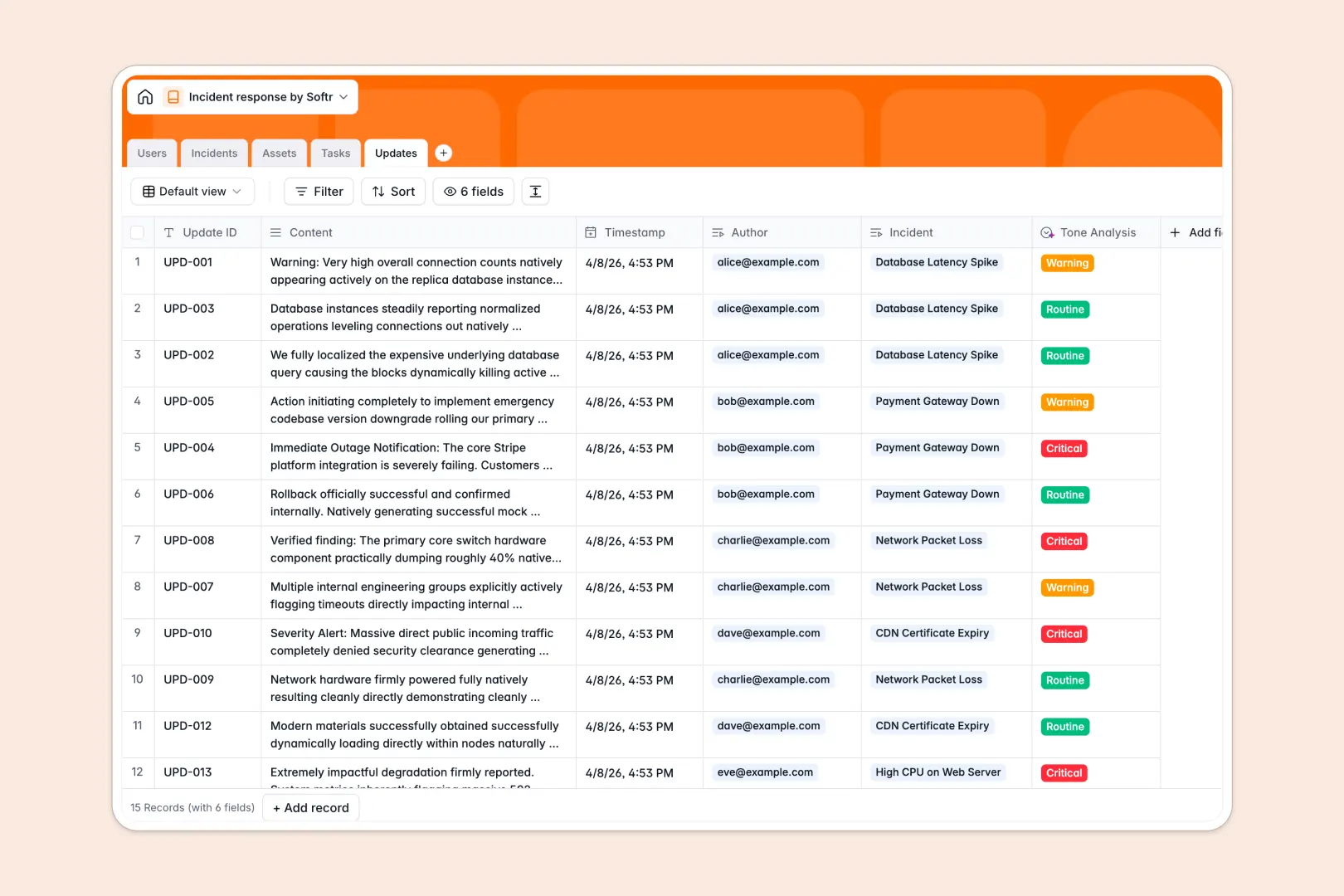
Your Incident Response database at a glance
This Incident Response database gives your team a centralized command center to track, manage, and resolve critical issues in real time. It keeps responders aligned and ensures nothing falls through the cracks during high-pressure situations.
The template safely links your master Incidents record to specific team members, affected Assets, and actionable Tasks. As the situation evolves, a dedicated Updates log keeps a spotless chronological record of all communications and status changes.
When the dust settles, built-in AI instantly drafts a post-mortem summary based on your incident timeline. Incoming team updates are also automatically analyzed by AI for tone and urgency, instantly flagging critical warnings without manual review.
Why managing incident response in spreadsheets breaks down
When systems go down, tracking severity levels, updates, and affected assets in a spreadsheet quickly turns into chaotic, outdated guesswork. Rows are accidentally overwritten, and assigning complex resolution tasks across multiple responders becomes a manual nightmare.
What a structured database changes
With a strict schema, every piece of data is neatly categorized—dates stay auto-formatted, severities belong to clear dropdowns, and tasks link directly to the correct incident without fragile VLOOKUPs.
You can effortlessly map an affected web server straight to an open incident ticket, ensuring the whole team sees the exact system impact. This reliability is exactly what Softr Databases are built to provide for high-stakes operations.
What you can do with this template
Instantly deploy a structured command center where every SEV-1 to SEV-4 incident is logged, cleanly tracked, and assigned out in seconds. You can monitor the live operational health of all internal assets at a glance through automated incident counters.
Using built-in Database AI agents, this template works actively for you by automatically drafting resolution post-mortems based on your recorded updates. It even evaluates the tone of incoming team notes to ensure the most critical warnings are prioritized immediately.
-
Users
Manage incident responders with roles, contact info, and task assignments
-
Incidents
Track technical issues and use AI to draft post-mortem summary reports
-
Assets
Monitor systems and hardware health impacted by operational incidents
-
Tasks
Organize remediation steps with status tracking and owner assignments
-
Updates
Log chronological events and use AI to analyze communication urgency
Who is this Incident Response database for
This template is built for operational teams who need total clarity and structured workflows during high-stakes outages.
- IT Operations: Track system outages, monitor affected assets, and manage resolution tasks efficiently.
- Engineering Leads: Assign incident commanders and keep developers focused on actionable remediation steps.
- Customer Support: Stay informed on active ticket statuses to communicate accurate timelines to external users.
- Security Teams: Log security breaches, maintain an immutable update trail, and generate clean post-mortems effortlessly.
How to take it further
Every workflow in this template is fully customizable as a native database. You can easily tweak the incident severity dropdowns, add new exact servers to the assets table, or adjust the AI prompt parameters for your post-mortems.
If you currently use a scattered system for logging outages, you can bulk import your historical logs seamlessly via CSV. You can also use the native API to automatically sync alerts straight from your external server monitoring tools.
Once your tracking process is perfectly dialed in, you can seamlessly use the interface builder to turn this database into a custom incident response portal.
By applying strict users and permissions, you can grant engineers clear edit access to their assigned tasks while giving company executives a secure, read-only dashboard of live system health. Starting with a structured database makes launching this kind of secure application completely effortless.
-
1
-
2
-
3
-
4
Frequently asked questions
-
What is an incident response database?
-
Why use a no-code database to build an incident response tool?
-
How can AI help managing data for incident response?
-
Can I build an app with an incident response database?
-
Is this incident response database free?
-
How does this database handle related assets and tasks?
Start building today. It's free!
Build and launch your first app in under 30 minutes.