


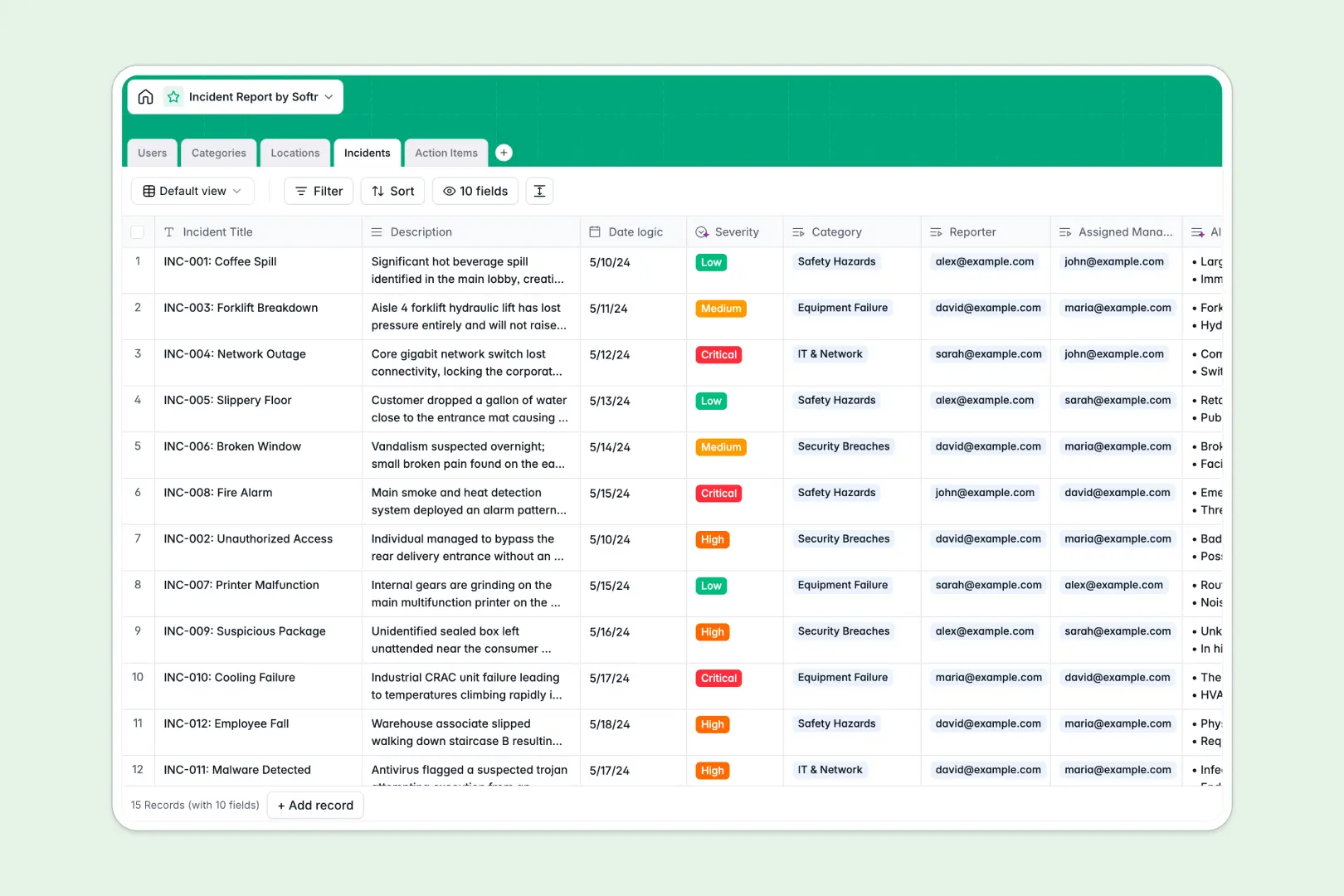
Your Incident Report database at a glance
This template centralizes workplace safety, IT events, and operational issues into a structured system. It gives teams clear visibility into every report, from initial submission to final corrective action.
Five connected tables organize your process: Incidents connect to Users for assignment, Locations for site tracking, Categories for classification, and Action Items for remediation. Each task directly links to its parent event, so nothing falls through the cracks.
Built-in AI fields analyze descriptions to assign severity levels, produce concise triage summaries, and generate step-by-step resolution plans automatically.
When loose incident logs break down under pressure
Tracking critical incidents across disconnected spreadsheets leads to missed follow-ups, untracked root causes, and messy handoffs between managers and site teams.
What a structured database changes
A structured database enforces clean relationships so every task stays tied to a specific event, site, and assignee without fragile cross-sheet lookups.
Dates stay standard, severity ratings remain consistent, and ownership is transparent across all departments.
This is exactly what Softr Databases are designed for: reliable operational tracking with native relationships that prevent data corruption.
What you can do with this template
You can log events with structured metadata, triage urgent safety breaches immediately, and assign corrective tasks to specific team members in seconds.
With integrated Database AI agents, the database auto-summarizes incident descriptions and recommends actionable mitigation steps as soon as an issue is logged.
-
Users
Directory of staff members, system roles, and incident response duties
-
Categories
Standardized classifications and taxonomy to group incoming incidents
-
Locations
Physical facilities and digital sites mapped to assigned site managers
-
Incidents
Log issues with AI-powered severity rating and automated summaries
-
Action Items
Track remediation tasks with AI-generated step-by-step resolution advice
Who is this Incident Report database for
This template helps operational teams maintain compliance and resolve safety or technical risks rapidly.
- Safety & Compliance Officers: Monitor workplace incidents, identify recurring site risks, and maintain accurate audit trails.
- Facility Managers: Track physical maintenance issues, assign repairs, and oversee resolution tasks across multiple locations.
- IT & Security Teams: Log system breaches, categorize operational outages, and coordinate rapid technical mitigations.
- Operations Leads: Standardize incident submission and enforce accountability with clear ownership for every follow-up.
How to take it further
Customize your schema to fit your company standards. Add custom severity tiers, include photo upload fields for site damage, or adjust incident categories to reflect your industry workflows.
Import your historical logs in bulk using CSV files or connect real-time incident pipelines via API sync to keep your records up to date.
When ready, you can build an app on top of this database. Generate custom reporting portals for field workers and dedicated review dashboards for managers using users and permissions to control who views sensitive records.
-
1
-
2
-
3
-
4
Frequently asked questions
-
What is an incident report database?
-
Why use a no-code database to build an incident tracking tool?
-
How can AI help managing data for incident reports?
-
Can I build an app with this incident report database?
-
Is this Incident Report template free?
-
How do I import existing incident logs into this database?
Start building today. It's free!
Build and launch your first app in under 30 minutes.