


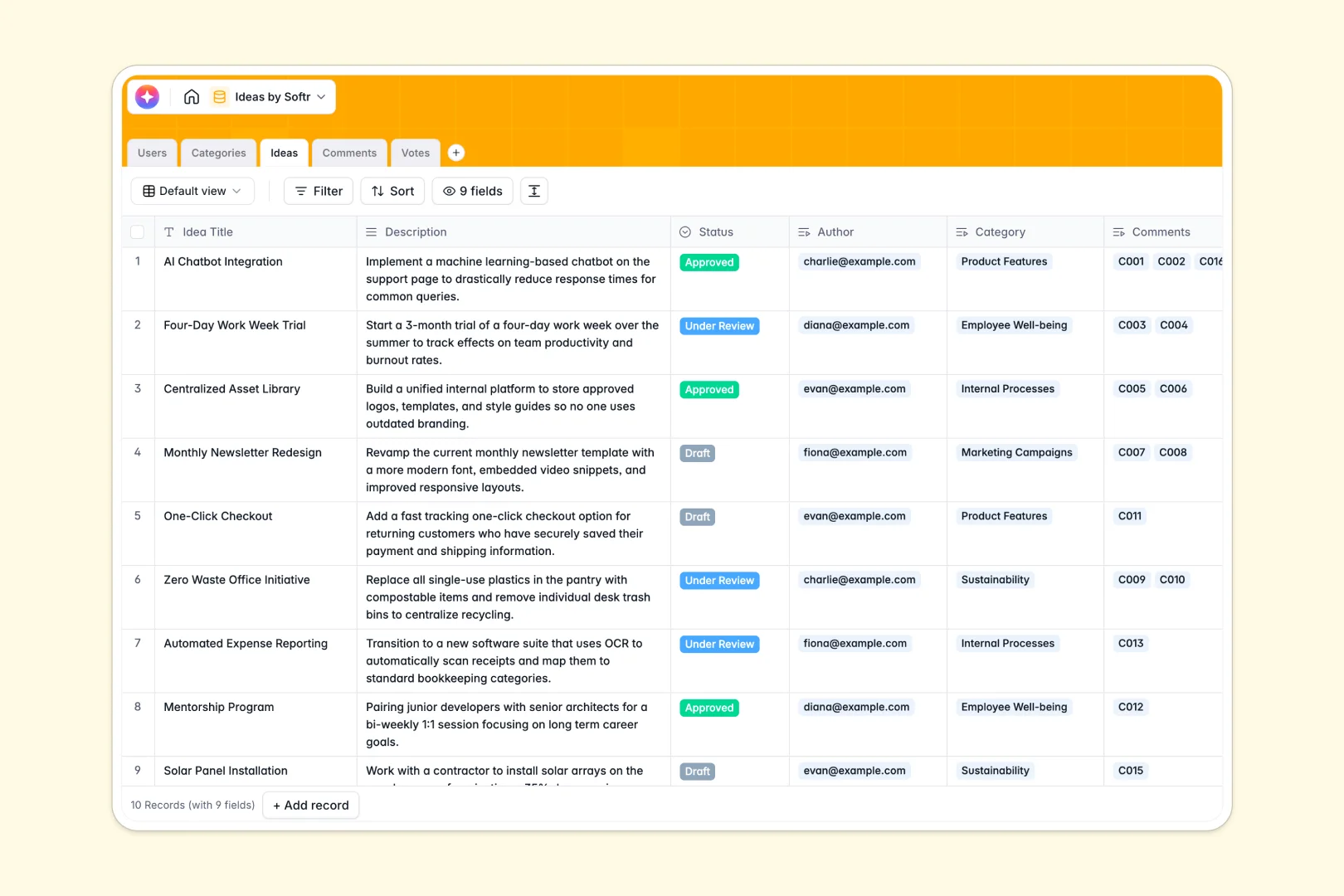
Your Ideas Database at a glance
This template turns scattered brainstorming sessions into an organized, trackable pipeline of innovation. It gives your team a central hub to submit, review, and vote on concepts so nothing falls through the cracks.
It connects five straightforward tables—Users, Categories, Ideas, Comments, and Votes—to keep data clean and actionable. You can link authors to their submissions, categorize themes seamlessly, and watch total vote counts roll up automatically inside your records.
Built-in AI instantly summarizes long descriptions into crisp elevator pitches and gauges the sentiment of user comments, helping reviewers prioritize the best concepts faster.
Why managing idea pipelines in spreadsheets breaks down
Tracking company brainstorming in spreadsheets quickly turns into endless scrolling and lost context.
What a structured database changes
A structured system keeps everything connected without breaking. When someone adds a comment or upvotes a concept, it instantly links back to the user and the specific suggestion without relying on fragile formulas.
You can easily group submissions by category or status while maintaining clean, secure data even as the list grows. This is exactly what Softr Databases are designed for—giving you scalability without the messy rows.
What you can do with this template
Easily track the journey of a concept from "Draft" to "Approved" while capturing team sentiment along the way. You can automatically tally total votes and compile feedback to make data-backed decisions.
Plus, Database AI agents do the heavy lifting by auto-generating clear pitch summaries and classifying comment sentiment so your reviewers can focus on execution.
-
Users
Manage platform members with profile details and submission histories
-
Categories
Organize ideas into thematic groups and track volume per topic
-
Ideas
Store submissions with status updates and AI-generated elevator pitches
-
Comments
Centralize feedback and utilize AI to identify the sentiment of discussions
-
Votes
Record user preferences and engagement levels across all shared ideas
Who is this Ideas Database for
This template provides a clean foundation for any organization looking to streamline innovation.
- Product Managers: Centralize user feature requests and map themes naturally.
- Team Leads: Give team members a dedicated space to safely propose and upvote internal process improvements.
- Innovation Departments: Evaluate concepts quickly with clear statuses and auto-summarized pitches.
How to take it further
Make the database your own by adjusting the "Status" select field to match your actual review stages. You can easily add new fields, like budget estimates or priority scores, directly to the tables.
Bring your existing backlog to life instantly. Upload your old spreadsheets via CSV or use the API to sync suggestions from forms and external brainstorming tools.
When your team is ready, you can easily open this up by using the platform to build an app on top of this structure. Create a secure internal portal where employees can log in, view specific categories, and propose or vote on initiatives through a clean interface.
By leveraging robust users and permissions, you guarantee that only Reviewers can change a record to "Approved," while Contributors focus solely on sharing their creativity. Your well-structured database makes launching this role-based application effortless.
-
1
-
2
-
3
-
4
Frequently asked questions
-
What is an ideas database?
-
Why use a no-code database to build an idea pipeline?
-
How can AI help managing data for idea collection?
-
Can I build an app with this ideas database?
-
Is this Ideas Database template free?
-
How is an ideas database different from sharing a Google Sheet?
Start building today. It's free!
Build and launch your first app in under 30 minutes.