


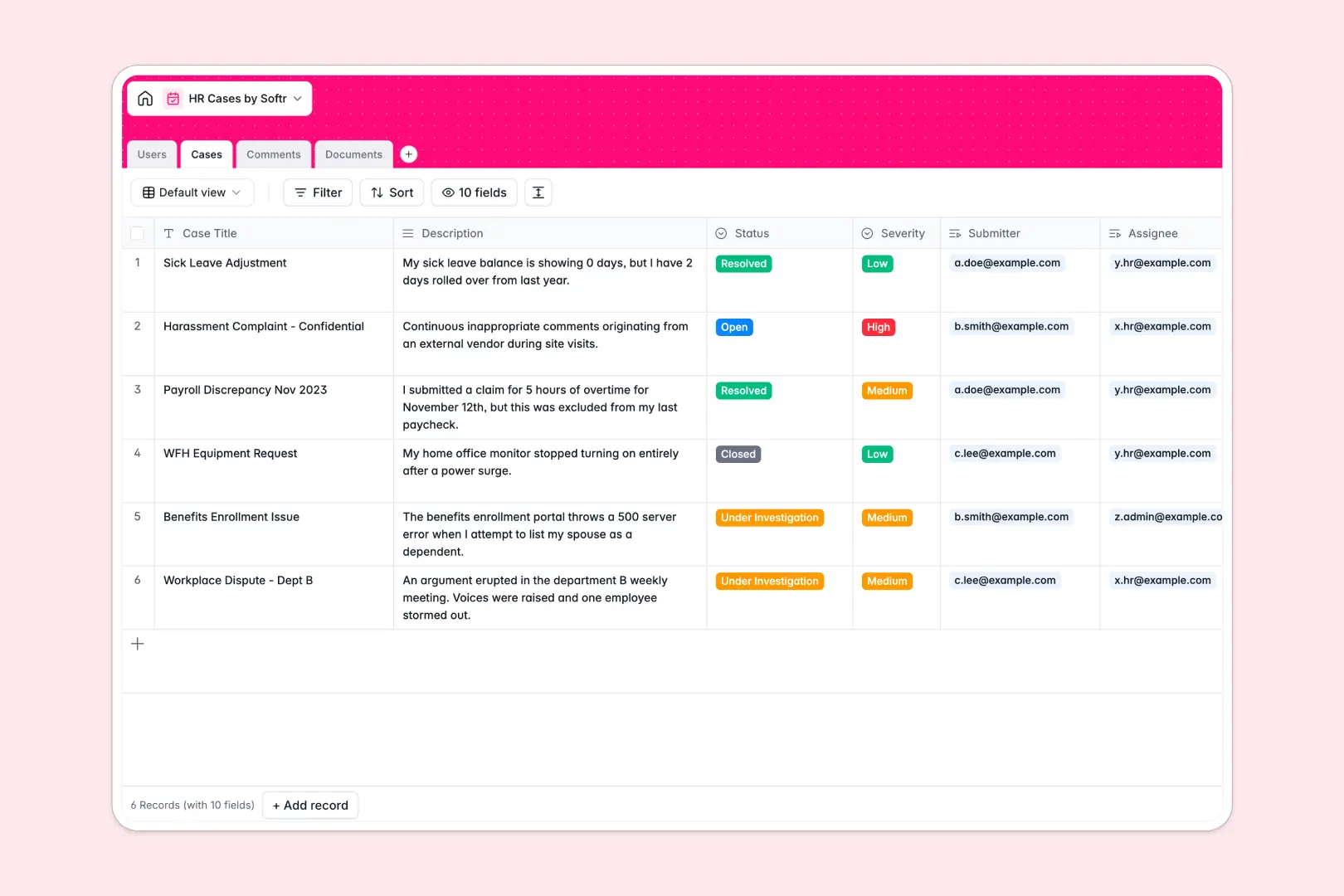
Your HR Cases database at a glance
This template helps people teams organize workplace inquiries, grievances, and policy requests in a secure, structured workspace. It keeps sensitive employee records organized while giving HR specialists a clear view of open tickets and pending resolutions.
Everything connects cleanly across four dedicated tables: Cases, Users, Comments, and Documents. When an employee submits a ticket, related evidence files and ongoing discussion threads link directly to the record without duplicate data entry.
Built-in AI automatically reviews the case description to score Severity (Low, Medium, or High) and compiles a clean Resolution Summary once comments and logs wrap up.
Why linking employee records beats tracking grievances across rows
A blank spreadsheet cannot enforce confidentiality or separate discussion threads from high-level statuses. When notes, attachments, and user details share a single flat row, context gets buried and private notes risk exposure.
What a structured database changes
A structured database gives each element a dedicated home. Submitter profiles, case notes, and uploaded files exist as independent records linked natively to the central case.
Typed fields ensure timestamps stay accurate, document attachments remain intact, and statuses update predictably. This is exactly what Softr Databases are designed for.
What you can do with this template
Assign specialists to incoming cases, manage priority queues with clear status tags, and maintain an unalterable audit trail of employee communications.
Use native Database AI agents to evaluate ticket urgency instantly upon submission and summarize complex investigation threads into concise resolution logs.
-
Users
Directory of employees and HR staff with role access and case tracking
-
Cases
Manage HR issues with AI severity tagging and AI resolution summaries
-
Comments
Track chronological discussion threads, notes, and updates per case
-
Documents
Store supporting evidence, sick notes, and attachments for HR cases
Who is this HR Cases database for
Designed for modern people operations teams handling confidential employee requests:
- People Operations Leads: Centralize grievances, workplace requests, and investigations in a secure system.
- HR Specialists: Manage assigned queues, review attached evidence, and update case statuses efficiently.
- Employee Relations Managers: Audit resolution timelines, maintain communication logs, and track recurring workplace trends.
How to take it further
Customize your fields: Add custom tags for specific policy categories, adjust severity criteria, or add custom notification checkboxes to match your internal HR workflows.
Import historical records: Bring existing grievance logs and past ticket data into the database using a simple CSV import or via API.
Build a secure employee portal: When you are ready, use Softr to generate an app with AI directly on top of this database. You can configure granular permissions so employees only view their submitted inquiries while HR staff access the full investigation portal.
-
1
-
2
-
3
-
4
Frequently asked questions
-
What is an HR cases database?
-
Why use a no-code database to build an HR case management system?
-
How can AI help managing data for HR cases?
-
Can I build an app with an HR cases database?
-
Is this HR Cases database free?
-
How do I import existing case records into this database?
Start building today. It's free!
Build and launch your first app in under 30 minutes.