


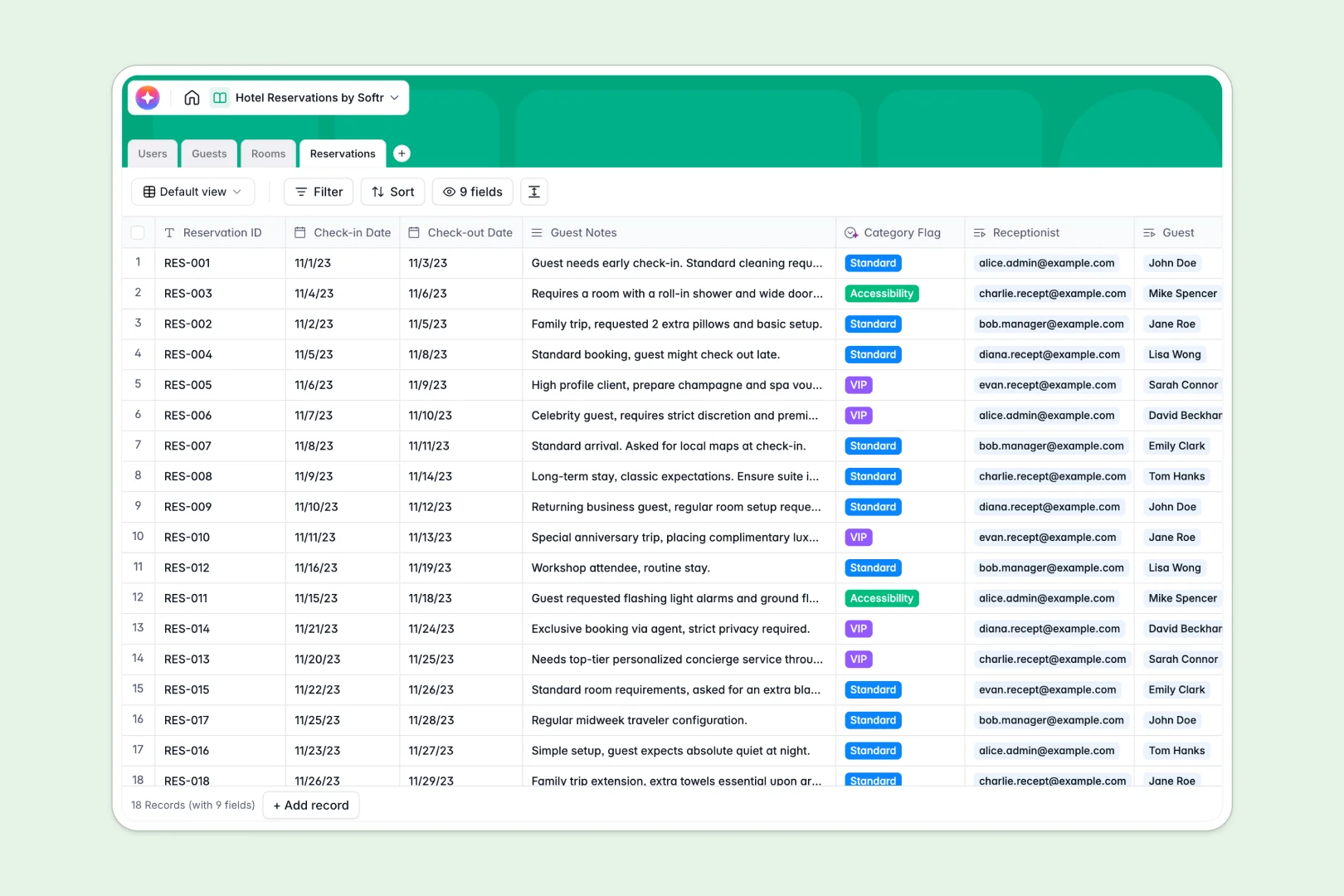
Your Hotel Reservations database at a glance
This template gives hospitality teams a centralized place to track active bookings, manage guests, and monitor room inventory in real time. It eliminates double-bookings and keeps staff completely aligned.
The template uses connected tables to join specific guests with rooms and exact check-in schedules. When a receptionist updates a reservation, the room status and guest history update automatically without manual data entry.
Built-in AI features automatically tag requests based on guest notes, summarize preferences from past stays, and draft room marketing copy using live web data.
Why managing hotel reservations in spreadsheets breaks down
Running a front desk requires instant updates and reliable data. Spreadsheet rows frequently get overwritten, misread, or accidentally deleted during chaotic shift changes.
What a structured database changes
A proper structure forces clean data entry across your operations. Room numbers stay as text, nightly rates stay as currency, and arrival dates remain true dates without messy formatting conversions.
Instead of running fragile formulas to tie bills together, you assign guests natively across tables. You can link a client to a reservation with a simple click, ensuring you never accidentally duplicate names.
This secure, scalable foundation is exactly what Softr Databases are designed for.
What you can do with this template
Instantly view check-ins against available rooms and roll up total spending per guest efficiently. Keep your staff directories clear without any endless scrolling required.
Thanks to native Database AI agents, you can also let the system automatically read guest notes. It will identify VIPs or handle accessibility needs instantly the moment a booking is filed.
-
Users
Manage hotel staff profiles, roles, and assigned guest reservations
-
Guests
Store client data and use AI to summarize individual guest preferences
-
Rooms
Track room inventory with AI-generated marketing copy for promotions
-
Reservations
Manage bookings with AI-powered category flagging based on guest notes
Who is this Hotel Reservations database for
This template is designed for hospitality operators who need reliable booking operations.
- Boutique Hotels: Manage rooms and guest profiles tightly without paying for clunky legacy software.
- Front Desk Managers: Track daily operations, staff allocations, and room statuses in one clear view.
- Marketing Teams: Use AI-generated room descriptions and guest preference summaries to personalize upcoming offers effortlessly.
How to take it further
Because this is a native database, customizing it for your property is completely effortless. Edit the room type dropdowns for your specific layouts, or add new columns for daily housekeeping status in seconds.
You can easily import your existing guest lists and historical bookings via CSV upload. Setting up API connections natively lets you seamlessly sync upcoming reservations from third-party travel sites as well.
When you are ready, use the interface builder to create a custom hotel management app right on top of this data. You can give designated receptionists secure front-end access with strict users and permissions.
This workflow ensures staff can log bookings efficiently without ever accidentally altering your core underlying structure. Starting with a structured database makes building robust apps incredibly smooth.
-
1
-
2
-
3
-
4
Frequently asked questions
-
What is a hotel reservations database?
-
Why use a no-code database to build a hotel booking system?
-
How can AI help managing data for hotel reservations?
-
Can I build an app with this hotel reservations database?
-
Is this hotel reservations database free?
-
How does this template manage guest data efficiently?
Start building today. It's free!
Build and launch your first app in under 30 minutes.