


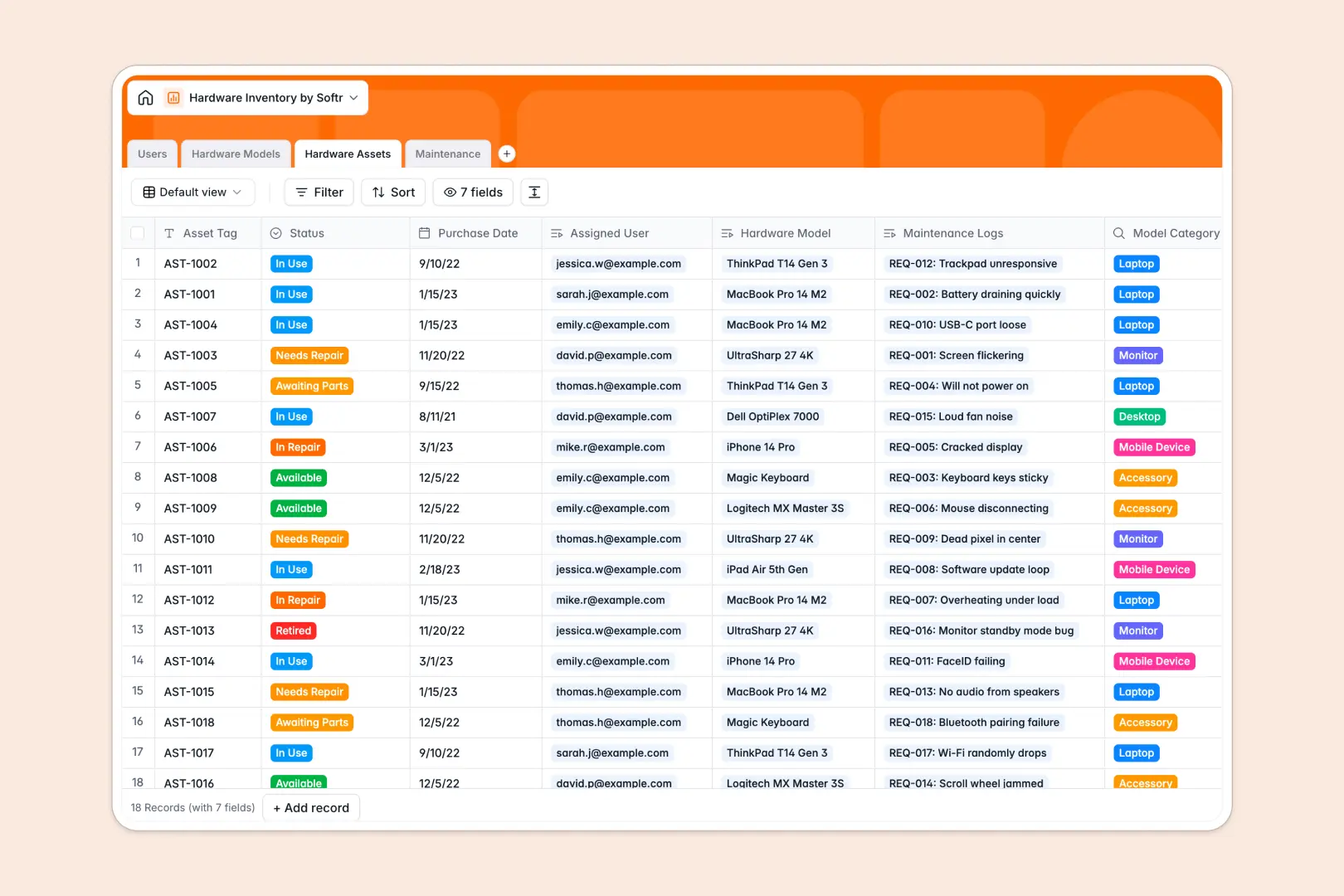
Your Hardware Inventory database at a glance
This template provides a centralized system to track physical devices, assign equipment to employees, and manage repair logs across your organization. It eliminates asset loss and keeps IT support operations transparent.
Four interconnected tables structure your entire IT pipeline: Hardware Models catalogs product lines, Hardware Assets tracks serialized devices, Users maps ownership, and Maintenance logs incident tickets. Because these tables link directly, you can see every device assigned to a user or audit repair history for a specific machine in one click.
Built-in AI features automatically research technical specs from the web for new models and generate step-by-step troubleshooting suggestions whenever a user submits an issue description.
Why physical IT assets quickly outgrow disconnected sheets
Tracking serial numbers, purchase dates, and hardware assignments across static rows leads to missing equipment and broken audit trails.
What a structured database changes
A structured database enforces clean data types: dates stay dates, serial tags remain unique, and device statuses stay restricted to approved options like Available, In Use, or Under Maintenance.
Instead of copying employee names into a spreadsheet row, records link directly between tables. When an asset needs repair, the incident connects to both the physical device and the reporting employee without manual duplication.
This structured approach is what Softr Databases are built for, providing relational integrity without technical complexity.
What you can do with this template
Use this template to instantly look up warranty details, check available fleet inventory before onboarding new hires, and assign equipment with clear ownership records.
Native Database AI agents automate technical research by fetching manufacturer specs using web search and drafting immediate troubleshooting guides for support tickets.
Everything is pre-configured and ready to use immediately, so you can start organizing company hardware in minutes.
-
Users
Manage employee directory with IT roles and assigned device history
-
Hardware Models
Catalog hardware specifications enriched automatically via web search AI
-
Hardware Assets
Track physical inventory units, serial tags, deployment status, and users
-
Maintenance
Log repair tickets and generate AI-guided troubleshooting step lists
Who is this Hardware Inventory database for
This template is designed for teams managing physical equipment, employee provisioning, and hardware support.
- IT Managers: Maintain complete visibility over asset deployment, lifecycle statuses, and hardware replacement cycles.
- IT Support Specialists: Triage incoming repair tickets with instant access to device specs and AI troubleshooting guides.
- Operations Teams: Streamline employee onboarding and offboarding equipment handoffs with accurate asset assignment records.
- Office Managers: Keep an accurate count of monitors, accessories, and shared office devices ready for deployment.
How to take it further
Customize this database by adding new device categories, editing asset status options, or creating custom fields for vendor warranty IDs and serial barcodes.
Import your existing hardware lists instantly using a CSV upload or sync devices automatically via API to populate your fleet in bulk.
When you are ready, you can build an app on top of this database. Use Softr's AI Co-Builder to turn this data into an internal IT portal where employees submit tickets and IT staff manage repairs with granular users and permissions.
-
1
-
2
-
3
-
4
Frequently asked questions
-
What is a hardware inventory database?
-
Why use a no-code database to build a hardware inventory system?
-
How can AI help managing data for hardware inventory?
-
Can I build an app with this hardware inventory database?
-
Is this Hardware Inventory database free?
-
Can I import existing hardware spreadsheets into this template?
Start building today. It's free!
Build and launch your first app in under 30 minutes.