


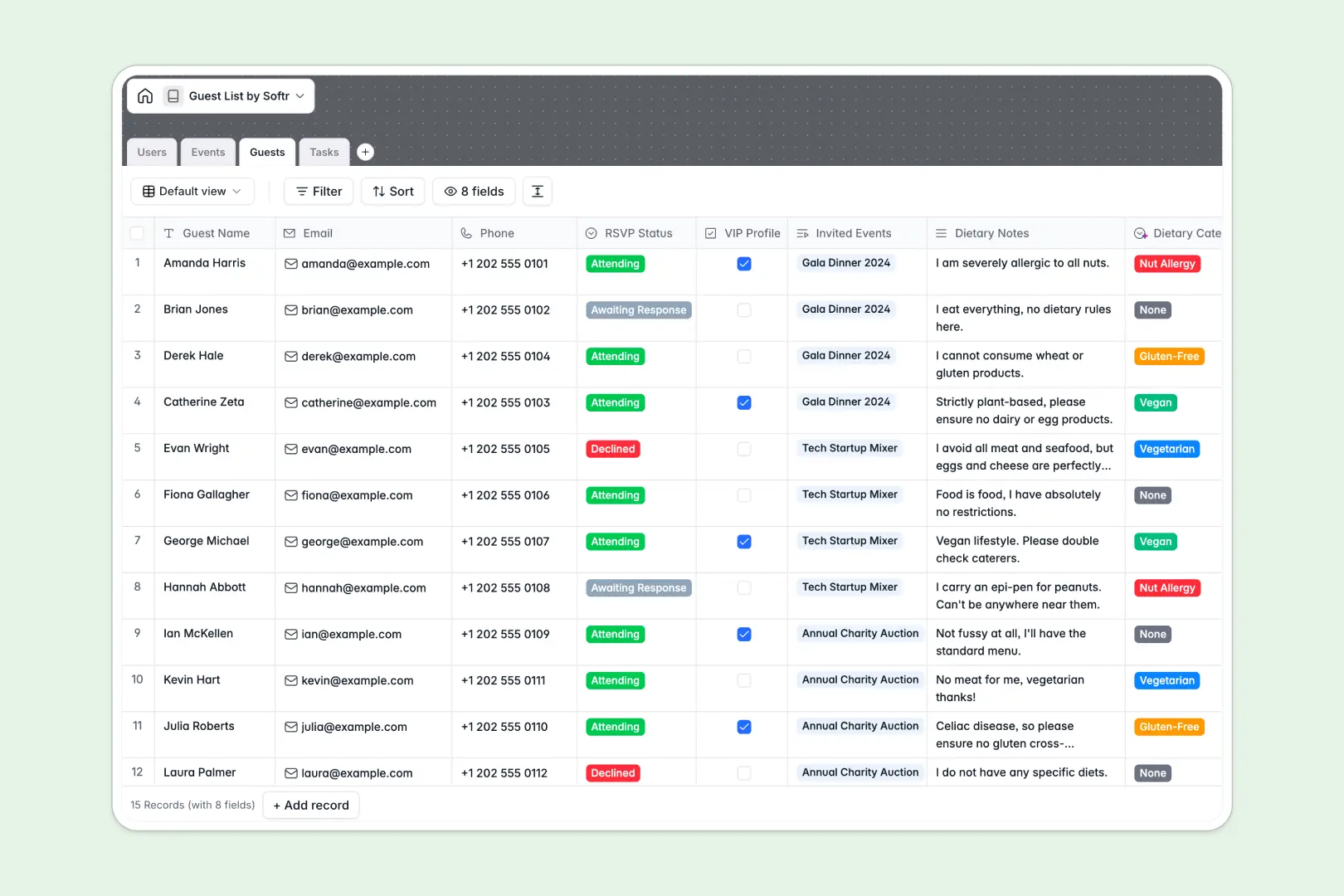
Your Guest List database at a glance
This template gives you a central hub to track RSVPs, manage event prep tasks, and categorize guest preferences safely. It is built to keep your entire event team perfectly aligned without losing details in endless rows.
The structure connects everything naturally out of the box. When you add a guest, they link directly to specific events, while related prep tasks stay organized by assignee and deadline.
Built-in AI features automatically classify complex dietary notes into clean categories like Vegan or Gluten-Free. The system can also draft engaging event descriptions and break down high-level tasks into step-by-step checklists instantly.
Why managing guest lists in spreadsheets breaks down
Tracking hundreds of RSVPs, dietary restrictions, and moving event details across spreadsheet tabs inevitably leads to copy-paste errors and chaotic manual follow-ups.
What a structured database changes
In a true relational layout, you don't need fragile VLOOKUPs to connect a VIP guest to an upcoming gala. Every RSVP update, task status change, and assigned organizer stays securely synced across the board.
This is exactly what Softr Databases are designed for. Your columns enforce strict rules, meaning an email address stays an email address, and a mapped event task won't accidentally get overwritten by a clumsy keystroke.
What you can do with this template
Easily track who is marked Attending versus Awaiting Response while automatically rolling up your total guest counts per event.
Using Database AI agents, you can stop manually reading every dietary note. The system automatically parses notes and tags guests with clean categories, saving hours of manual data entry before a big launch.
-
Users
Manage team members with role assignments and link to assigned tasks
-
Events
Track event schedules and locations with AI-generated rich text summaries
-
Guests
Maintain invitee lists with RSVP tracking and AI-categorized dietary needs
-
Tasks
Manage event prep with status tracking and AI-extracted action steps
Who is this Guest List database for
This template provides instant structure for anyone managing event invitations, attendee lists, or pre-event logistics.
- Event Planners: Track total invitees, VIP profiles, and task deadlines without endless back-and-forth emails.
- Corporate HR Teams: Manage internal company party RSVPs, dietary needs, and internal volunteer assignments effortlessly.
- PR & Marketing Agencies: Organize exclusive guest lists and ensure top attendees are securely tracked across multiple hosted activations.
How to take it further
Start by customizing the database to fit your exact event types. You can add new RSVP status options, rename task workflows, or adjust VIP criteria in just a few clicks since the entire structure is natively editable.
If you currently have attendee lists scattered across old CSV files, use the importer to bring them all into the Guests table. You will instantly see them mapped against your upcoming schedules for immediate operational clarity.
When your team needs a cleaner way to work, you can easily build an app on top of this data. Imagine launching an attendee portal where guests self-update their RSVPs or an organizer dashboard where external vendors view approved task checklists.
By setting up users and permissions, you can ensure specific vendors only see their assigned logistics, while event admins see the entire VIP pipeline securely. A clean, well-structured database makes spinning up these custom apps completely foolproof.
-
1
-
2
-
3
-
4
Frequently asked questions
-
What is a guest list database?
-
Why use a no-code database to build a guest list tool?
-
How can AI help managing data for guest lists?
-
Can I build an app with this guest list database?
-
Is this Guest List database free?
-
How is a guest list database different from standard spreadsheets?
Start building today. It's free!
Build and launch your first app in under 30 minutes.