


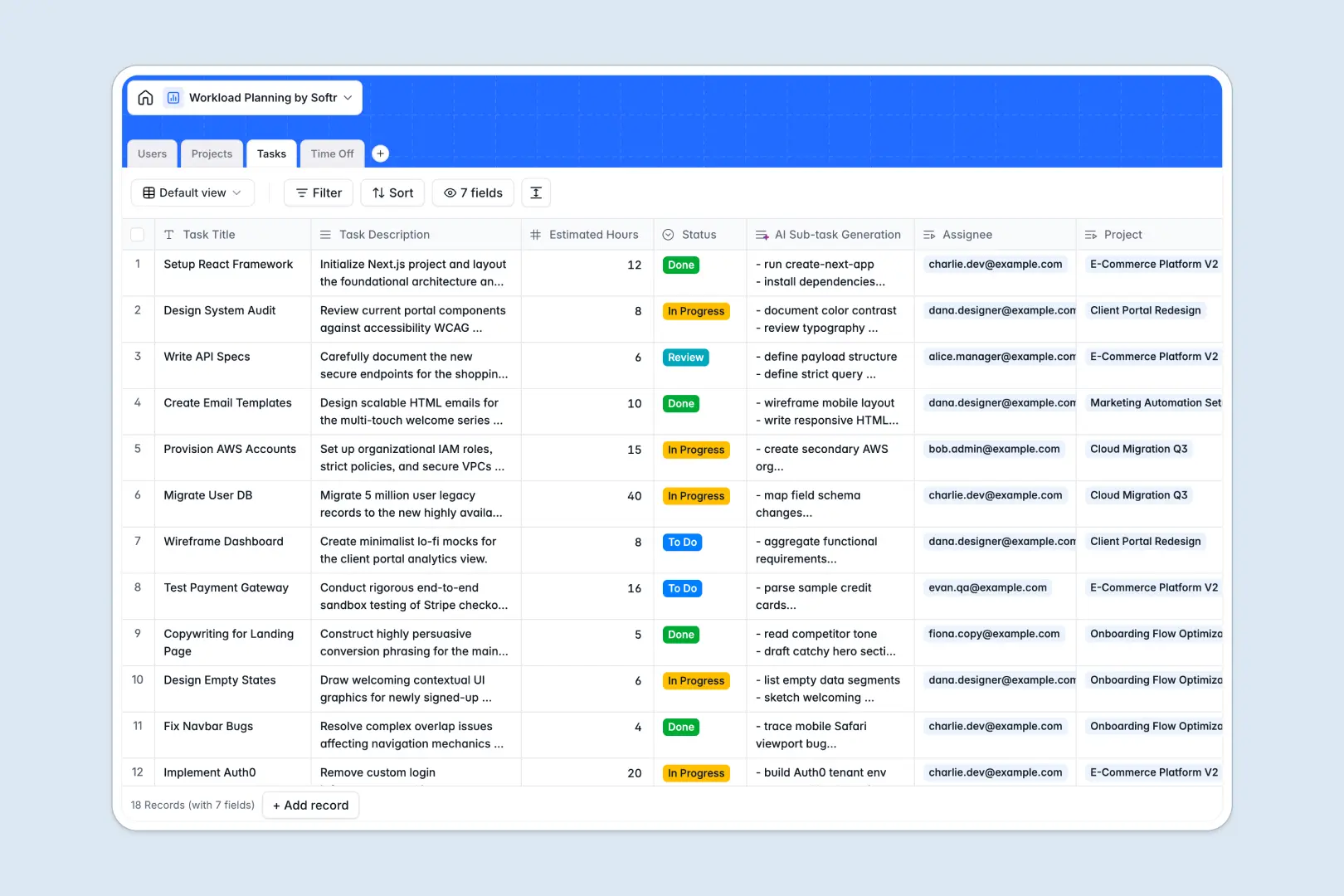
Your Workload Planning database at a glance
This Workload Planning template helps team leads balance assignments, track available bandwidth, and monitor project timelines accurately across departments.
It connects four dedicated tables: Users, Projects, Tasks, and Time Off. Linking tasks and scheduled leaves directly to team members lets you calculate total assigned hours automatically without copying data across tabs.
Built-in AI fields instantly generate sub-task checklists from task briefs and evaluate project risk based on real-time status changes.
When a shared sheet becomes an unreliable backend for team capacity
Google Sheets is great for quick lists, but using it to manage team bandwidth often leads to broken formulas, accidental overwrites, and mixed date formats that distort availability.
What a structured database changes
A structured database enforces strict field types: dates remain valid timestamps, estimated hours calculate reliably, and statuses stay consistent.
Instead of fragile cross-sheet lookups, records link natively. When an employee books time off or takes on a task, their total workload updates automatically across the system.
This reliability is what Softr Databases provide out of the box, giving you clean data without maintenance headaches. You can also connect an existing Google Sheet as an external source if needed.
What you can do with this template
Assign tasks to team members while viewing their active project commitments and approved time off simultaneously.
Leverage Database AI agents to draft action checklists for new tasks and write risk assessments directly inside your project records.
-
Users
Track team profiles, role assignments, time off, and total capacity hours
-
Projects
Manage initiatives with project briefs, assignments, and AI risk summaries
-
Tasks
Organize work items with hour estimates, statuses, and AI sub-task lists
-
Time Off
Log team leave requests and track approvals to balance workload schedules
Who is this Workload Planning database for
This template gives managers and teams clear visibility into capacity, deadlines, and project health.
- Engineering and product managers: Balance sprint allocations, monitor task progress, and prevent developer burnout.
- Creative and marketing agencies: Allocate billable hours, assign client deliverables, and track team availability.
- Operations leads: Maintain visibility into department-wide resource distribution and scheduled time off.
- Professional services teams: Align staff availability with client deadlines to ensure on-time delivery.
How to take it further
Customize this database by adding fields for hourly billing rates, skill tags, or client accounts. You can also adjust task statuses and role categories to mirror your team's exact workflow.
Import your existing team rosters, task backlogs, and project lists in seconds using CSV upload or sync data automatically via API.
When you need an interactive portal where employees view their own tasks and managers approve time off, use the AI app generator to turn this database into a complete application. Softr automatically configures custom interfaces, workflows, and granular users and permissions directly on top of your data.
-
1
-
2
-
3
-
4
Frequently asked questions
-
What is a workload planning database?
-
Why use a no-code database to build a workload planning tool?
-
How can AI help managing data for workload planning?
-
Can I build an app with this workload planning database?
-
Is this Workload Planning database template free?
-
How is a workload planning database different from Google Sheets?
Start building today. It's free!
Build and launch your first app in under 30 minutes.