


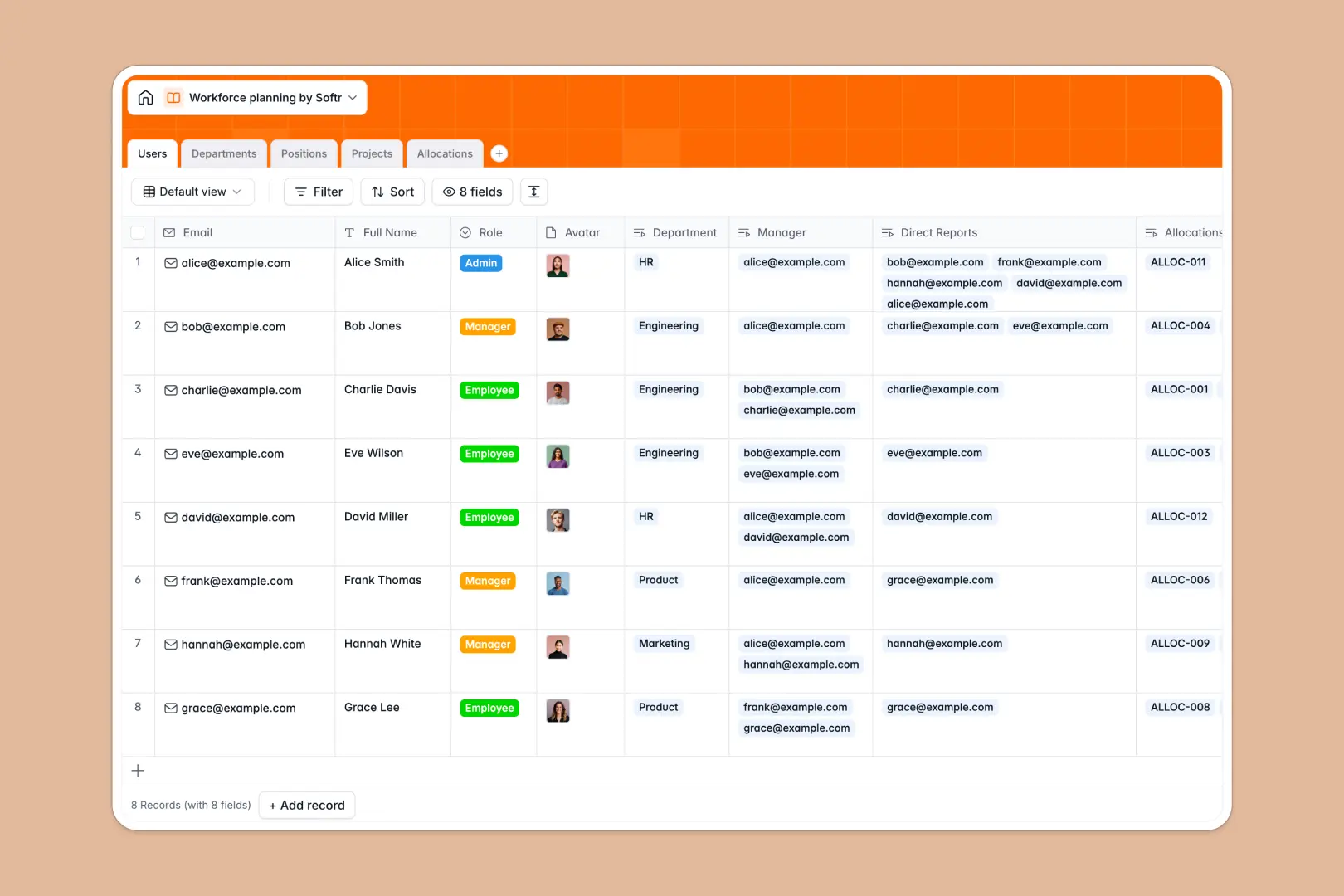
Your Workforce Planning database at a glance
This template organizes your entire organizational structure, active initiatives, and team capacity in one connected system. It gives HR leaders and department heads real-time clarity over staff allocations, open headcount, and future hiring plans.
Five dedicated tables link your team members directly to their departments, open roles, and active projects. Instead of maintaining disconnected tabs, every project assignment automatically updates employee workloads and department headcounts.
Built-in AI fields draft complete job descriptions for new roles, summarize department mandates, and generate executive summaries for active project scopes automatically.
Why workforce planning in a shared sheet breaks down
Google Sheets is excellent for quick lists, but it was never designed to model interconnected headcount, overlapping project deadlines, and employee bandwidth.
What a structured database changes
In a typical sheet, everyone sees every salary band, note, and hiring plan because granular row permissions do not exist. When someone sorts a tab, lookup formulas shatter, and date columns quickly turn into freeform text notes.
A structured database enforces clean field types and connects records natively. When you link an employee in the Users table to an initiative in the Projects table, capacity percentages calculate accurately without brittle formulas.
This is exactly what Softr Databases are designed for: giving you a reliable backend where departments, roles, and project allocations stay synchronized as your team scales. If needed, Softr can also connect an existing Google Sheet as an external data source, though a dedicated database provides far better structure for workforce operations.
What you can do with this template
Model upcoming hiring pipelines by tracking positions across planned, open, and filled stages, linked directly to departmental headcounts and target start dates.
Balance employee workloads across multiple initiatives using the Allocations table to prevent burnout before projects launch.
Use native Database AI agents to research industry standards and draft full job descriptions automatically whenever a new position is created.
-
Users
Manage employee directory, roles, and reporting hierarchy details
-
Departments
Track business units, staffing headcounts, and AI mandate summaries
-
Positions
Catalog open roles and generate job descriptions with web-enabled AI
-
Projects
Organize business initiatives with timeline statuses and AI summaries
-
Allocations
Map staff capacity percentages and assignment dates across projects
Who is this Workforce Planning database for
This template is designed for operational leaders who need reliable visibility into staffing and capacity.
- People Operations: Track department headcounts, open requisitions, and organizational reporting lines in a single system.
- Resource Managers: Map employee capacity percentages across concurrent initiatives to avoid project bottlenecks.
- Department Heads: Plan future hiring targets and document role requirements without creating separate spreadsheets.
- Executive Leadership: Review consolidated team allocation data and project briefs to make informed staffing decisions.
How to take it further
Tailor the database to your organizational structure in minutes. Add custom fields for compensation bands, adjust project status options, or introduce specialized skill tags to match your internal leveling framework.
Import your existing team roster and project schedules via CSV to get started immediately, or connect through the API to sync updates automatically from your HRIS.
When your team is ready, build an app on top of this database using Softr's AI Co-Builder. Generate custom employee directories, manager request portals, and executive dashboards with dedicated users and permissions so managers only view their direct reports.
-
1
-
2
-
3
-
4
Frequently asked questions
-
What is a workforce planning database?
-
Why use a no-code database to build a workforce planning tool?
-
How can AI help managing data for workforce planning?
-
Can I build an app with this workforce planning database?
-
Is this Workforce Planning database free?
-
How is this database different from workforce planning in Google Sheets?
Start building today. It's free!
Build and launch your first app in under 30 minutes.