


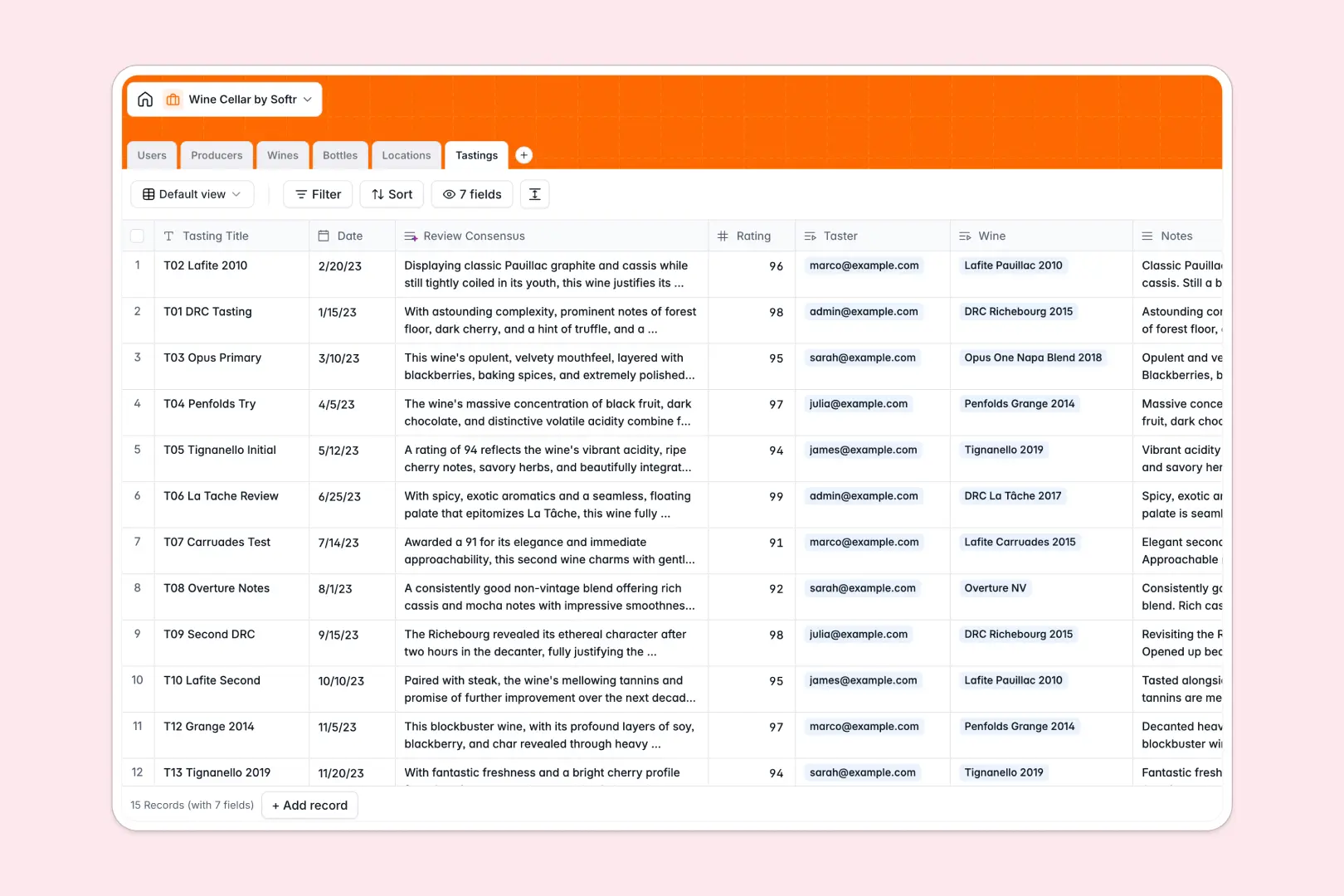
Your Wine Cellar database at a glance
Keep track of your entire wine collection, monitor exact bottle storage, and capture rich tasting notes without messy records. This template connects your physical inventory directly to varietal details, producer backgrounds, and historical ratings.
Six dedicated tables work together: Wines link to Producers and individual Bottles, while Locations track storage capacities across fridges and racks. Every bottle status update automatically recalculates totals so you always know what is ready to open.
Built-in AI capabilities enrich producer histories via live web search and synthesize tasting notes into clear consensus summaries automatically.
When a shared sheet cannot handle maturing vintages
Google Sheets makes it simple to share a wine list, but it was never designed to run an inventory backend. As collections grow across multiple coolers and racks, rows get accidentally overwritten, lookup formulas break during sorting, and unformatted cells mix up vintages and purchase dates.
What a structured database changes
A relational database enforces strict field types so dates remain valid timestamps, prices stay numeric, and bottles reliably link to storage units without brittle sheet formulas.
Instead of copy-pasting producer names and guessing inventory counts, rollups compute stock instantly across every rack. This is exactly what Softr Databases are designed for, giving you a structured foundation that remains reliable over years of cellar management. While Softr can connect an existing Google Sheet as an external source, a dedicated database guarantees data integrity as your collection expands.
What you can do with this template
Manage physical bottle states across locations, from initial purchase through consumption, while keeping tasting notes connected to specific tasters and vintages.
Using native Database AI agents, the database can browse the live web to fetch producer backgrounds, generate expected wine profiles, and summarize tasting reviews instantly without extra tools.
-
Users
Manage cellar members and track personal tasting contributions
-
Producers
Track wineries with origin regions and AI-generated descriptions
-
Wines
Catalog wine varietals and vintages with AI flavor profile notes
-
Bottles
Track physical bottle inventory, purchase costs, and consumption status
-
Locations
Organize storage units and cellar racks with capacity monitoring
-
Tastings
Log tasting notes and ratings with AI-powered consensus summaries
Who is this Wine Cellar database for
Manage your cellar efficiently whether you run a private collection, hospitality program, or tasting group.
- Private collectors: Track bottle locations, purchase values, and peak drinking windows across multiple storage units.
- Sommeliers and beverage managers: Monitor rack capacities, bottle statuses, and producer details across cellars and fridges.
- Wine clubs and tasting groups: Log collective tasting notes, score vintages, and maintain a shared historical review library.
- Estate managers: Maintain accurate inventory records and bottle provenance for high-value personal cellars.
How to take it further
Customize your database layout to fit your exact storage setup. Add custom select tags for drink-by windows, introduce custom fields for bottle formats like magnums, or modify location types to match your home setup.
Import your existing wine collection in minutes using a simple CSV upload or sync data automatically via API to get an up-to-date cellar immediately.
When you are ready for a tailored interface, use Softr's AI app generator to turn this database into a portal in one prompt. Configure granular users and permissions so guests can view the tasting catalog while only cellar managers can update bottle statuses and purchase prices.
-
1
-
2
-
3
-
4
Frequently asked questions
-
What is a wine cellar database?
-
Why use a no-code database to build a wine cellar system?
-
How can AI help managing data for a wine cellar?
-
Can I build an app with this wine cellar database?
-
Is this Wine Cellar database free?
-
How is this database different from a wine cellar Google Sheet?
Start building today. It's free!
Build and launch your first app in under 30 minutes.