


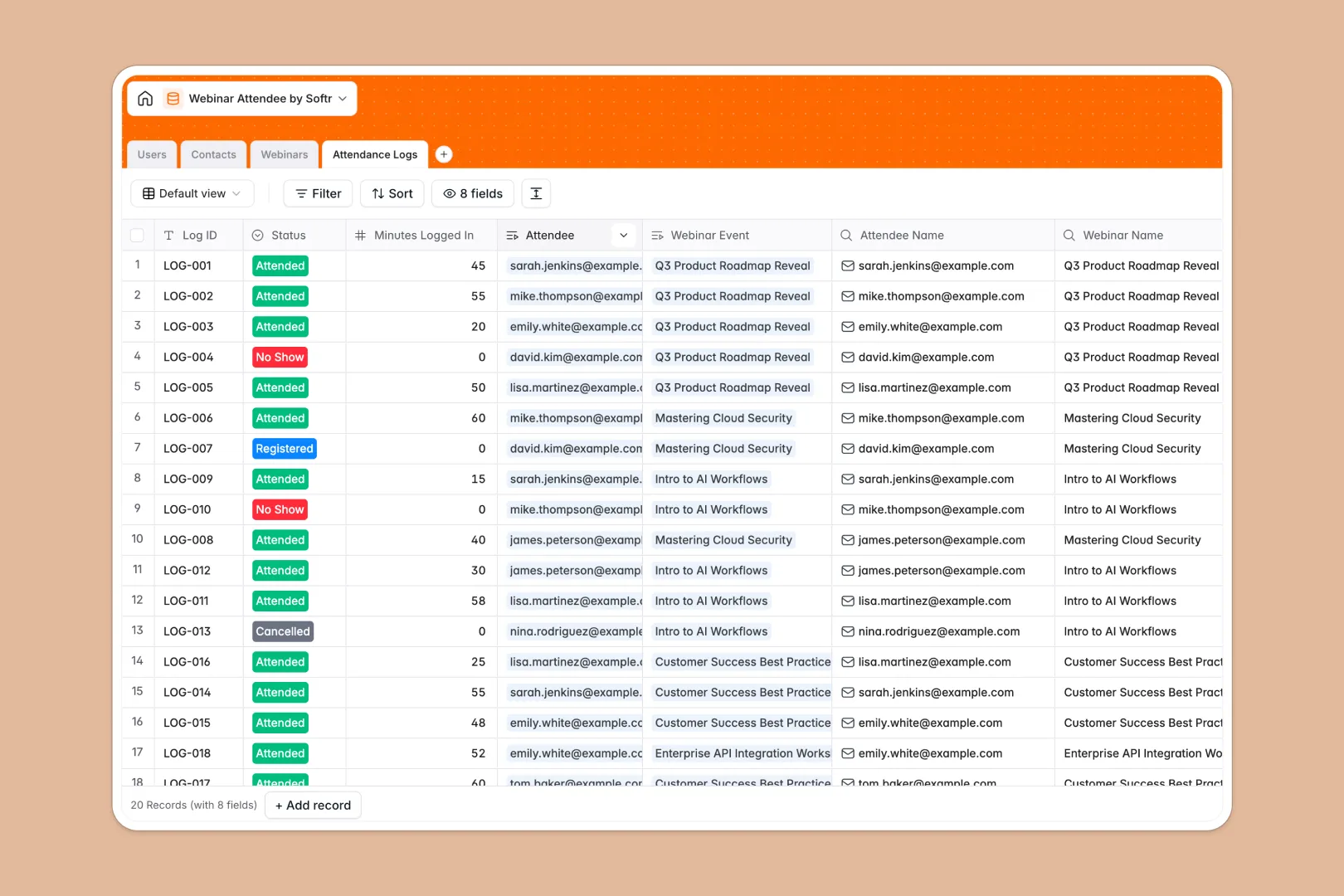
Your Webinar Attendee Database at a glance
This template gives you a central hub to manage event registrants, calculate attendee engagement, and organize hosted sessions effortlessly. It links Contacts, Webinars, and Attendance Logs together, allowing you to see exactly who attended what without manually cross-referencing lists.
Because everything is connected, you can view a contact's total attendance history and a webinar's average watch time instantly. Built-in AI agents do the heavy lifting by automatically researching attendee job titles and classifying their engagement levels based on minutes logged in.
Why tracking webinar attendees gets messy in Google Sheets
Managing live event lists in spreadsheets quickly turns into a nightmare of duplicate rows and fragile tracking formulas across endless tabs.
What a structured database changes
Instead of copy-pasting emails between registration and attendance sheets, a structured database links records natively. Every attendee connects directly to their registered webinar sessions and individual watch times automatically.
This is exactly what Softr Databases are designed for. Your data stays perfectly organized, and rollups instantly calculate total registrations without forcing you to write and maintain complex VLOOKUPs.
What you can do with this template
Keep a clean, unified view of your contacts with full event histories while natively tracking status updates from 'Registered' to 'Attended'. The attendance logs junction table ensures every single interaction is accurately captured and easy to navigate.
You can also leverage Database AI agents to automate tedious research and writing. The database can automatically scour the web to enrich missing job titles for your contacts or draft compelling promotional copy based on your raw internal webinar notes.
-
Users
Manage internal team members, webinar hosts, and moderators with access roles
-
Contacts
Store registrant details with AI-powered job title research and attendee history
-
Webinars
Schedule events and generate AI promotional content based on internal notes
-
Attendance Logs
Track session participation using AI to classify attendee engagement levels
Who is this Webinar Attendee database for
This database template provides a powerful, reliable foundation for teams looking to centralize their event reporting and follow-ups.
- Marketing Teams: Track registration counts and analyze average watch times automatically to measure campaign success.
- Sales Reps: Identify highly engaged attendees and review complete event histories for targeted follow-ups.
- Event Managers: Keep hosts, dates, notes, and promotional materials neatly organized in one unified view.
How to take it further
It is incredibly simple to customize the database to fit your team's workflow. You can easily add new engagement statuses, rename internal host roles, or adjust the AI prompts to better match your company's tone of voice.
When you are ready to scale, bring your historical attendance lists straight into the tables via CSV import or sync active registrations automatically using Softr's API.
You can also take this foundation and build an app directly on top of it. Create an internal dashboard where hosts can review performance metrics or check attendee lists before going live. With native users and permissions, you can ensure that sales reps or external moderators only see the specific attendee data they are authorized to access.
-
1
-
2
-
3
-
4
Frequently asked questions
-
What is a webinar attendee database?
-
Why use a no-code database to track webinar data?
-
How can AI help managing data for webinar attendees?
-
Can I build an app with this webinar attendee database?
-
Is this Webinar Attendee template free?
-
Why do webinar lists break down in Google Sheets?
Start building today. It's free!
Build and launch your first app in under 30 minutes.