


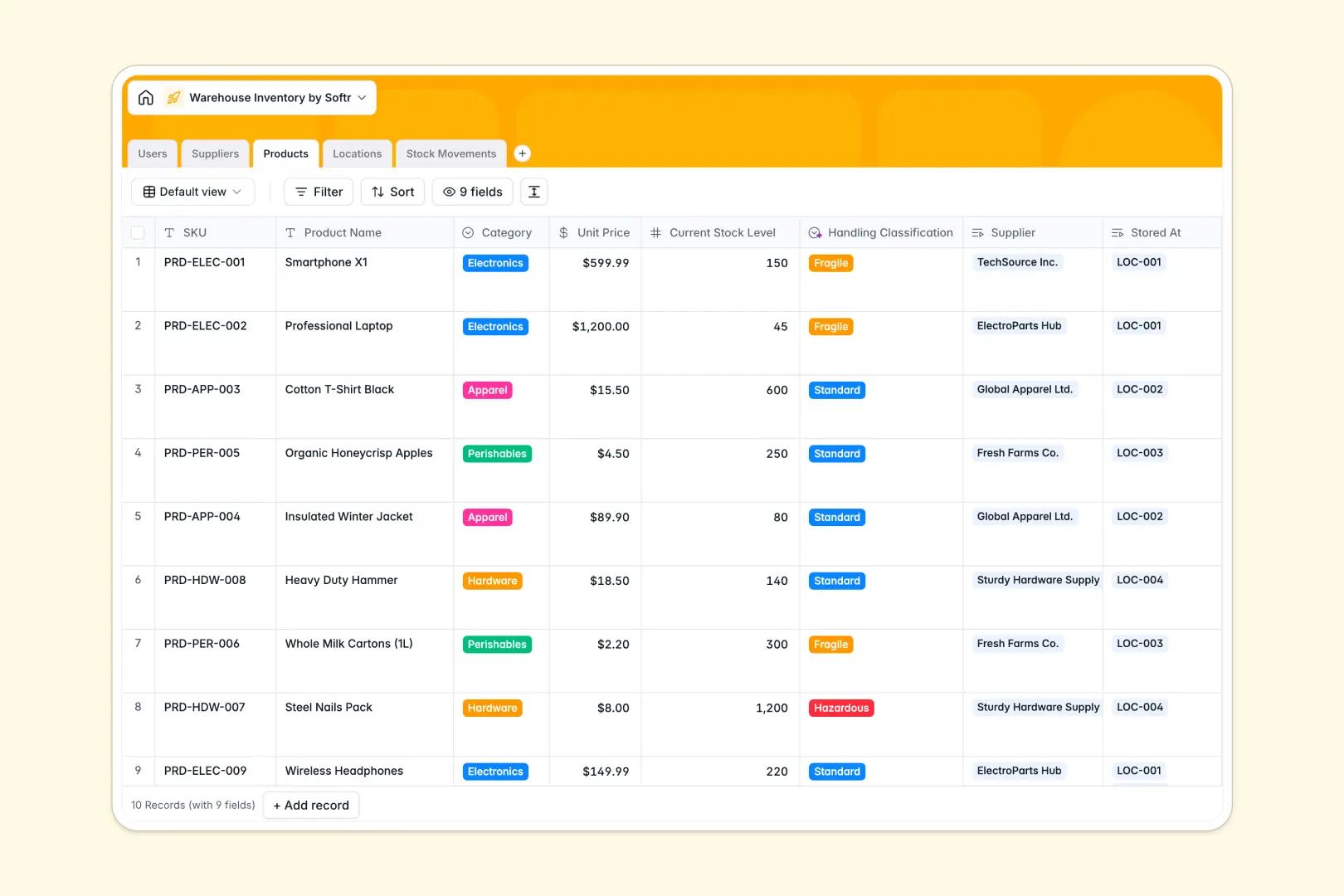
Your Warehouse Inventory database at a glance
This template gives warehouse teams a structured way to track stock levels, physical bin locations, and supplier records in real time. It replaces fragile sheets with linked records that keep your entire fulfillment pipeline accurate.
Items connect directly to distinct storage zones and logged stock movements. Whenever a picker logs an inbound or outbound transfer, counts update reliably without broken cross-sheet lookups.
Built-in AI fields automatically research supplier profiles from their websites, classify handling rules based on item categories, and generate concise log summaries for fast auditing.
When a shared sheet becomes an unreliable warehouse backend
Google Sheets makes collaboration simple, but it was never designed to run warehouse operations. When multiple pickers and managers edit the same grid, sorting breaks row lookups, dates get typed as free text, and anyone can accidentally delete critical stock formulas.
What a structured database changes
A structured database enforces strict data types for every column. Quantities stay numeric, dates remain standard timestamps, and stock movements link directly to physical locations without fragile cell formulas.
Every change creates an audit trail connected to specific users. This is exactly what Softr Databases are designed for, giving your operational data permanent structure.
While you can connect an existing sheet as an external data source, moving to a dedicated database keeps your inventory rock-solid.
What you can do with this template
Track items across dedicated zones like Cold Storage, Shipping, or Receiving while monitoring rollup counts per bin. You can log inbound or outbound inventory movements with linked references to the exact picker handling the job.
Native Database AI agents enrich supplier websites, determine fragility classifications, and summarize movement logs automatically without complex scripts.
-
Users
Manage warehouse employees, assigned roles, and processed movements
-
Suppliers
Track vendor contacts and generate AI web-researched company profiles
-
Products
Organize inventory with AI handling classification and stock levels
-
Locations
Structure physical storage zones, bin capacities, and placed goods
-
Stock Movements
Log inventory transfers and inbound orders with AI summary generation
Who is this Warehouse Inventory database for
Designed for fast-moving operations teams needing accurate stock tracking:
- Warehouse Managers: Maintain full visibility over physical zones, total storage capacity, and supplier relationships.
- Inventory Controllers: Log inbound and outbound stock movements accurately without overwriting shared spreadsheet formulas.
- Logistics Teams: Classify handling requirements instantly and keep bin locations organized across facilities.
- Operations Leads: Audit staff movement logs and prevent discrepancies between recorded and physical counts.
How to take it further
Customize your database layout in minutes. You can add custom warehouse zones, create specific handling categories, or adjust stock movement types to match your exact floor operations.
Bring in existing inventory catalogs immediately using standard CSV imports. You can also sync live enterprise systems or ERP tools directly through the native API.
When your team is ready, build an app on top of your database using Softr's AI Co-Builder. Simply describe what you need in one prompt to create a mobile scanner interface for pickers or a vendor tracking dashboard for managers, backed by custom users and permissions.
-
1
-
2
-
3
-
4
Frequently asked questions
-
What is a warehouse inventory database?
-
Why use a no-code database to build a warehouse inventory system?
-
How can AI help managing data for warehouse inventory?
-
Can I build an app with warehouse inventory database?
-
Is this warehouse inventory template free?
-
How is a warehouse inventory database different from Google Sheets?
Start building today. It's free!
Build and launch your first app in under 30 minutes.