


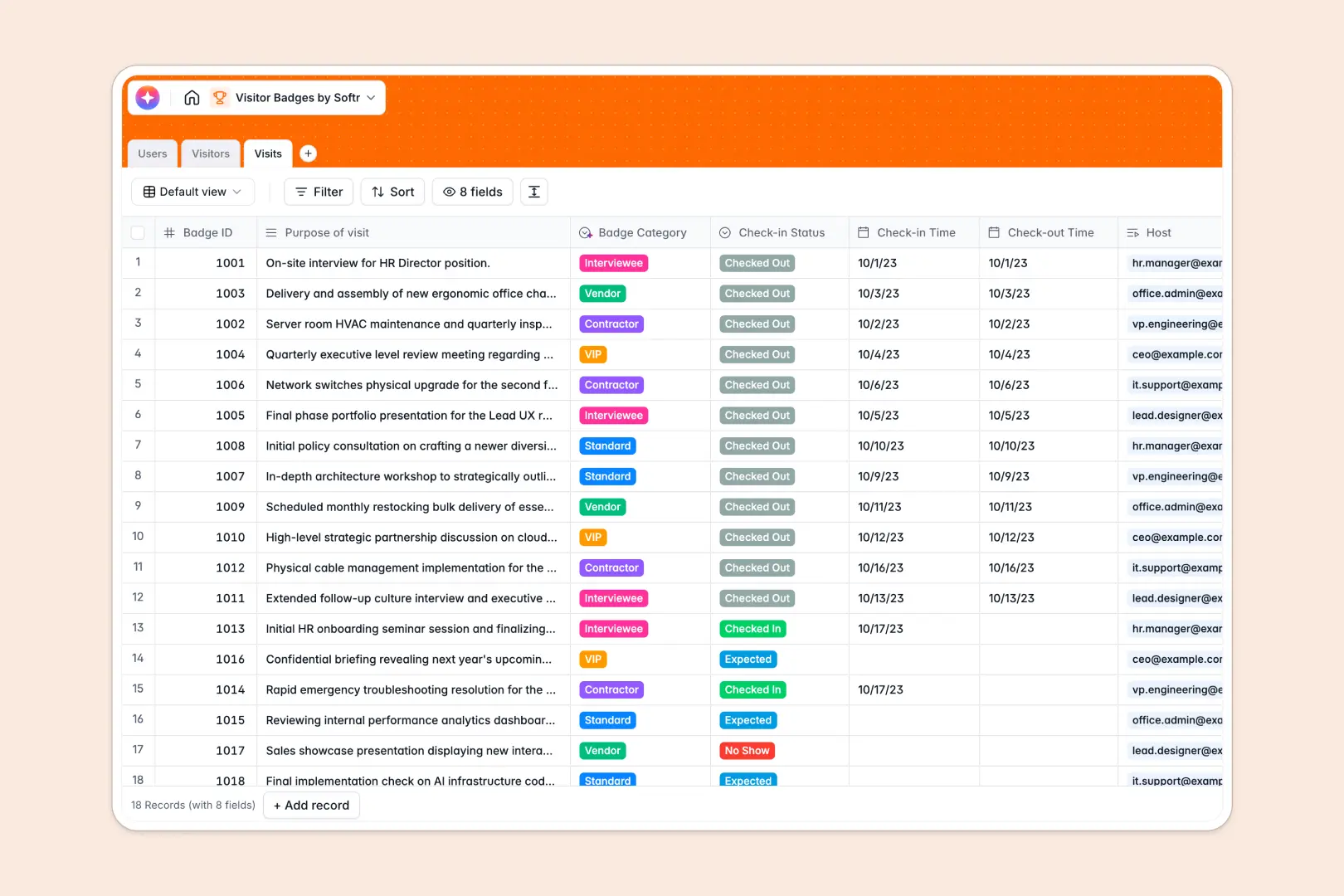
Your Visitor Badges database at a glance
This template organizes your entire front desk workflow, helping you manage guest registrations, badge allocations, and host assignments in one reliable place.
It connects Visitors to specific Visits and internal Hosts, ensuring every guest has a logged check-in status, purpose, and badge type without manual data entry errors.
Built-in AI automatically looks up company backgrounds across the web and categorizes badge types directly from visit notes, saving front desk staff valuable time.
When a shared guest spreadsheet breaks front desk security
Google Sheets is great for sharing quick lists, but it falls apart when used as an operational guest register. Anyone with access can view sensitive visitor information, overwrite badge IDs, or accidentally delete arrival timestamps.
What a structured database changes
A structured database enforces strict data integrity: check-in dates remain valid timestamps, visitor photos stay securely attached to profiles, and badge categories cannot be mistyped.
Instead of juggling messy lookups across tabs, visits link directly to host records and guest histories. This is exactly what Softr Databases are designed for, giving you a structured foundation that easily handles complex operations.
While Softr can connect to an existing Google Sheet, running your guest log on a native database guarantees cleaner data, automated rollups, and zero formula breakages.
What you can do with this template
Manage real-time check-in statuses (Expected, Checked In, Checked Out, No Show) while keeping a comprehensive log of every visit a guest makes.
Use Database AI agents to enrich visitor profiles by researching company backgrounds and categorizing badge types (VIP, Contractor, Interviewee) automatically based on the stated visit purpose.
Maintain accurate security records and keep staff notified when their scheduled visitors arrive at reception.
-
Users
Manage employee hosts with role assignments, departments, and visits
-
Visitors
Store guest profiles with AI-powered company research and visit histories
-
Visits
Track check-in times and badges with AI category classification
Who is this Visitor Badges database for
This database is built for workplace teams and facilities managing on-site guests:
- Receptionists and Front Desk Staff: Quickly log visitors, allocate badge numbers, and track real-time arrival statuses without manual paperwork.
- Office and Facility Managers: Monitor building occupancy, review visitor logs for compliance, and maintain workplace security standards.
- Security and Operations Leads: Categorize visitor access levels (Contractor, VIP, Vendor) and keep permanent audit trails of visits.
- Department Heads and Hosts: Track expected client meetings, interviews, and vendor arrivals linked directly to internal hosts.
How to take it further
Customize this database to match your reception processes. You can add custom badge categories, track NDA signature status, or include emergency contact fields directly in the table views.
Bring in historical guest records by importing a CSV file or syncing your contact directory using the native API.
When you want to set up self-service check-in kiosks or a front-desk portal, build an app on top of this database. Softr's AI Co-Builder creates dedicated interfaces, host notification workflows, and role-based permissions so guests only see their sign-in forms while receptionists manage the full live dashboard.
-
1
-
2
-
3
-
4
Frequently asked questions
-
What is a Visitor Badges database?
-
Why use a no-code database to build a visitor badge tracking system?
-
How can AI help managing data for visitor badges?
-
Can I build an app with this Visitor Badges database?
-
Is this Visitor Badges database free?
-
How is this database different from tracking visitor badges in Google Sheets?
Start building today. It's free!
Build and launch your first app in under 30 minutes.