


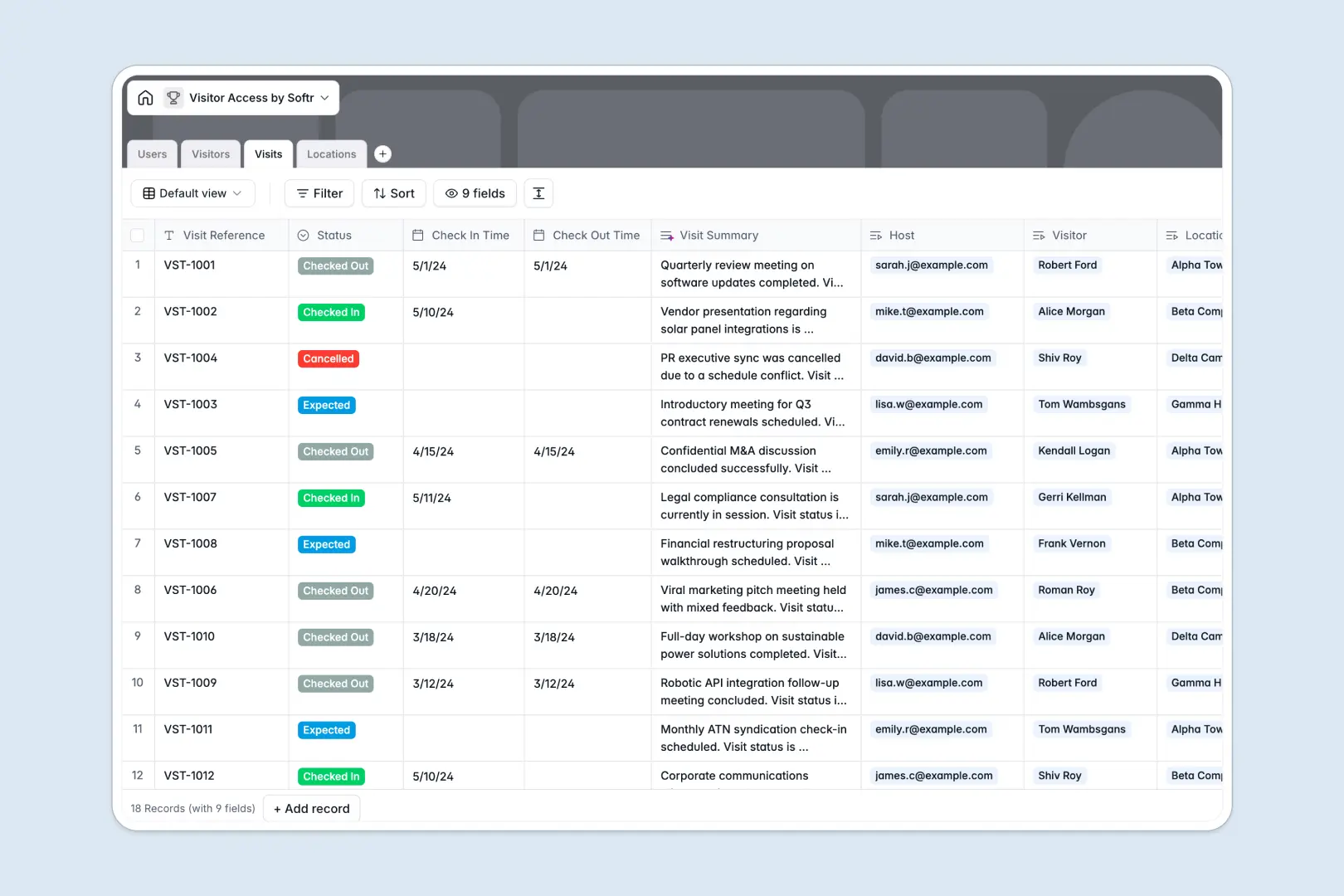
Your Visitor Access database at a glance
Manage physical site entries, guest details, and host notifications across every facility without chaotic sign-in sheets. This database structures your front-desk operations so receptionists and security leads always know who is on-site.
Four dedicated tables handle your data cleanly: Visitors stores contact info and ID attachments, Visits logs precise timestamps and statuses, Users maps internal employee hosts, and Locations tracks individual buildings.
Native AI fields automate front-desk research by summarizing visit logs and looking up guest company information directly on the live web.
When a shared sheet turns every guest check-in into a security risk
Google Sheets is excellent for team collaboration, but it was never designed to operate as a secure visitor management backend. Sharing a sheet with front-desk staff or third-party contractors usually means exposing every guest's phone number, photo ID, and host details to everyone with link access.
What a structured database changes
In a dedicated database, strict field types ensure dates, phone numbers, and photo attachments stay valid without manual formatting. Connected records link each visit directly to a host and a specific building without fragile lookups.
Sensitive information remains protected because you control data at the record level. This is exactly what Softr Databases are designed for, giving you a structured foundation that scales safely.
What you can do with this template
Log visit statuses from Expected to Checked In while maintaining a clear history of every guest's total visits across locations.
Built-in Database AI agents automatically summarize reception notes and research visitor companies in the background, keeping records tidy without extra data entry.
-
Users
Manage internal staff hosts, receptionists, and role-based permissions
-
Visitors
Store guest profiles, IDs, history, and AI-enriched company overviews
-
Visits
Track guest appointments, check-ins, and generate AI visit summaries
-
Locations
Manage office buildings, reception contact details, and checkpoints
Who is this Visitor Access database for
This system helps teams that welcome external guests maintain physical security and smooth front-desk operations.
- Workplace & Office Managers: Coordinate guest arrivals, manage building capacities, and maintain clean logs across multiple facilities.
- Front Desk & Receptionists: Check guests in quickly, verify identity attachments, and immediately notify internal hosts.
- Security & Compliance Teams: Keep auditable visit records with exact check-in timestamps and verified contact details.
- Operations Leads: Track foot traffic trends and visitor frequency without maintaining disjointed spreadsheets.
How to take it further
Customize your database fields. Tailor visit statuses to match your facility protocols or add custom fields for badge numbers and parking assignments. You can adjust select options or link additional tables directly in Softr in seconds.
Import your existing records. Upload your historical visitor logs or staff directories instantly via CSV import. You can also sync live employee rosters using the native API.
Build a full front-desk portal. When you are ready, use Softr's AI app generator to turn this database into a self-service check-in kiosk or receptionist portal in one prompt. Configure granular users and permissions so guests only see check-in forms while security officers access full attendance logs.
-
1
-
2
-
3
-
4
Frequently asked questions
-
What is a Visitor Access database?
-
Why use a no-code database to build a visitor access system?
-
How can AI help managing data for visitor access?
-
Can I build an app with this Visitor Access database?
-
Is this Visitor Access template free?
-
How is a Visitor Access database different from Google Sheets?
Start building today. It's free!
Build and launch your first app in under 30 minutes.