


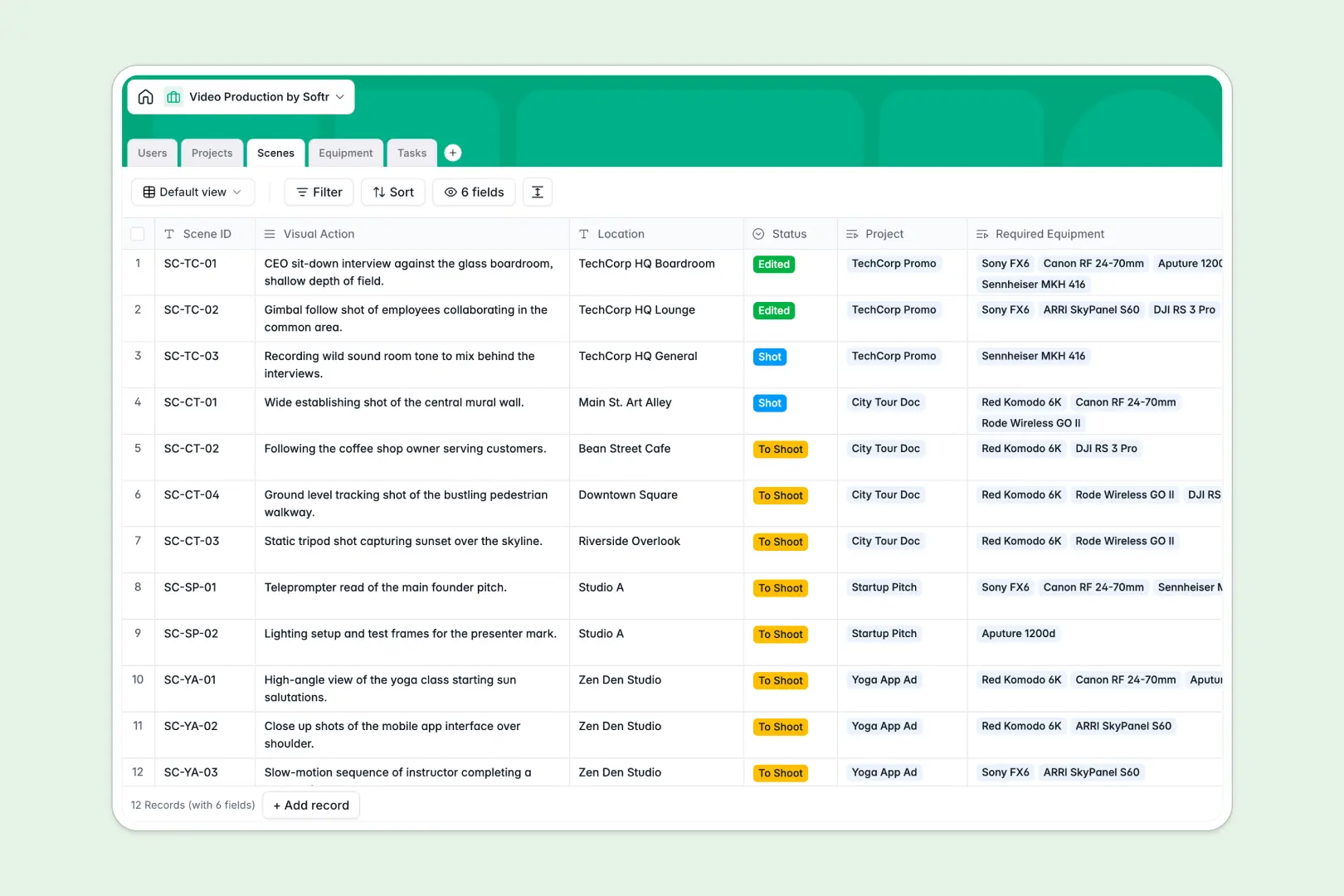
Your Video Production database at a glance
This template gives creative teams and studios a centralized workspace to manage video shoots, equipment, and crew assignments without messy file handoffs.
It connects Projects directly to individual Scenes, actionable Tasks, and a shared Equipment inventory, keeping everyone from producers to clients aligned on timelines and deliverables.
Built-in AI fields summarize lengthy project briefs automatically and research technical specifications for camera and lighting gear straight from manufacturer websites.
Why video production outgrows shared spreadsheets
Google Sheets makes sharing easy across a crew, but a shoot quickly breaks down when every collaborator can overwrite formulas or edit sensitive client notes.
What a structured database changes
In a standard spreadsheet, shot lists, crew rates, and gear lists get pasted across tabs, leaving you to hope that nobody accidentally sorts a column and breaks cell references.
A structured database enforces clean field types so dates remain dates, team members link directly to assigned scenes, and gear availability updates across all projects.
This is exactly what Softr Databases are designed for, giving you a dependable engine for your production workflow instead of a spreadsheet that doubled as a fragile backend.
What you can do with this template
Link your scenes directly to specific cameras, lenses, and audio kits so you never double-book essential gear on production day.
Use native Database AI agents to classify production tasks into scripting, filming, or editing, and pull technical specs for newly added equipment in real time.
Give producers, crew members, and clients a structured workspace that is ready to track shoots right out of the box.
-
Users
Manage staff, production crew, and client profiles with assignments
-
Projects
Track video productions with timelines and AI brief summaries
-
Scenes
Plan shots and scene requirements with locations and linked gear
-
Equipment
Manage production gear inventory with web-powered AI tech specs
-
Tasks
Organize video to-dos and deadlines using AI task classification
Who is this Video Production database for
This template is designed for video professionals and teams managing multi-stage shoots and shared assets:
- Production Agencies: Keep client briefs, shooting schedules, and assigned crew organized across multiple concurrent client shoots.
- In-House Video Teams: Track internal video requests, scene requirements, and equipment inventory across company projects.
- Freelance Videographers: Organize shot lists, automate brief summaries, and track pre-production to post-production milestones.
- Studio Managers: Monitor camera, lighting, and audio equipment availability and schedule maintenance between production dates.
How to take it further
1. Customize the database
Adjust the schema to fit your exact filming pipeline in seconds. Add custom select fields for shooting resolutions, insert file attachments for storyboards, or create custom views for upcoming shoot dates.
2. Import your existing data
If you have active projects or an existing gear inventory in spreadsheets, upload them instantly via CSV. You can also connect external systems via API to sync shoot dates and client rosters automatically.
3. Build a full app around it
Turn this database into a complete client portal or crew portal when your workflow expands. With Softr's AI app generator, you can describe the portal you want in plain words and generate tailored interfaces and dashboards in moments.
Set granular users and permissions so clients only see their own project milestones while crew members update shot checklists on set from their phones.
-
1
-
2
-
3
-
4
Frequently asked questions
-
What is a video production database?
-
Why use a no-code database to build a video production system?
-
How can AI help managing data for video production?
-
Can I build an app with this video production database?
-
Is this Video Production database free?
-
How is a video production database different from Google Sheets?
Start building today. It's free!
Build and launch your first app in under 30 minutes.