


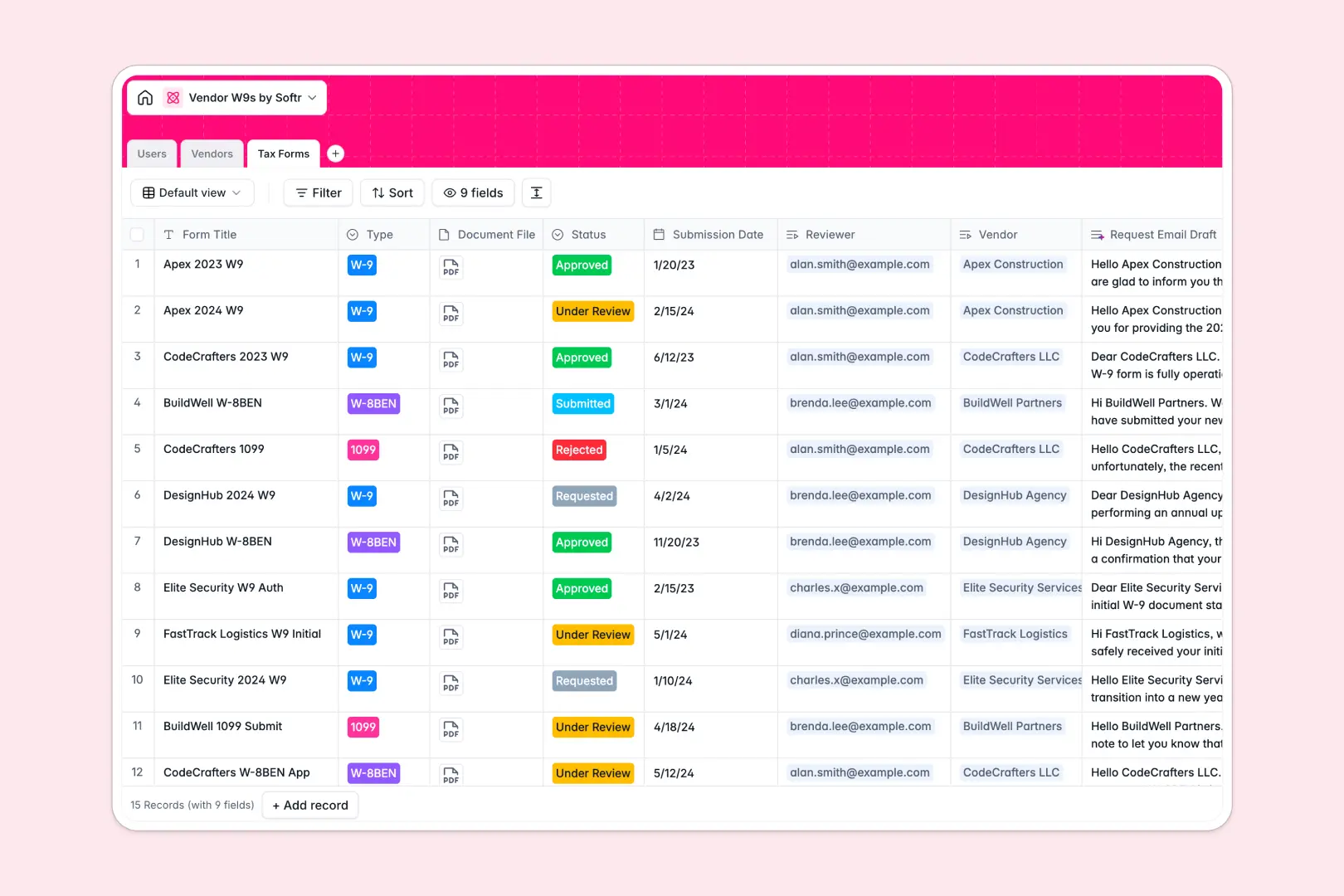
Your Vendor W9s Database at a glance
This template is a complete system for tracking contractors, managing tax documents, and maintaining compliance records in one place.
It connects your internal team directly with a directory of vendors and their submitted documents. When a new W-9 or 1099 is requested, its exact status is tracked securely without scattering files across hard drives.
Built-in AI automatically drafts professional email requests for missing forms and looks up vendor descriptions based on their provided website.
Why tracking vendor W9s in Google Sheets breaks down
Managing file attachments and vendor compliance statuses in spreadsheets quickly turns into a fragile mess. Links to sensitive files break, status updates get overwritten, and figuring out who needs a follow-up turns into a daily chore.
What a structured database changes
Every piece of data has a strict format that protects your records. Tax files are securely uploaded as actual attachments, and compliance statuses are locked to predefined select values.
You can effortlessly connect one vendor to multiple historical tax forms without copy-pasting details across rows. This native connection is exactly what Softr Databases are designed for.
What you can do with this template
Instantly filter your view to see which contractors are missing documentation. Securely store approved PDFs exactly where your whole finance team can find them.
You can also leverage built-in Database AI agents to automate manual work. The database will automatically research vendor details and draft follow-up emails requesting missing W-9s in seconds.
-
Users
Manage internal staff roles and oversee vendor verification workflows
-
Vendors
Directory of contractors including AI-generated company summaries based on websites
-
Tax Forms
Track W9 submissions and automate outreach with AI-powered email drafting
Who is this Vendor W9s database for
This system is built for teams that regularly onboard contractors and need to enforce tax compliance reliably.
- Finance Teams: Centralize tax document collection and guarantee every contractor is approved before payouts.
- Operations Managers: Keep a clean, actionable directory of all active service providers and their compliance status.
- HR Professionals: Track pending documents automatically without chasing external contractors via email.
How to take it further
Customize the database
Easily modify the compliance statuses to match your internal workflows. You can add new fields like payment terms, contract dates, or vendor categories in one click.
Import your existing data
Upload a CSV of your current vendor directory to populate the template instantly. Your team can start assigning reviews and tracking compliance within minutes.
Build a full app around it
When you are ready to scale, you can turn this database into a secure vendor portal using an interface builder. External contractors could log in to a web app to upload their own W-9 files securely.
By leveraging users and permissions, you ensure contractors only see their own uploads while your internal finance team gets full managerial access. A solid database makes building these web apps incredibly simple.
-
1
-
2
-
3
-
4
Frequently asked questions
-
What is a Vendor W9s database?
-
Why use a no-code database to build a tax compliance tool?
-
How can AI help managing data for vendor compliance?
-
Can I build an app with this vendor database?
-
Is this Vendor W9s database free?
-
How does this database beat a Google Sheets vendor list?
Start building today. It's free!
Build and launch your first app in under 30 minutes.