


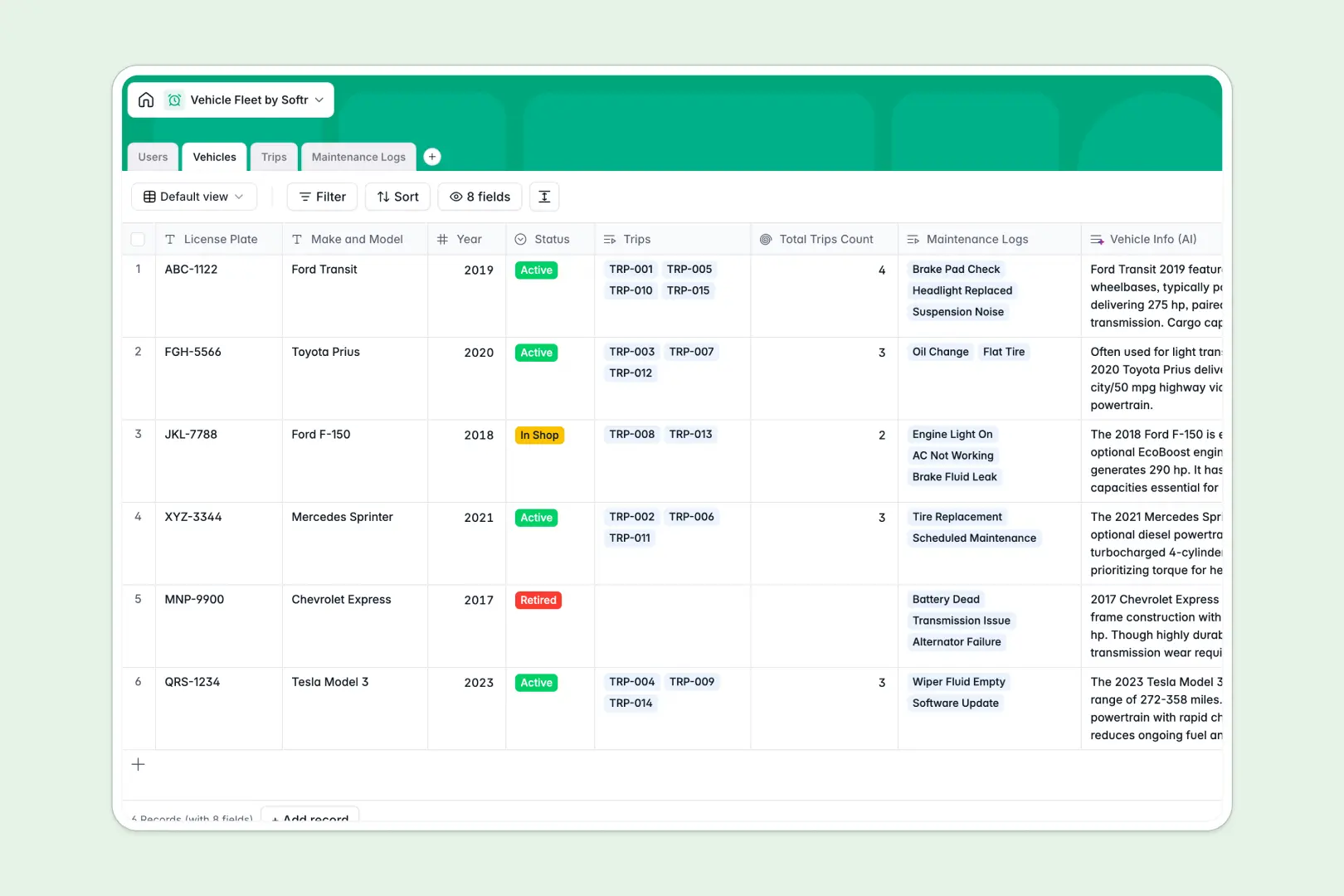
Your Vehicle Fleet database at a glance
This template gives fleet operators a unified system to manage company vehicles, log completed trips, and resolve repair issues. Keep real-time visibility into which vehicles are active, in the shop, or retired across your entire operation.
Connected tables organize drivers in Users, vehicle inventory in Vehicles, journey logs in Trips, and repair histories in Maintenance Logs. Linking records ensures trip mileage and service costs automatically attach to the right car or truck.
Built-in AI fields auto-research technical specifications from the live web and automatically classify maintenance urgency as soon as a driver submits an issue report.
When every driver sees every vehicle row in your fleet sheet
Google Sheets makes it easy to share a file, but it exposes all your fleet data to anyone with edit access. When drivers, managers, and mechanics all share one sheet, accidental edits, broken cross-tab formulas, and deleted rows quickly disrupt operations.
What a structured database changes
In a dedicated database, data types are strictly enforced so odometer numbers stay numeric and repair dates remain valid timestamps. Instead of fragile spreadsheet lookups that fail when a row shifts, tables connect natively.
This means a trip log permanently links to the driver and vehicle record without repetitive data entry. This is exactly what Softr Databases are designed for, keeping operational data reliable as your fleet expands.
While you can connect an existing Google Sheet to Softr as a secondary data source, running mission-critical fleet logs in a native database prevents corrupted formulas and data drift.
What you can do with this template
Track lifetime service costs and total trip counts per vehicle with automatic rollups that calculate values without manual formulas.
Automate routine research and triage using built-in Database AI agents that summarize journey notes and assess mechanical issue urgency instantly.
Use this ready-to-run template immediately to replace disjointed tabs with structured fleet oversight.
-
Users
Manage fleet managers, drivers, and admins with contact and trip logs
-
Vehicles
Track fleet vehicle details and fetch specs with web-enabled AI insights
-
Trips
Log driver journeys and mileage with AI-generated trip summaries
-
Maintenance Logs
Record fleet repair issues and classify urgency using AI automation
Who is this Vehicle Fleet database for
Designed for teams that need clear accountability and organized records across their fleet operations:
- Fleet Managers: Track maintenance schedules, vehicle statuses, and total mileage across all company assets.
- Logistics Coordinators: Assign drivers to specific vehicles and review trip logs in real time.
- Operations Leads: Monitor repair expenses and fleet downtime without sorting through messy spreadsheets.
- Field Service Teams: Log mechanical issues and travel notes directly from the field.
How to take it further
Customize your tables to match your exact fleet operations. Add custom fields for fuel card IDs, VIN numbers, or insurance expiration dates, and update select dropdowns for specific vehicle categories.
Import your existing fleet records in seconds using CSV upload to immediately sync vehicle inventories and past maintenance histories without manual data entry.
When your team is ready, build an app on top of this database. You can use Softr's AI Co-Builder to turn this template into a dedicated driver portal or management dashboard with a single prompt.
Set up custom users and permissions so drivers only access their assigned trips while fleet managers view complete vehicle analytics and cost reports across the organization.
-
1
-
2
-
3
-
4
Frequently asked questions
-
What is a vehicle fleet database?
-
Why use a no-code database to build a vehicle fleet management system?
-
How can AI help managing data for vehicle fleets?
-
Can I build an app with this vehicle fleet database?
-
Is this Vehicle Fleet database free?
-
How is this vehicle fleet database different from Google Sheets?
Start building today. It's free!
Build and launch your first app in under 30 minutes.