


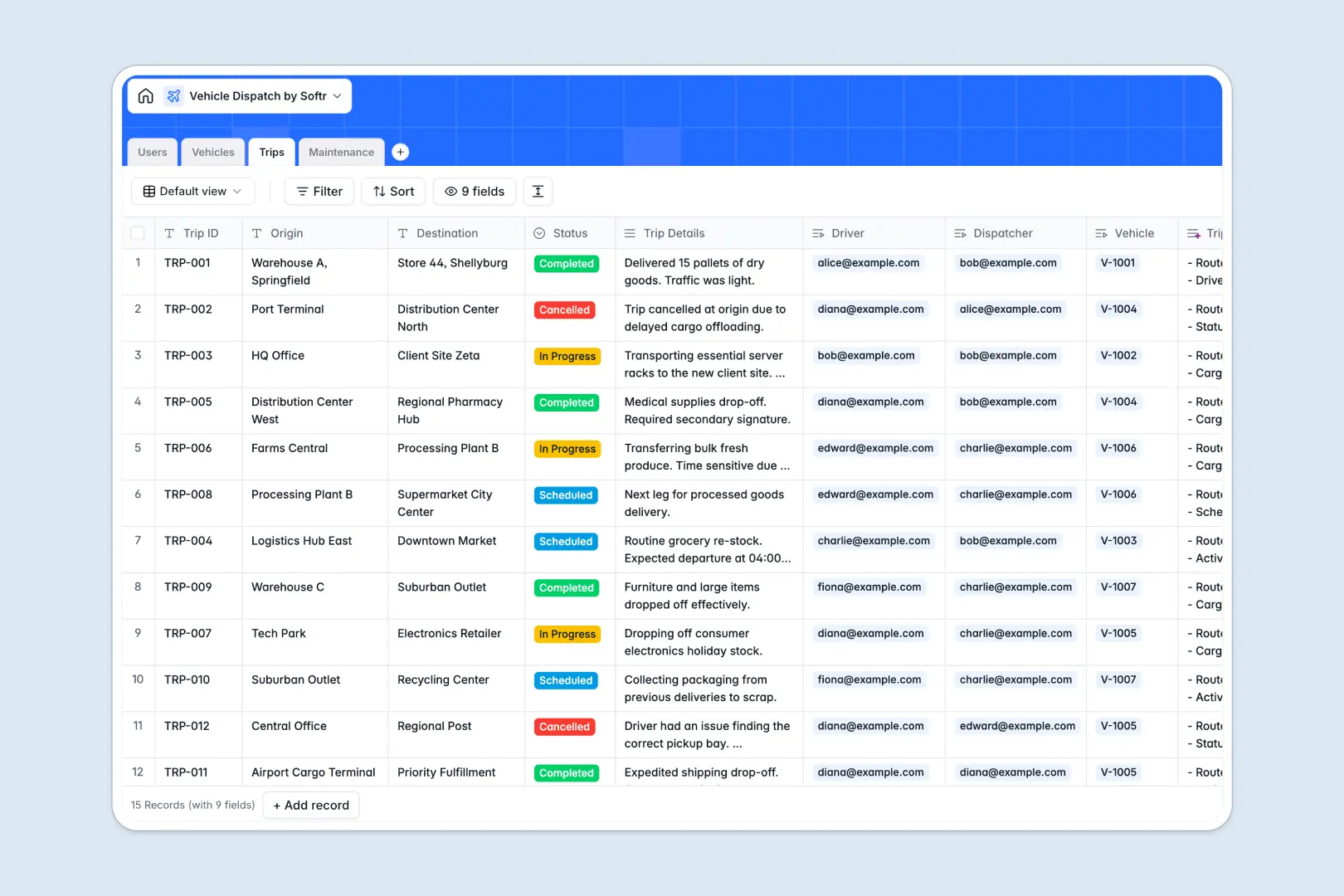
Your Vehicle Dispatch database at a glance
This template gives logistics coordinators and fleet managers a dedicated system to assign drivers, organize trips, and monitor fleet maintenance in real time.
Everything connects logically across dedicated tables for Users, Vehicles, Trips, and Maintenance. When a dispatcher assigns a vehicle to a driver for a specific route, the records update across all tables instantly without fragile spreadsheet formulas.
Built-in AI fields automatically summarize trip itineraries and classify service logs, saving your team manual data entry on every route.
When a fleet schedule breaks the shared spreadsheet
Google Sheets is excellent for quick collaboration, but dispatching active drivers and managing maintenance requires an operational backend, not a shared grid where one accidental edit can overwrite an entire route.
What a structured database changes
In a traditional sheet, anyone with edit access can accidentally delete a destination, sort a column, and break lookups across tabs. Mixed data types cause confusion when a phone number or time slot is typed as plain text.
A structured database enforces strict data integrity: dates stay dates, statuses remain consistent, and trips link directly to drivers and vehicles. This is exactly what Softr Databases are designed for, keeping your dispatch records organized and reliable as your fleet expands.
While you can connect an existing Google Sheet to Softr as a data source, running dispatch operations on a dedicated database ensures rock-solid structure and data protection.
What you can do with this template
Manage vehicle statuses from available to en route while logging repair costs against individual vehicles. Dispatchers can schedule journeys and assign qualified drivers with a single click.
Native Database AI agents analyze maintenance descriptions to categorize service types instantly and generate clean bullet-point summaries for every trip.
-
Users
Manage drivers, dispatchers, and staff linked to trips and vehicles
-
Vehicles
Track fleet inventory, operational status, and AI vehicle synopses
-
Trips
Coordinate dispatch journeys with driver assignments and AI summaries
-
Maintenance
Log vehicle repairs and service expenses with AI type classification
Who is this Vehicle Dispatch database for
This template is designed for teams that need clear fleet visibility and streamlined route coordination.
- Fleet managers: Oversee vehicle availability, track maintenance schedules, and monitor service expenses easily.
- Dispatch operators: Assign drivers to incoming trips, coordinate destinations, and update route progress in real time.
- Logistics coordinators: Maintain central directories of licensed drivers and prevent scheduling conflicts across vehicles.
- Field service companies: Keep delivery vans or service trucks properly maintained and allocated to daily jobs.
How to take it further
Customize the database to match your exact fleet operations. Add custom vehicle types, include fuel tracking numbers, or modify trip statuses to fit your team's workflow within seconds.
Import your existing data using CSV files to bring over vehicle registries, driver rosters, and historical maintenance logs instantly. You can also sync live data using the built-in API.
Build a full app around it when your operations need custom interfaces for drivers and dispatchers. Using the AI app generator, you can describe the portal you want in one prompt and generate a ready-to-use dispatch dashboard connected directly to this database.
With granular users and permissions, drivers can log in on mobile to view only their assigned trips, while dispatchers manage the entire fleet schedule securely.
-
1
-
2
-
3
-
4
Frequently asked questions
-
What is a vehicle dispatch database?
-
Why use a no-code database to build a vehicle dispatch system?
-
How can AI help managing data for vehicle dispatch?
-
Can I build an app with this vehicle dispatch database?
-
Is this Vehicle Dispatch template free?
-
How is this database different from a vehicle dispatch Google Sheet?
Start building today. It's free!
Build and launch your first app in under 30 minutes.