


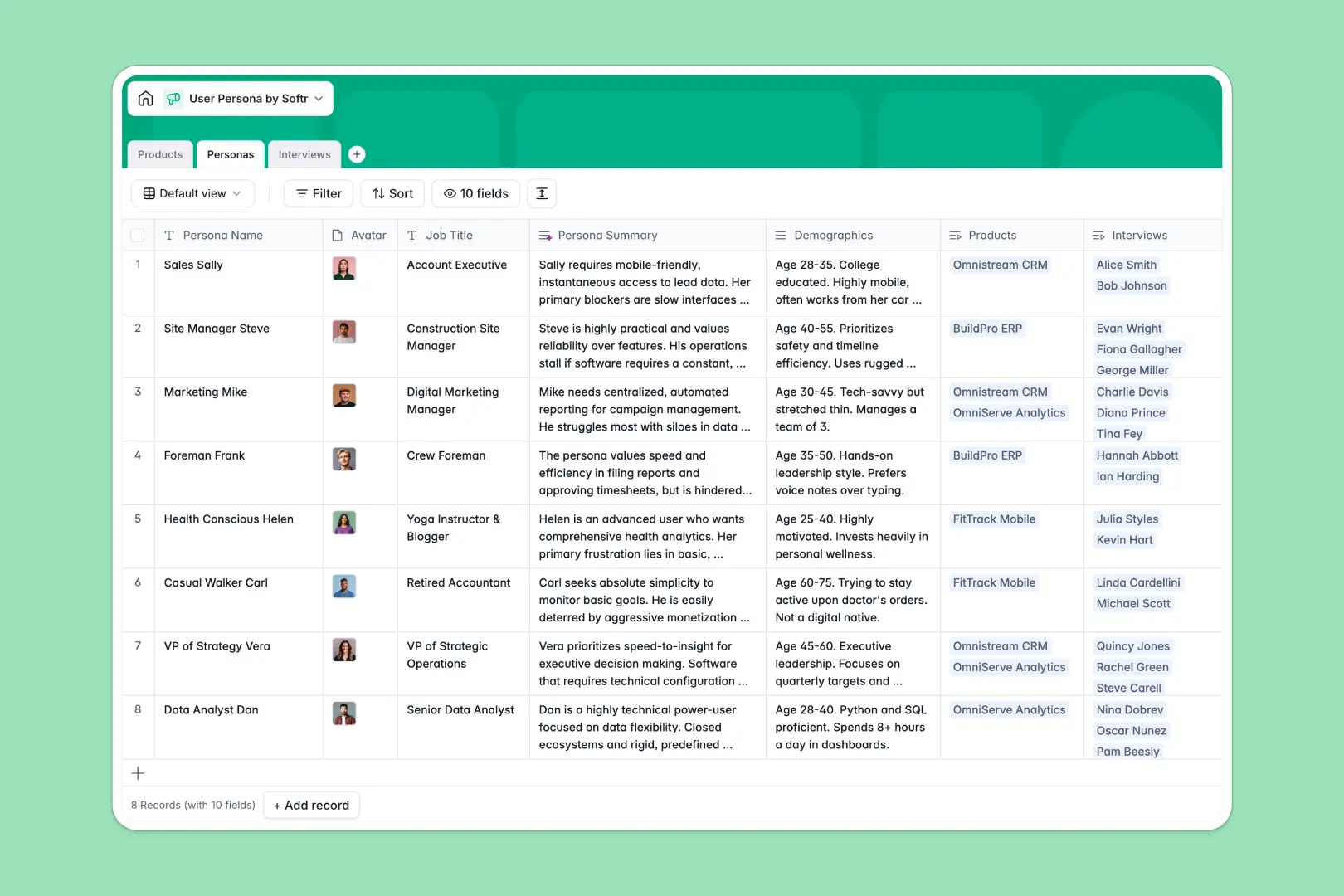
Your User Persona database at a glance
This template replaces scattered spreadsheets by connecting your user personas directly to the products they use and the interviews that define them. It keeps qualitative research organized and actionable for your whole team.
It works by natively linking three core tables: Products, Personas, and Interviews. When you log a new interview transcript, it instantly connects back to the relevant persona without manual copy-pasting.
Built-in AI automatically extracts key takeaways from interview transcripts, gauges user sentiment, and generates concise persona summaries. This means less time reading through notes and more time shipping features.
Why managing user personas in Google Sheets breaks down
Managing user research in Google Sheets quickly becomes a nightmare of disconnected tabs and fragile formulas. You end up copy-pasting interview quotes across rows, and tracking which personas impact which products is nearly impossible as your team grows.
What a structured database changes
A true database connects your qualitative data inherently. You can link a 45-minute interview directly to a specific persona like "B2B Founder," ensuring nothing gets lost in translation or accidentally deleted.
Every column enforces rigid formatting, meaning avatars stay images, transcripts stay text, and interview dates stay dates. This is exactly what Softr Databases are designed for—keeping research perfectly structured as your input scales.
What you can do with this template
Log raw interview transcripts and let Database AI agents instantly extract the top three takeaways and score the interviewee's sentiment as Positive, Neutral, or Negative.
You can immediately view the total number of interviews per persona at a glance using automatic rollups. Your product team will always know exactly which buyer profiles need more research and which are fully mapped out.
-
Products
Manage software offerings and categorized inventory linked to target users
-
Personas
Define user types and buyer profiles with AI summaries of needs and goals
-
Interviews
Log user sessions with AI takeaways and sentiment analysis of transcripts
Who is this User Persona database for
This database is built for product and research teams who need to turn raw feedback into actionable insights.
- Product Managers: Map specific features and core offerings to the exact personas that requested them.
- UX Researchers: Log interview transcripts, track session links, and let AI pull out key takeaways instantly.
- Marketing Teams: Access up-to-date demographics, pain points, and buyer goals to tailor messaging effectively.
How to take it further
Make this database your own in seconds without writing a single line of code. Add custom fields, adjust product categories to match your exact catalog, and refine the AI prompts to extract specific competitor mentions.
Bring your existing research to life immediately. Import historical interview logs or persona details via CSV, or connect your scheduling tools using our API to sync new interviews as they happen seamlessly.
When you're ready, turn this data into a secure internal research hub by building a full-stack web app on top of it. This lets stakeholders across your company explore persona data safely without accidentally rewriting your raw interview transcripts.
Because everything is built on a structured foundation, setting up users and permissions is completely effortless. You can control exactly who sees which persona or interviews based on their specific department or role.
-
1
-
2
-
3
-
4
Frequently asked questions
-
What is a user persona database?
-
Why use a no-code database to build a user persona tool instead of Google Sheets?
-
How can AI help managing data for user personas?
-
Can I build an app with this user persona database?
-
Is this User Persona database free?
-
How do I import existing user interviews into this template?
Start building today. It's free!
Build and launch your first app in under 30 minutes.