


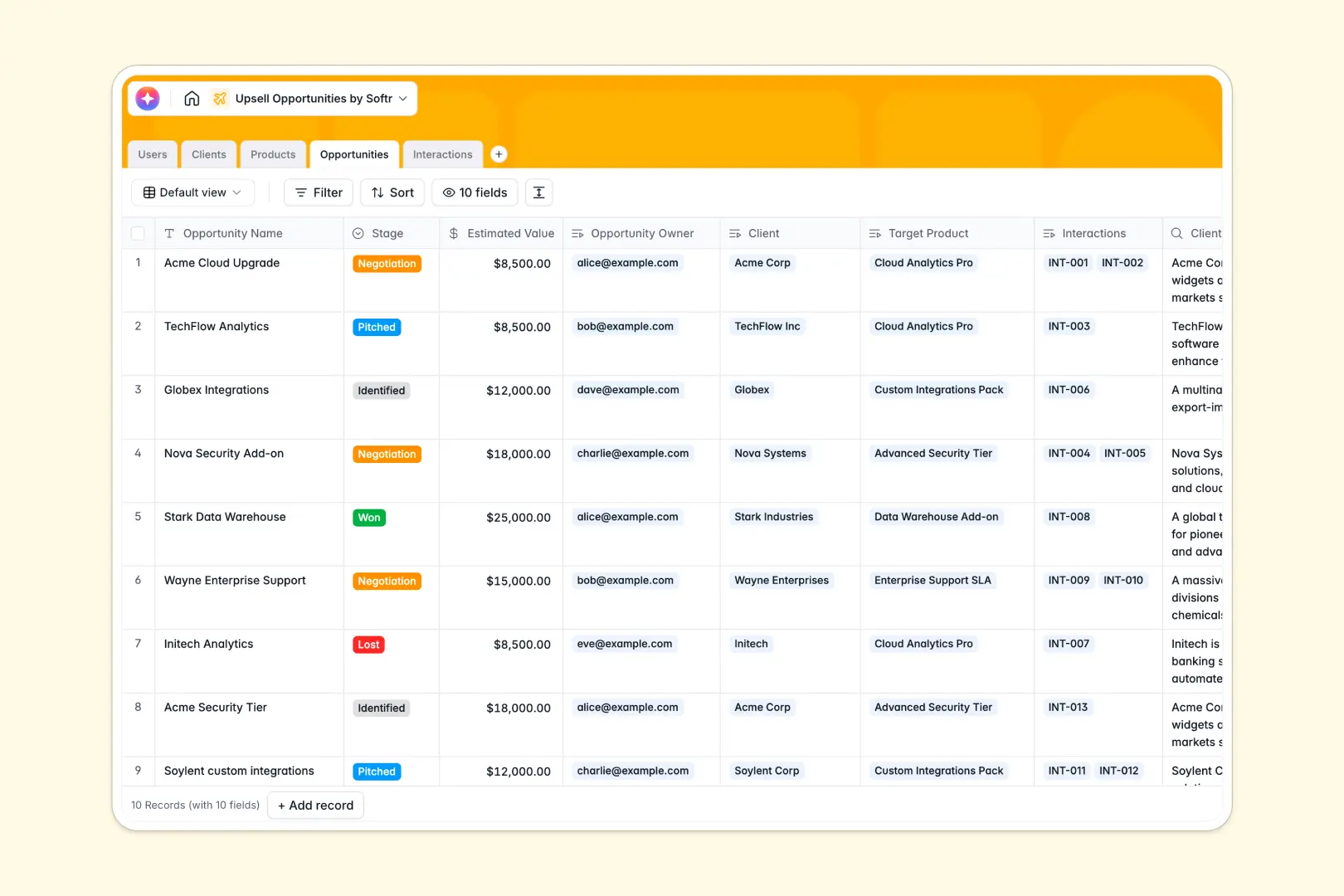
Your Upsell Opportunities database at a glance
This template provides a clear, structured system to track existing client accounts and identify expansion revenue. It replaces scattered notes with a unified view of every pitched product, interaction, and deal stage.
The database natively connects your Clients directly to your Products catalog and Users team. Because tables link together seamlessly, updating a client's status automatically reflects across every associated deal and activity log.
Built-in AI features handle the heavy lifting for your sales team automatically. The database researches client backgrounds via the live web, generates personalized outreach pitches, and extracts actionable next steps from meeting notes.
Why tracking upsell opportunities gets messy in Google Sheets
As your client base grows, managing expansion revenue in spreadsheets quickly becomes chaotic. Sales reps end up duplicating client details across multiple rows, and tracking meeting notes alongside deal stages turns columns into unreadable walls of text.
What a structured database changes
Instead of relying on fragile VLOOKUPs to connect clients with products, a database uses native relational links that never break. Every data type is strictly enforced, meaning pipeline stages stay consistent and financial values remain accurately formatted.
This is exactly what Softr Databases are designed for. You get the simplicity of a familiar grid but the rigorous structure needed to scale your entire upsell motion flawlessly.
What you can do with this template
You can immediately start logging discovery calls and tracking deals through their lifecycle from "Identified" to "Won." The pre-built structure ensures accountability by explicitly linking every opportunity to a specific account manager.
You also get the power of intelligent agents working specifically in your fields. As soon as you add a new client URL or drop in meeting notes, the database automatically drafts personalized pitch copy and extracts actionable bullet points.
-
Users
Manage internal team members, roles, and assigned upsell accounts
-
Clients
Store customer accounts with AI-generated background summaries via web search
-
Products
Maintain a catalog of available services and tiered pricing for upselling
-
Opportunities
Track active deals with AI-generated personal pitches and status updates
-
Interactions
Log sales activities and use AI to extract action items from meeting notes
Who is this Upsell Opportunities database for
This structured system is perfect for teams focused on expansion revenue and targeted account growth.
- Account Managers: Track specific client interactions and monitor the status of pitched products effortlessly.
- Sales Leaders: Gain clear visibility into the entire upsell pipeline, estimated values, and individual rep performance.
- Customer Success: Maintain a holistic record of all discovery calls and follow-ups to ensure seamless handoffs.
How to take it further
Customizing this database is as simple as renaming fields or adjusting the dropdown values in your stages. You can easily add new progress statuses like "Contract Sent" or expand the underlying product catalog.
When you are ready, you can seamlessly import your existing account lists and historical deals using a CSV file. This allows your team to skip manual data entry and immediately start tracking active opportunities.
To share this data securely, you can design a full internal app around this database to support your sales reps. Instead of exposing the entire backend, reps interact through a clean dashboard displaying only their assigned clients.
By relying on robust users and permissions, you guarantee that account managers cannot edit or view another pipeline. A well-structured database makes building this completely secure, logic-driven app incredibly fast.
-
1
-
2
-
3
-
4
Frequently asked questions
-
What is an upsell opportunities database?
-
Why use a no-code database to build an upsell tracking tool?
-
How can AI help managing data for upsell opportunities?
-
Can I build an app with this upsell opportunities database?
-
Is this Upsell Opportunities template free?
-
How is an Upsell Opportunities database different from Google Sheets?
Start building today. It's free!
Build and launch your first app in under 30 minutes.