


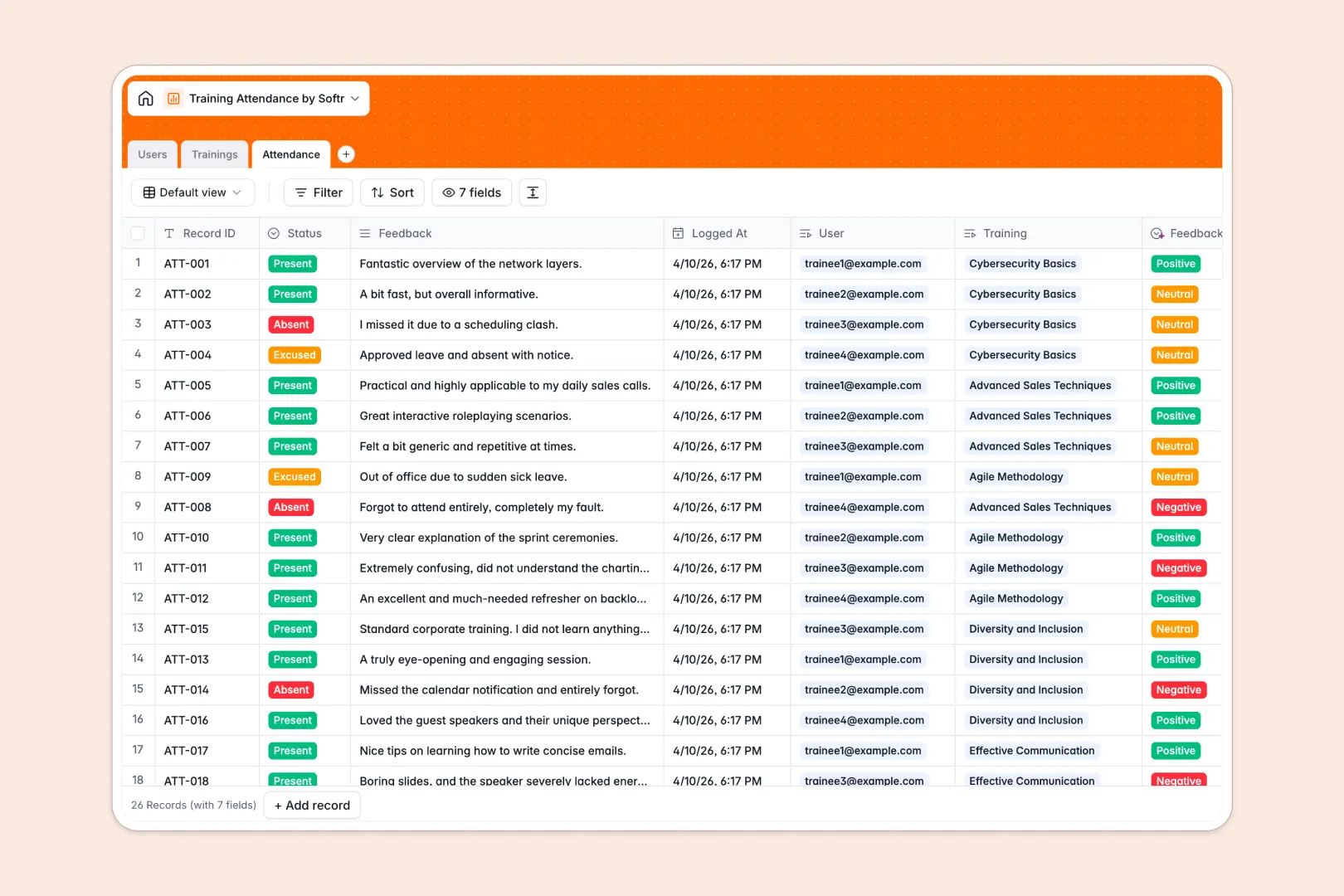
Your Training Attendance database at a glance
This template gives you a reliable way to organize employee learning sessions, monitor presence, and collect participant feedback in one shared location.
It connects your user roster directly to scheduled sessions through dedicated Users, Trainings, and Attendance tables, ensuring attendance status links seamlessly to the correct employee profile without broken lookups.
Built-in AI fields automatically draft syllabi from training titles and categorize written participant feedback into sentiment ratings as soon as reviews arrive.
When a shared sheet becomes an unreliable backend for training records
Google Sheets is excellent for quick list-making, but managing attendance across departments quickly breaks down when multiple instructors edit the same grid and formulas accidentally overwrite.
What a structured database changes
In a proper relational system, every column enforces strict data types so dates never turn into plain text, emails stay validated, and attendance status remains consistent across departments.
Instead of maintaining fragile lookups across tabs, each attendance entry links directly to a specific user and session record.
This is exactly what Softr Databases are designed for, giving you a clean data layer that scales as your team grows.
What you can do with this template
Map trainers, attendees, and session details seamlessly while tracking registration rollups without writing complex spreadsheet formulas.
With native Database AI agents, you can instantly generate session outlines and classify feedback sentiment into positive, neutral, or negative categories on autopilot.
Everything is pre-structured and ready to use, letting your team log attendance accurately from day one.
-
Users
Manage user profiles, department assignments, roles, and training links
-
Trainings
Schedule training sessions with syllabus text generated automatically by AI
-
Attendance
Track session participation and evaluate review sentiment using AI analysis
Who is this Training Attendance database for
This database helps teams replace unstructured spreadsheets with a clean, connected attendance management system.
- People Operations & HR: Track employee compliance, mandatory onboarding sessions, and post-session satisfaction scores.
- Corporate Trainers: Organize upcoming workshops, manage attendee rosters, and view real-time registration counts.
- Department Heads: Monitor team participation in upskilling programs across engineering, sales, and marketing.
- Learning & Development Leads: Evaluate course effectiveness and identify low-scoring sessions through automated sentiment logs.
How to take it further
1. Customize the database
Adjust the Department choices or add custom attendance statuses like "Tardy" or "Remote" in seconds. You can easily add new fields for certificate attachments or session recordings directly inside your table settings.
2. Import your existing data
Quickly bring in historical attendance records and employee rosters via CSV upload, or connect an automated sync via API. While Softr can also connect an existing Google Sheet as a data source, a dedicated database keeps your records safer and better organized.
3. Build a full app around it
When you are ready to give trainers and employees a tailored experience, you can build an app on top of this database in minutes using the AI Co-Builder. Set up granular users and permissions so trainees only see their assigned sessions while instructors can mark attendance and view feedback. Combining a structured database with interfaces and workflows turns your simple tracker into a complete training portal.
-
1
-
2
-
3
-
4
Frequently asked questions
-
What is a training attendance database?
-
Why use a no-code database to build a training attendance system?
-
How can AI help managing data for training attendance?
-
Can I build an app with this training attendance database?
-
Is this Training Attendance template free?
-
How is a Training Attendance database different from Google Sheets?
Start building today. It's free!
Build and launch your first app in under 30 minutes.