


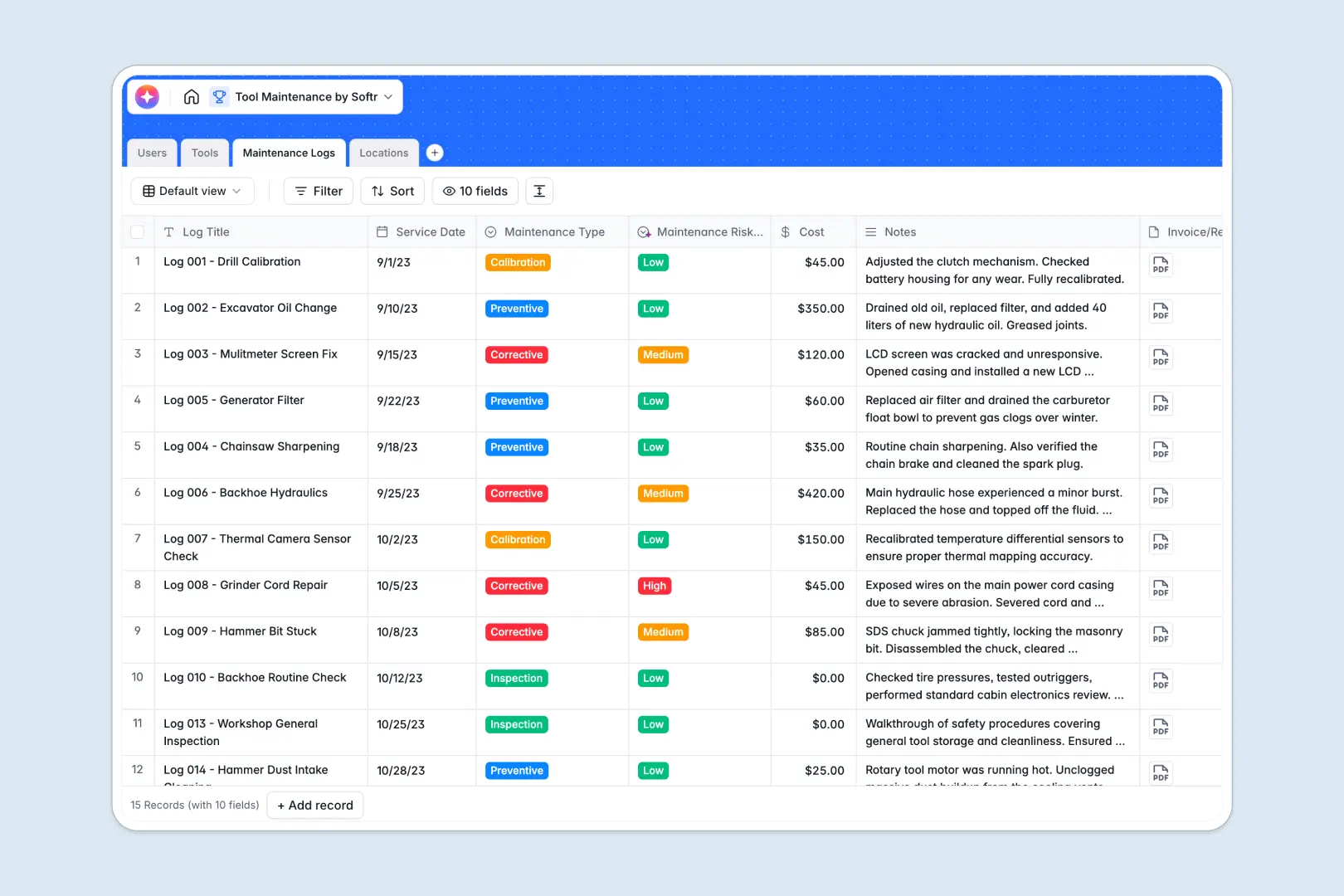
Your Tool Maintenance Database at a glance
This template replaces messy spreadsheets with a connected system for all your hand tools, machinery, and repair histories. Know exactly where your equipment is and its current operational status in real time.
It works by connecting distinct tables for Tools, Locations, Maintenance Logs, and authorized Users. When a technician logs a repair, it automatically links to both the tool and their user profile without any manual data entry.
Native AI automatically acts in the background to summarize long service notes and flag the risk level of each maintenance event. This ensures safety issues are caught instantly without reading through paragraphs of text.
Why tool maintenance gets messy in Google Sheets
Using Google Sheets to track heavy machinery and power tools quickly breaks down as your inventory grows. Rows get accidentally deleted, text fields mix with dates, and tracking a single tool's repair history requires fragile formulas.
What a structured database changes
A structured database enforces strict column types so service dates always stay as dates and repair costs stay as currencies. Tables link directly to each other, meaning you can instantly see every tool stored at a specific location without easily broken VLOOKUPs.
This reliable connection between your data sets is exactly what Softr Databases are designed for. Your maintenance records stay completely clean, organized, and scalable as your equipment inventory expands.
What you can do with this template
Instantly view a consolidated history of all preventive and corrective maintenance for any tool right out of the box. You can assign technicians to broken equipment and track total repair costs automatically.
The system leverages background AI directly in your fields to automatically categorize your maintenance logs into Low, Medium, or High risk based on the technician's notes. Start tracking your tools securely with a ready-to-use structure that requires absolutely no coding to get going.
-
Users
Manage maintenance personnel with contact info, roles, and system access
-
Tools
Track tool inventory with AI-generated summaries of capabilities and status
-
Maintenance Logs
Log repairs using AI to summarize notes and classify operational risks
-
Locations
Organize storage sites with address details and real-time tool counts
Who is this Tool Maintenance database for
This template is built for operations teams and facilities managers who need to maintain expensive equipment portfolios safely.
- Facilities Managers: Easily monitor equipment status across multiple local warehouses or physical sites.
- Maintenance Technicians: Log corrective repairs, upload invoices, and document service notes securely in seconds.
- Operations Directors: Track total repair costs and quickly identify machinery that constantly requires high-risk maintenance.
How to take it further
Once you copy the template, you can easily customize the exact fields to fit your internal operations. Rename tool categories, add a new maintenance type, or adjust the operational status options in just a few clicks.
Bring your existing equipment lists directly into the database to connect to immediate value quickly. You can import bulk records via CSV file to instantly populate your tools, locations, and user directories automatically.
When your team is ready, you can build a customized dashboard around this data to streamline operations further. By configuring custom users and permissions, you can ensure technicians only edit the specific repair logs assigned to them.
Starting your operations with a well-structured database makes launching a customized internal application completely seamless.
-
1
-
2
-
3
-
4
Frequently asked questions
-
What is a tool maintenance database?
-
Why use a no-code database over Google Sheets for tool maintenance?
-
How can AI help managing data for tool maintenance?
-
Can I build an app with this tool maintenance database?
-
Is this Tool Maintenance database free?
-
How do I import existing tool lists into this template?
Start building today. It's free!
Build and launch your first app in under 30 minutes.