


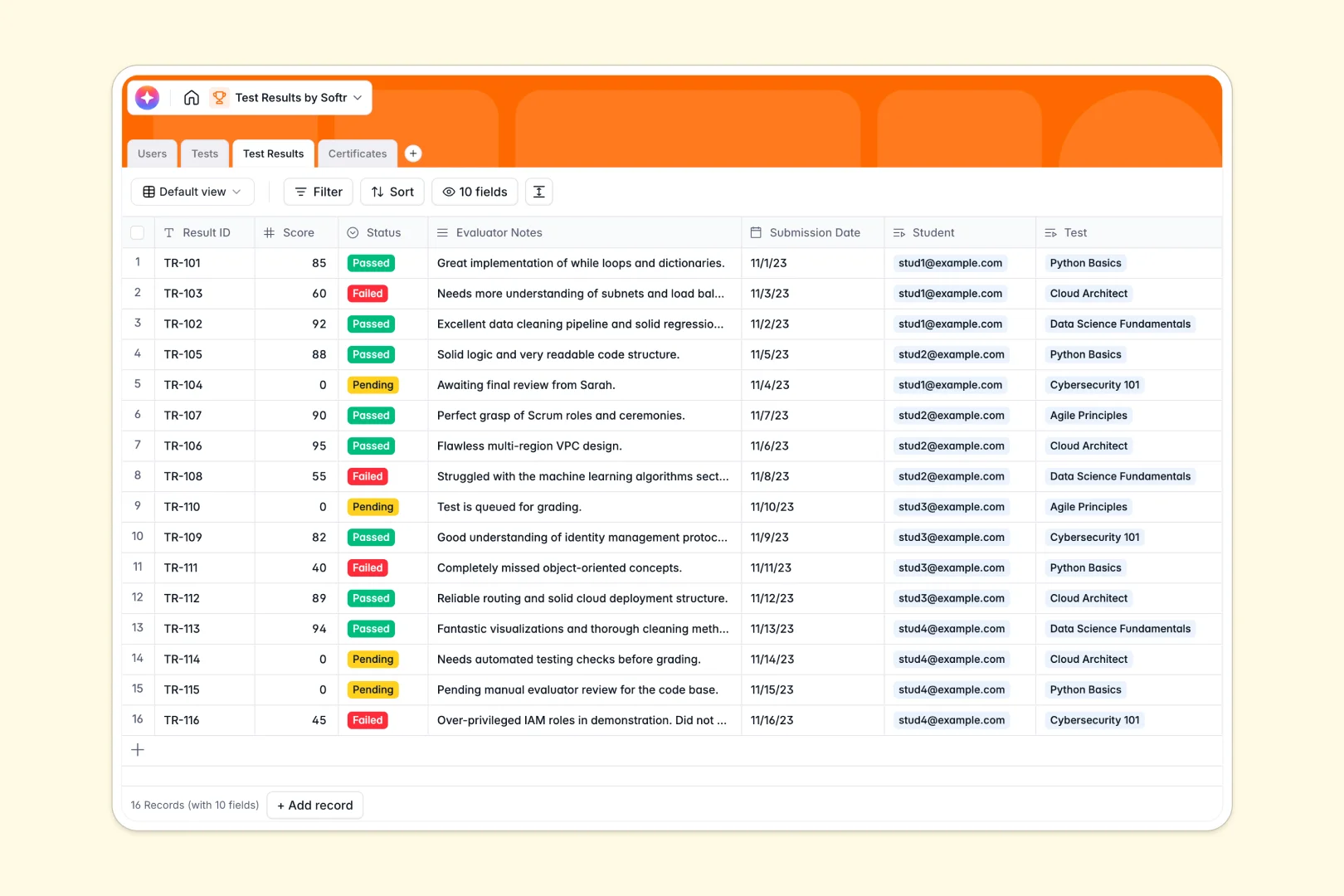
Your Test Results database at a glance
This template provides a centralized system to track student scores, manage evaluations, and issue official credentials. It completely eliminates the chaos of scattered student files and shared grading folders.
It seamlessly links students, specific tests, and individual results into connected tables. When a student takes a test, the results automatically tie back to their profile to generate historical rollups and average scores.
Built-in AI tools also evaluate your curriculums to draft assessment guides for evaluators. As grades are finalized, the system automatically generates personalized feedback letters based on individual scores.
Why tracking test results breaks down in Google Sheets
When you manage tests and credentials in spreadsheets, things get messy quickly. Mixed data types and fragile formulas make it hard to connect a student's history to their official certificates securely.
What a structured database changes
In a proper system, every column enforces strict parameters—scores stay numbers, and certificates are handled as actual file attachments rather than clumsy drive links.
Instead of breaking VLOOKUPs across multiple tabs, tables connect natively. Relational links ensure every test result accurately ties a student to their specific evaluator without error.
This is exactly what Softr Databases are designed for. As your student body and test volume grow, your records remain perfectly organized and highly reliable.
What you can do with this template
Log transactional results with specific status tracking like Pending, Passed, or Failed. Monitor overall class performance using automated rollup fields that calculate average scores per test instantly.
This template also leverages powerful built-in Database AI agents. Based on a score and evaluator notes, the system can automatically draft a personalized email directly to the student, saving administrative overhead.
-
Users
Manage student and evaluator profiles with roles and related test records
-
Tests
Store test details including passing criteria and AI-generated assessment guides
-
Test Results
Log student scores and notes with AI-powered feedback letter generation
-
Certificates
Official credentials and files issued to students upon passing their tests
Who is this Test Results database for
This template is designed for teams managing assessments, certifications, and high-volume educational frameworks.
- Educational Institutions: Keep track of total tests taken, analyze average scores, and monitor student progression over time.
- Corporate Trainers: Manage employee competency tests and easily store official certificate files right next to the result log.
- Course Evaluators: Log specific performance notes and rely on AI to generate assessment criteria directly from test descriptions.
How to take it further
Make this database your own by customizing your select fields. Simply adjust the passing status choices to match your internal grading scale or add new columns for specific subject categories.
Connect your past records instantly to establish your baseline. Import existing student rosters via CSV to immediately populate the user directory and historical test logs.
When you are ready, transform this foundation by using a dynamic interface builder. You can easily create a custom portal where students can securely log in to view their own grades and download their certificates.
By leveraging flexible users and permissions, your data stays secure. You can ensure evaluators only edit their assigned tests while students only ever have access to their personal scores.
-
1
-
2
-
3
-
4
Frequently asked questions
-
What is a test results database?
-
Why use a no-code database to build a testing system?
-
How can AI help management test result data?
-
Can I build an app with this test results database?
-
Is this Test Results database free?
-
How is a test results database different from Google Sheets?
Start building today. It's free!
Build and launch your first app in under 30 minutes.