


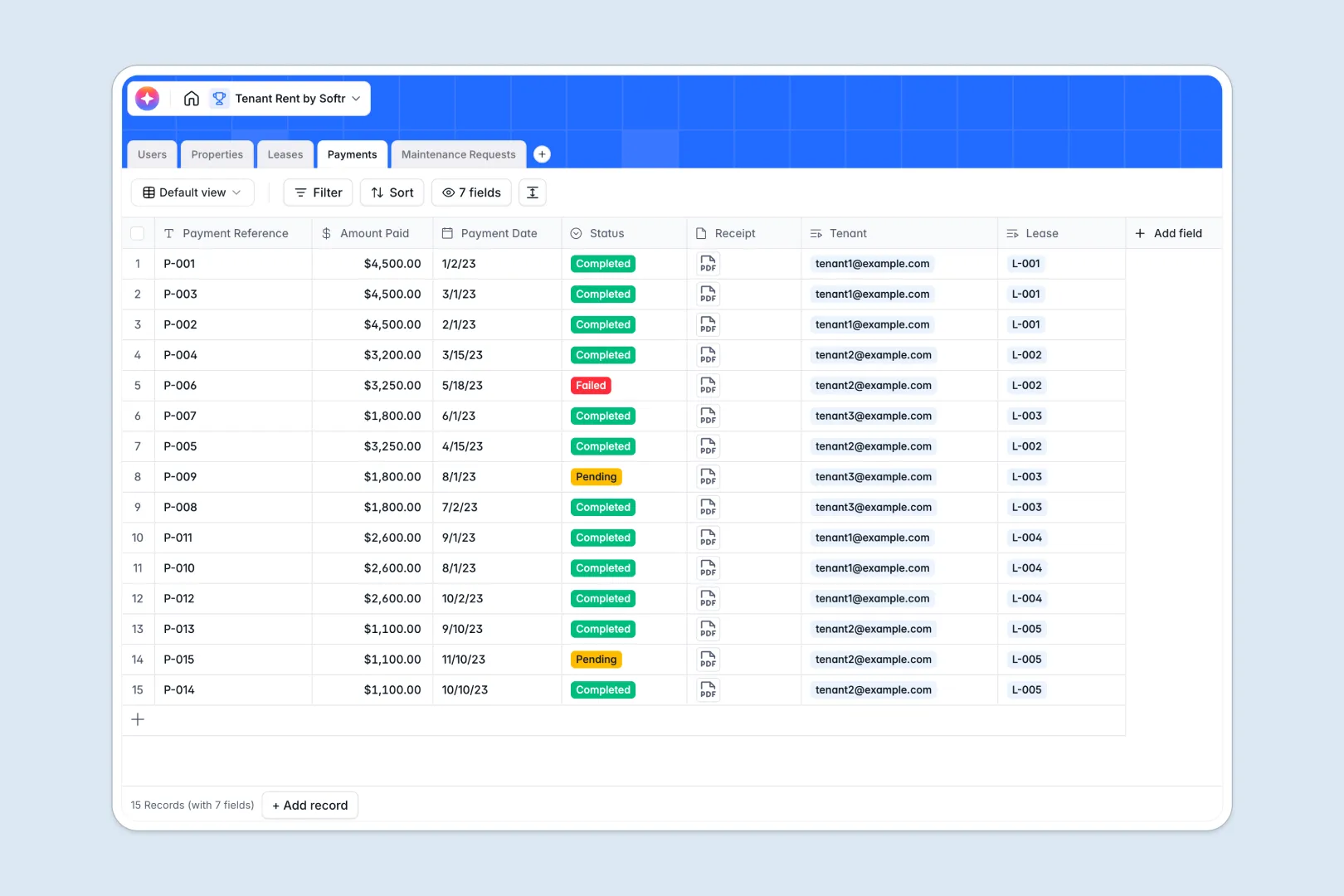
Your Tenant Rent database at a glance
This template streamlines property management by keeping track of properties, active leases, monthly rent payments, and maintenance requests in one structured place. It allows you to coordinate all rental workflows seamlessly.
Key tables like Users, Properties, Leases, and Payments connect automatically to eliminate double data entry and prevent human errors. This keeps active tenants linked directly to their specific lease structures and payment histories.
Built-in artificial intelligence handles heavy administrative lifting by auto-writing property marketing descriptions, summarizing complex lease contract notes, and sorting maintenance requests by urgency.
Why managing tenant rent in Google Sheets breaks down
Rent rolls, security deposits, and emergency maintenance issues quickly become a chaotic mess of broken tabs and calculations when tracked in spreadsheets. As portfolios scale, simple list-keeping fails.
What a structured database changes
A structured database enforces data integrity so that dates stay dates, payments link directly to active leases, and receipts remain tied to transactions. You will never have to worry about broken formulas or accidental row deletions again.
This is exactly what Softr Databases are designed for—keeping property records organized and relational as relationships grow.
What you can do with this template
You can instantly check monthly rent collection statuses, calculate outstanding balances, and track property repairs in real time. Renters, units, and transactions remain linked in a single source of truth.
The template's structural simplicity ensures anyone can jump in and begin executing operations without a steep learning curve. It is ready to adapt to your daily management routine out of the box.
-
Users
Manage admins, landlords, and tenants with roles and contact details
-
Properties
Manage rental units with addresses and AI-generated marketing copy
-
Leases
Track rental contracts with terms and AI-summarized agreement notes
-
Payments
Log tenant rent transactions with status updates and receipt storage
-
Maintenance Requests
Handle issue tickets using AI to classify the urgency of repairs
Who is this Tenant Rent database for
This template is designed for managers and owners seeking to escape messy spreadsheets and regain operational clarity.
- Independent Landlords: Track rental income, contract dates, and photographic receipts in a clean, self-contained system.
- Property Managers: Coordinate multiple real estate listings, active tenants, and maintenance crews from a single dashboard.
- Real Estate Investors: Keep a close eye on rental yields, portfolio details, and operations across multiple locations.
How to take it further
1. Customize the database
Easily customize this database by adding unique pick-list choices for maintenance tickets, modifying currency locales, or tracking custom utility configurations. Modifying structures takes seconds inside the visual database interface.
2. Import your existing data
Bring your current tenant lists in immediately by importing a CSV file or setting up programmatic API pipelines. You can seamlessly shift operations from legacy sheets to dynamic records.
3. Build a full app around it
Once you are ready, use Softr’s interface builder to turn this secure database into an open portal. You can instantly launch a customer-facing portal where tenants submit maintenance issues directly.
With customized users and permissions, you can ensure that landlords, admins, and renters only view or edit the database records relevant to them.
-
1
-
2
-
3
-
4
Frequently asked questions
-
What is a tenant rent database?
-
Why use a no-code database to build a tenant rent system?
-
How can AI help managing data for tenant rent?
-
Can I build an app with tenant rent database?
-
Is this Tenant Rent Database template free?
-
How does this compare to managing tenant rent in Google Sheets?
Start building today. It's free!
Build and launch your first app in under 30 minutes.