


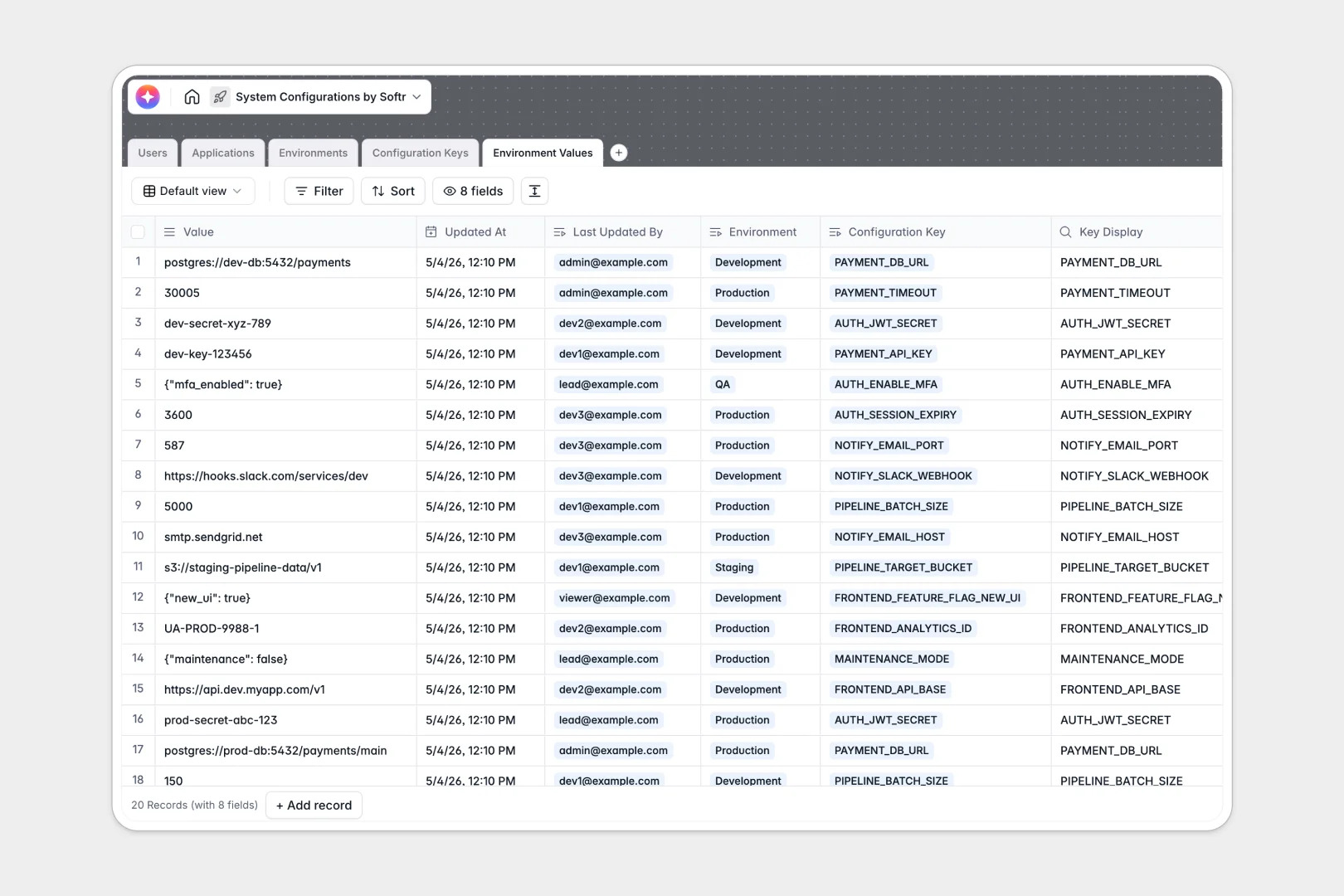
Your System Configurations database at a glance
Manage configuration variables across deployment environments securely and effortlessly.
It tracks Applications, Configuration Keys, and Environments in related tables without requiring manual syncs. You can define if a key is a secret, map it to staging or production, and track exactly who updated a value and when.
Built-in AI automatically generates technical summaries for your apps and descriptions for your keys, saving you manual documentation time.
Why system configurations get messy in Google Sheets
Tracking application keys, environment variables, and secrets in Google Sheets quickly becomes a liability. Rows get accidentally overwritten, history is hard to audit, and keeping track of dev versus production values turns into a dangerous guessing game.
What a structured database changes
In a relational setup, rigid column types ensure a boolean stays a boolean and an integer stays an integer. You link a configuration key directly to an environment without copying and pasting strings across fragile columns.
Secret keys are explicitly marked, and formula fields automatically generate unique identifiers for every configuration state. This is exactly what Softr Databases are designed for.
What you can do with this template
Log applications, track required configuration variables, and map specific values to isolated environments like Staging or Production. You always know who last updated a value and exactly when it changed.
You can also leverage Database AI agents to automatically draft technical setup descriptions for every new required key. This keeps your documentation perfectly synced with your infrastructure.
-
Users
Manage system admins and developers with roles and access permissions
-
Applications
Catalog software services using AI to generate technical app summaries
-
Environments
Define deployment stages like Staging or Production with access levels
-
Configuration Keys
Define variable types and secrets using AI to generate key descriptions
-
Environment Values
Store specific variable values per environment with update audit logs
Who is this System Configurations database for
This database provides a secure, structured home for engineering and operations teams managing complex application setups.
- DevOps Engineers: Track environment-specific variables and instantly see differences between staging and production setups.
- Engineering Leads: Maintain a clear audit trail of who modified critical application secrets and when changes occurred.
- Software Developers: Review application configurations quickly without needing to deep-dive into the raw codebase.
- System Administrators: Map exact data types to specific config keys and prevent misconfigurations during deployments.
How to take it further
Customize the database to fit your exact stack by modifying environment access levels or adding new data type selections to the configuration keys. Because it's a native Softr Database, structural tweaks take seconds.
Import your existing data via CSV to instantly populate the tables with your current configuration logs. You can also use the API to sync live values directly from your infrastructure.
When your team is ready, you can build a full app around this data to share it securely across your engineering department. Creating an internal developer portal with custom users and permissions ensures viewers only see public variables, while admins can update production secrets safely.
-
1
-
2
-
3
-
4
Frequently asked questions
-
What is a system configurations database?
-
Why use a no-code database to build a system configurations tool?
-
How can AI help managing data for system configurations?
-
Can I build an app with this system configurations database?
-
Is this System Configurations template free?
-
How is this database different from tracking configurations in Google Sheets?
Start building today. It's free!
Build and launch your first app in under 30 minutes.