


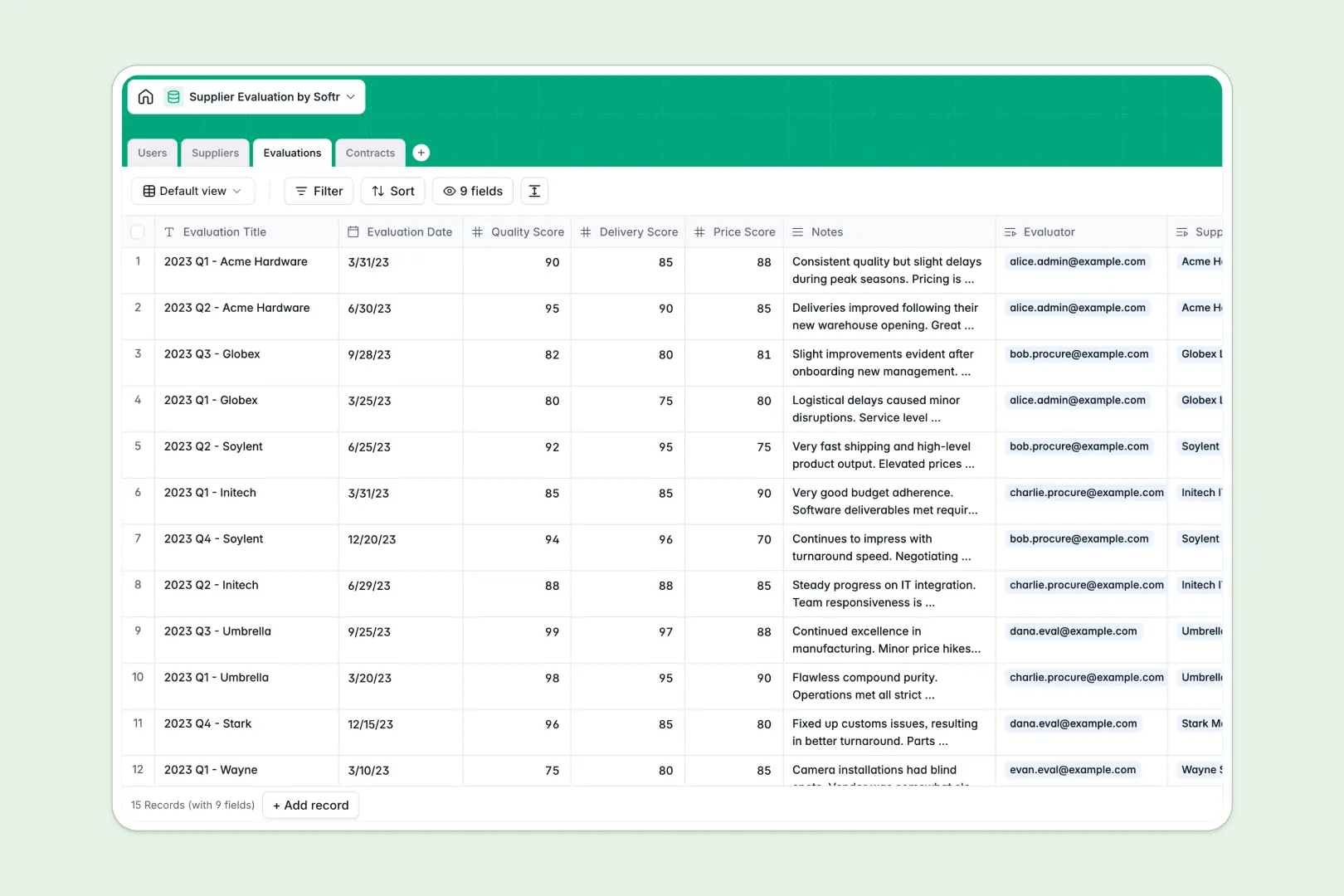
Your Supplier Evaluation database at a glance
This template centralizes your vendor assessments, active contracts, and team assignments so you can audit partner reliability without administrative friction.
It connects four dedicated tables: Suppliers, Evaluations, Contracts, and Users. Linking evaluations and agreements directly to specific vendors ensures scoring history and contract terms remain organized in context.
Built-in AI fields automatically draft company descriptions from vendor websites, summarize multi-metric evaluation scores, and categorize contract risk levels.
When a shared sheet exposes vendor scores and breaks its own formulas
Google Sheets makes sharing simple, but managing procurement across multiple tabs frequently leads to accidental edits, exposed commercial terms, and fragile cross-sheet lookups.
What a structured database changes
In a structured database, fields enforce strict rules: dates stay dates, contract values stay currency, and scores remain numerical.
Instead of risky formulas that break whenever a row is moved, tables link directly. Connecting an evaluation score to a vendor instantly updates their profile without manual cross-referencing.
This reliability is exactly what Softr Databases provide out of the box, giving procurement teams a dependable data layer.
What you can do with this template
Log detailed reviews covering quality, delivery, and pricing while keeping internal notes tied to individual evaluators.
Automate research and risk assessments using native Database AI agents that inspect contract clauses and summarize assessment feedback automatically.
While Softr can also connect an existing Google Sheet, starting directly with this pre-built database eliminates messy spreadsheet maintenance entirely.
-
Users
Manage procurement staff, system roles, and assigned supplier reviews
-
Suppliers
Track vendor profiles, contact information, and AI-generated overviews
-
Evaluations
Record scorecards, performance metrics, and automated AI review summaries
-
Contracts
Track legal agreements, values, timelines, and AI-powered risk levels
Who is this Supplier Evaluation database for
This template is designed for teams that need consistent, objective oversight of their vendor network:
- Procurement managers: Track vendor compliance, renewal dates, and scorecards across all active supplier contracts.
- Operations leads: Log objective delivery and quality ratings after project completions to benchmark vendor reliability.
- Finance teams: Monitor total contract values and risk categories before approving renewals or vendor disbursements.
- Department heads: Identify underperforming vendors quickly using structured metrics rather than scattered email feedback.
How to take it further
Customize the database to match your exact review standards. Add custom fields for compliance certifications, modify scoring scales, or adjust risk categories in seconds within the visual editor.
Import your existing data using CSV files to bring your current vendor rosters and historical ratings into the database immediately, or connect external tools via API.
Build a full app around it when your team is ready. You can build an app by describing what you need in one prompt, allowing Softr to generate a custom vendor portal or internal procurement hub on top of this database. Use granular users and permissions to ensure evaluators only edit their assigned reviews while managers oversee all commercial agreements.
-
1
-
2
-
3
-
4
Frequently asked questions
-
What is a supplier evaluation database?
-
Why use a no-code database to build a supplier evaluation tool?
-
How can AI help managing data for supplier evaluations?
-
Can I build an app with this supplier evaluation database?
-
Is this Supplier Evaluation template free?
-
How is a supplier evaluation database different from Google Sheets?
Start building today. It's free!
Build and launch your first app in under 30 minutes.