


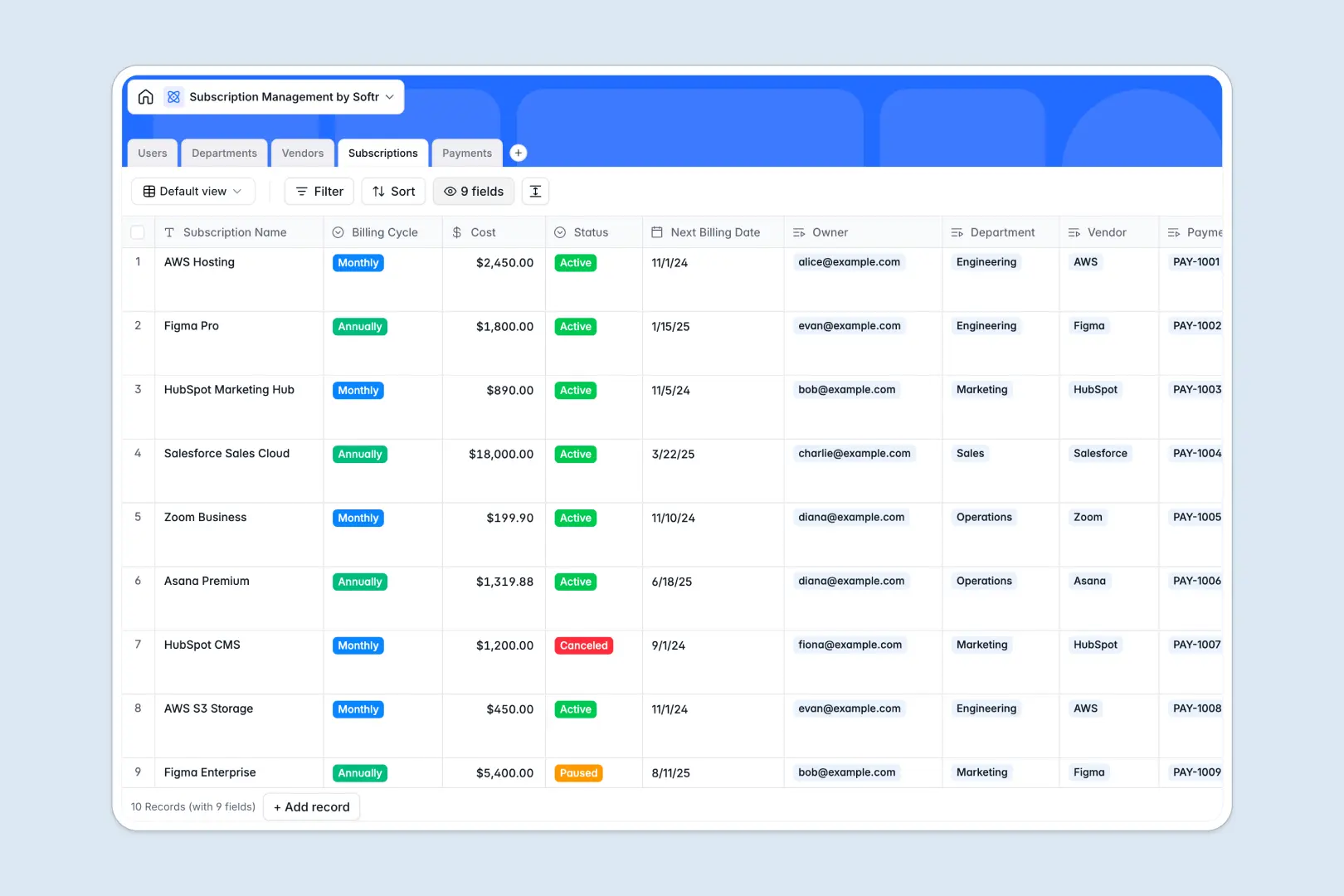
Your Subscription Management database at a glance
This template gives your team a centralized hub to track software licenses, renewal dates, and recurring spend. Eliminate surprise charges and keep budget allocations aligned across every department.
Five dedicated tables structure your software stack: Subscriptions, Vendors, Departments, Users, and Payments. Each active license connects directly to a vendor profile, a department budget, and an internal tool owner.
Built-in AI automatically classifies new software tools into industry categories, fetches company descriptions from vendor websites, and generates quick payment summaries to flag billing irregularities instantly.
When software renewals break behind shared spreadsheet permissions
Google Sheets is great for quick lists, but it quickly falls apart as a company-wide subscription tracker. Everyone sees every row, billing dates get typed in irregular formats, and cross-tab lookup formulas break whenever a department reorganizes its budget.
What a dedicated database changes for software tracking
In a structured database, every column enforces strict data types. Currency values stay numeric, renewal schedules stay linked to calendar dates, and invoice PDFs attach directly to specific payment records.
Tables link natively without fragile formulas. Connect a recurring license directly to its department head and vendor profile so spending totals update automatically across the entire company.
This level of structure and reliability is exactly what Softr Databases are designed for. You get a secure data model that handles thousands of records while keeping your spending history clean.
What you can do with this template
Track upcoming billing cycles, monitor seat costs, and log invoice attachments under one clear system. Department heads can oversee their own tool budgets without exposing sensitive vendor contracts or executive salaries.
Native Database AI agents research vendor websites in real time to categorize tools like design, marketing, or IT automatically. You can also connect an existing Google Sheet as a secondary data source if you need to reference external logs.
-
Users
Manage employee profiles, role permissions, and software ownership
-
Departments
Track organizational units, team members, and allocated subscriptions
-
Vendors
Profile software vendors with automated AI classification and summaries
-
Subscriptions
Monitor active software plans, renewal dates, owners, and recurring costs
-
Payments
Track invoices and billing logs with AI-generated status summaries
Who is this Subscription Management database for
This database helps teams gain full visibility over their recurring SaaS stack and software expenditures:
- Finance & Operations Teams: Centralize vendor invoices, audit recurring software costs, and prevent unwanted automatic renewals.
- IT & Procurement Managers: Monitor active tool licenses, track administrative owners, and standardize software vendor onboarding.
- Department Heads: Keep visibility over departmental software budgets and monitor tool adoption across internal teams.
- Startup Founders: Eliminate duplicate subscriptions and control software burn across all growing departments.
How to take it further
Customize your database in seconds by adding custom fields like license seat counts, contract cancellation terms, or custom vendor tiers. You can edit select options, reorder columns, and adjust table relationships directly inside the visual builder.
Import your existing software lists instantly via CSV upload or sync data automatically from payment gateways using the REST API. You can bring months of historical software invoices into a clean structure within minutes.
When your team is ready, you can build an app on top of this database to create an internal software catalog or vendor approval portal. Using granular users and permissions, team members can submit software purchase requests while department managers review and approve budgets securely.
-
1
-
2
-
3
-
4
Frequently asked questions
-
What is a subscription management database?
-
Why use a no-code database to build a subscription management system?
-
How can AI help managing data for software subscriptions?
-
Can I build an app with this Subscription Management database?
-
Is this Subscription Management database template free?
-
How is this database different from tracking subscriptions in Google Sheets?
Start building today. It's free!
Build and launch your first app in under 30 minutes.