


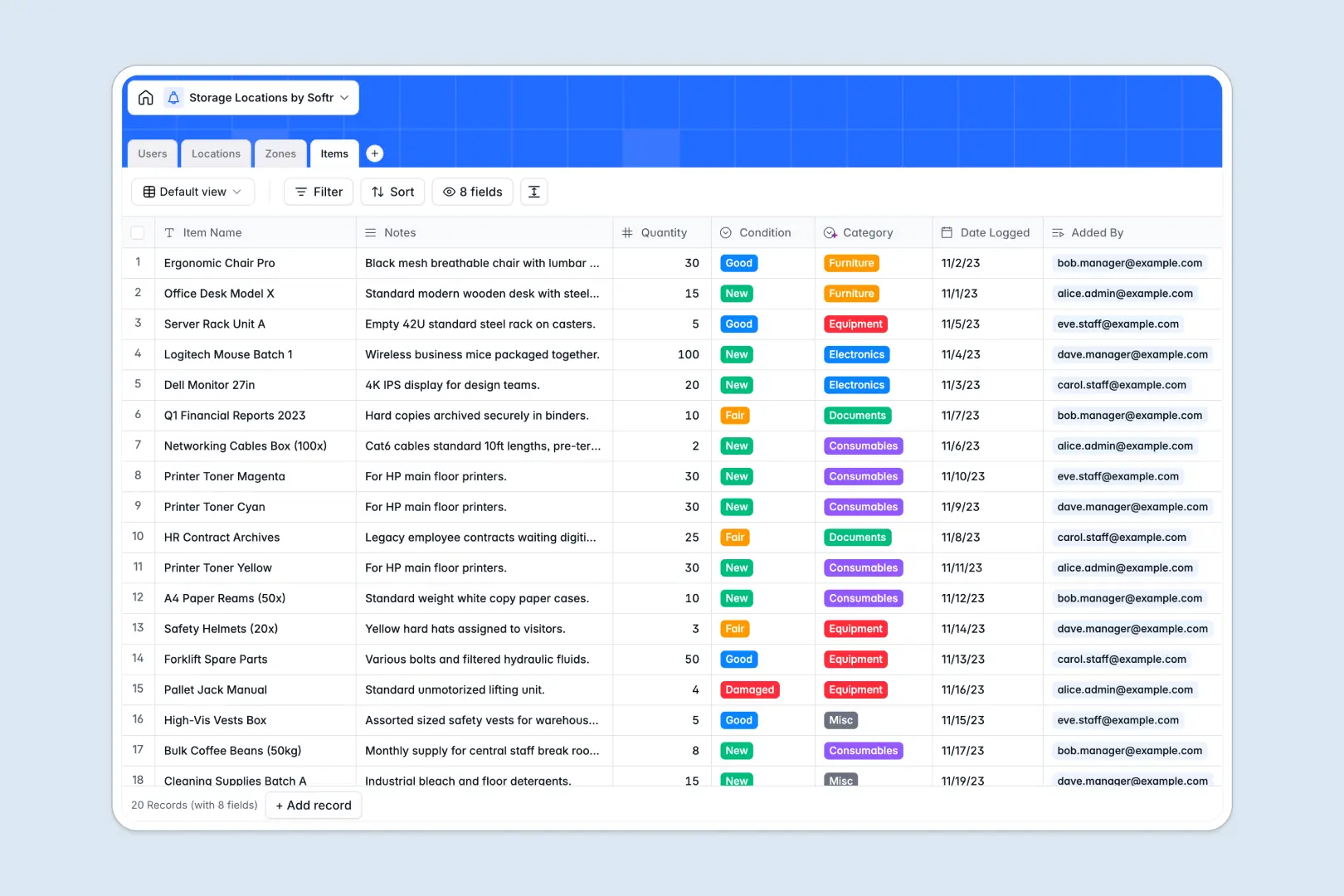
Your Storage Locations database at a glance
This template gives warehouse teams, facility managers, and staff a single source of truth for tracking physical storage across multiple locations. It keeps an exact inventory count organized by building, zone, and individual item.
Everything is connected logically across dedicated tables for Locations, Zones, Items, and Users. Assign managers to facilities, link items to specific shelves or bins, and automatically calculate zone totals with native rollups.
Built-in AI fields auto-categorize incoming assets based on descriptions and generate neighborhood facility profiles directly inside your records.
Why tracking physical storage breaks inside a shared spreadsheet
Google Sheets makes sharing a storage list effortless, but a spreadsheet was never designed to manage relational physical inventory. When multiple staff members update stock across different warehouse zones, formulas break, row sorts scramble cross-tab references, and free-text cells create inconsistent category tags.
What a structured database changes
In a structured database, every asset belongs to an exact storage hierarchy. A date field only accepts valid dates, quantities remain pure numbers, and an item links directly to its parent zone without fragile lookup formulas.
This eliminates duplicate entries and keeps your inventory counts clean as your operations expand. This is exactly what Softr Databases are designed for, providing structured records that stay organized no matter how many team members update them.
While you can connect an existing Google Sheet to Softr, using a native database prevents broken links and keeps your location hierarchy intact.
What you can do with this template
Track facilities from high-level warehouse addresses down to specific aisles, bins, and pallets. Native rollups automatically maintain accurate counts of active zones and stored items without manual calculations.
With built-in Database AI agents, new inventory entries are automatically classified into categories like Equipment or Electronics, while facility addresses are enriched with logistical context in real time.
-
Users
Manage warehouse staff and managers with assigned roles and logged inventory
-
Locations
Track facilities and warehouses with AI-generated area profile descriptions
-
Zones
Organize rooms, aisles, and storage bins across designated warehouse sites
-
Items
Catalog stored assets and track quantities with automated AI categorization
Who is this Storage Locations database for
This template is designed for operations teams that need clear visibility into multi-site physical storage:
- Warehouse Managers: Maintain full visibility over facility capacities, zone allocations, and inventory distribution.
- Inventory Coordinators: Log new stock, verify item conditions, and assign items to exact bins or shelves.
- Facilities Teams: Track equipment and asset locations across multiple company offices and storage rooms.
- Logistics Operators: Standardize storage labeling and streamline stock retrieval for warehouse staff.
How to take it further
Customize this database to fit your exact warehouse layout. You can adjust the Zone Type choices to include cold storage or secure vaults, add custom fields for barcode numbers, or update item categories in seconds.
Bring in your current inventory records using simple CSV imports to populate your locations immediately, or connect an API to sync data directly from your external supply chain systems.
When your team needs dedicated access, use Softr to build an app on top of this database. You can generate custom mobile screens for warehouse staff to log items from the floor while restricting administrative views to facility managers with granular users and permissions.
-
1
-
2
-
3
-
4
Frequently asked questions
-
What is a storage locations database?
-
Why use a no-code database to build a storage locations system?
-
How can AI help managing data for storage locations?
-
Can I build an app with this storage locations database?
-
Is this Storage Locations database free?
-
How does this template differ from tracking storage in Google Sheets?
Start building today. It's free!
Build and launch your first app in under 30 minutes.