


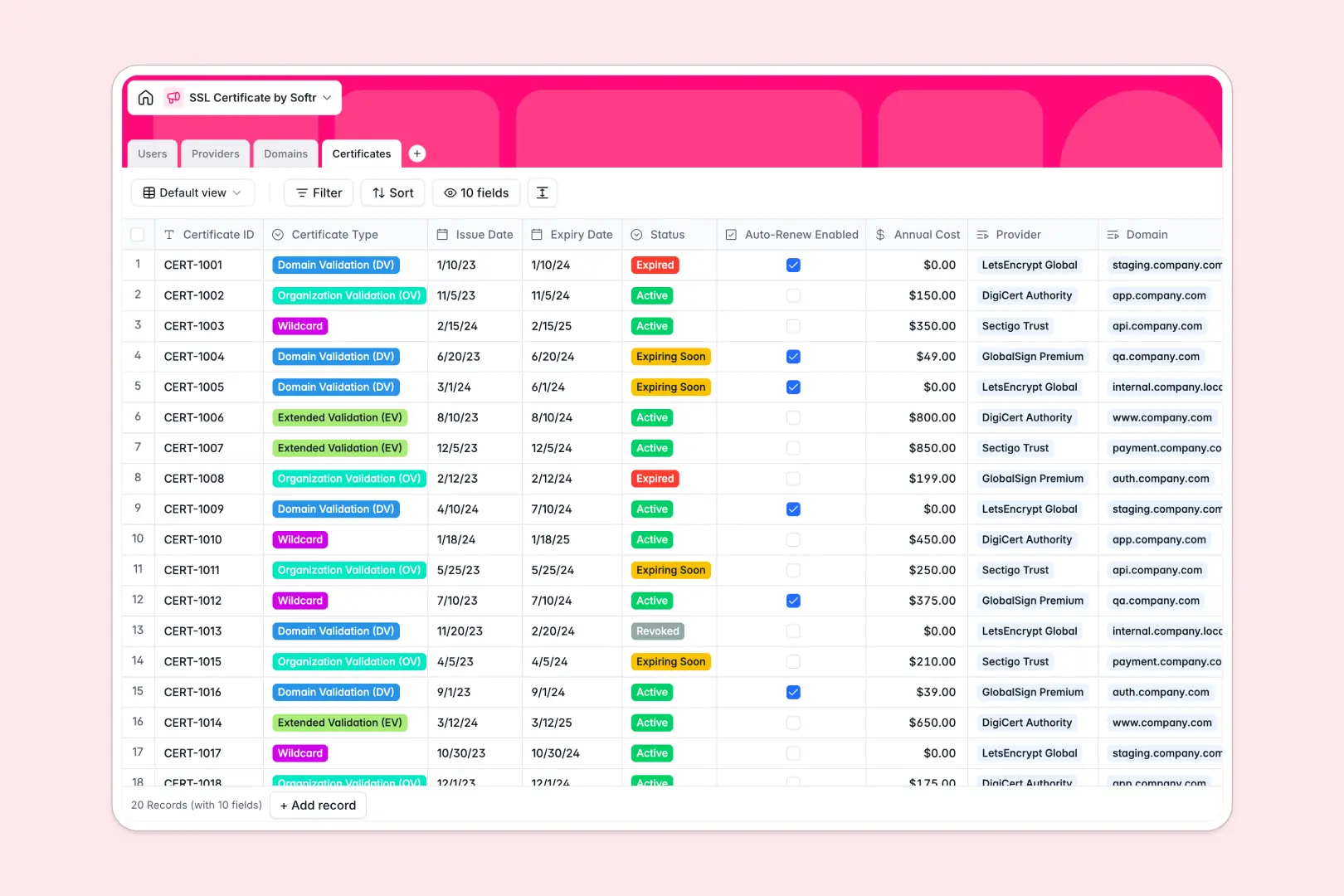
Your SSL Certificate database at a glance
This template helps IT and DevOps teams track SSL certificates, issue dates, and renewal timelines across every web property. It prevents unexpected domain outages and centralizes vendor information in one structured workspace.
Four connected tables link Certificates to their respective Domains, Providers, and assigned Users. This relational setup ensures you always know which manager oversees a production domain and which certificate authority issued each credential.
Built-in AI capabilities analyze domain purposes from live web searches and draft tailored renewal action plans based on certificate types and expiration statuses.
When a shared row hides an impending certificate expiration
Google Sheets makes sharing simple, but treating a spreadsheet as an infrastructure tracker leads to silent failures. Mixed date formats, accidentally deleted renewal formulas, and unrestricted viewing permissions put mission-critical domains at risk.
What a structured database changes
A database enforces strict field types: dates remain valid timestamps, costs stay currency, and certificates link directly to domain records without fragile lookup formulas.
Instead of exposing an entire spreadsheet of internal environments to every collaborator, you get clean structure and predictable records. This is exactly what Softr Databases are designed for.
While Softr can connect an existing Google Sheet as an external data source, moving to a dedicated database eliminates formula breakage and missing renewal alerts permanently.
What you can do with this template
You can track active, expiring, and revoked certificates alongside auto-renew settings and annual costs. Group domains by environment like production or staging to prioritize critical renewals.
With Database AI agents, the database automatically researches provider websites and generates renewal procedures directly in your records whenever certificate statuses change.
-
Users
Manage administrative users, role assignments, and managed domain links
-
Providers
Track certificate authorities and vendors with AI-generated web summaries
-
Domains
Catalog protected domains and environments enriched by AI purpose research
-
Certificates
Monitor SSL lifecycles and costs with AI-generated renewal action plans
Who is this SSL Certificate database for
This database is built for technical teams and operations managers maintaining domain security across multiple digital properties.
- DevOps Engineers: Maintain uptime by monitoring certificate validity across production, staging, and development environments.
- IT Managers: Assign domain managers and oversee annual certificate budgets and provider relationships.
- Security Teams: Track certificate validation levels from Domain Validation to Extended Validation to ensure compliance.
- Agency Leads: Manage SSL lifecycles across client websites and separate assigned domains cleanly.
How to take it further
Customize this database by adding fields for custom DNS verification methods, internal server hostnames, or specific certificate thumbprints. You can easily adjust status options or assign multiple domain managers within the visual database editor.
Bring in existing domain and certificate records in seconds using the built-in CSV import tool, or connect automated monitoring pipelines through the API.
When your team needs dedicated access, use Softr's AI app generator to generate a custom SSL tracking portal directly on top of this database. Configure users and permissions so IT managers manage their assigned domains while external auditors receive read-only status dashboards.
-
1
-
2
-
3
-
4
Frequently asked questions
-
What is an SSL certificate database?
-
Why use a no-code database to build an SSL certificate tracker?
-
How can AI help managing data for SSL certificates?
-
Can I build an app with an SSL certificate database?
-
Is this SSL Certificate database free?
-
How is this SSL database different from tracking certificates in Google Sheets?
Start building today. It's free!
Build and launch your first app in under 30 minutes.