


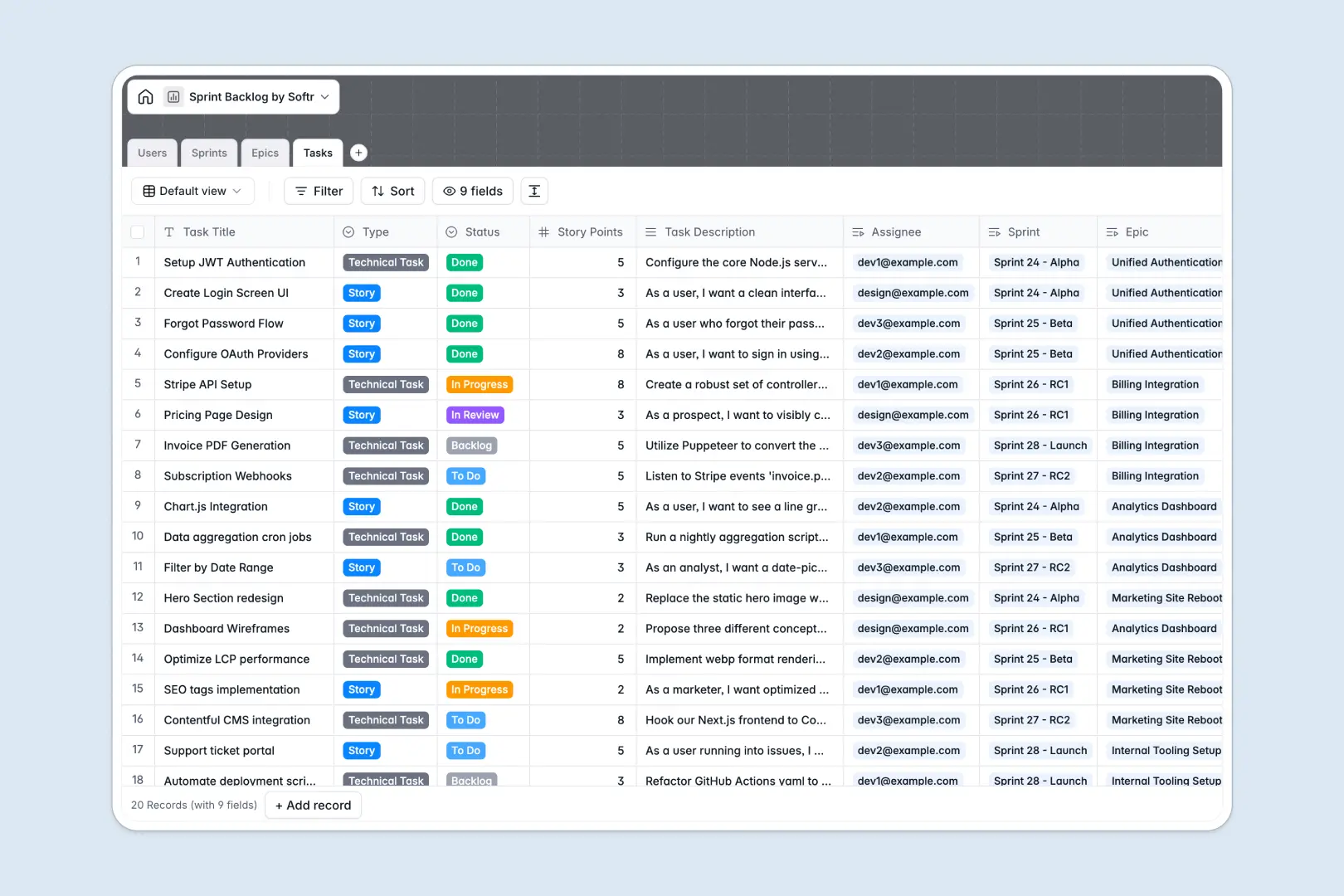
Your Sprint Backlog database at a glance
This template gives agile product teams a clean system to plan sprints, track user stories, and manage engineering workloads without spreadsheet chaos.
It connects four dedicated tables: Sprints, Epics, Tasks, and Users. Each task links directly to its parent epic and active sprint, keeping story points and ownership aligned.
Built-in AI fields automatically draft acceptance criteria from task descriptions and generate executive summaries for entire epics and sprint reports.
When a shared sprint sheet becomes an accidental backend
Google Sheets is great for quick lists, but it quickly breaks down when used to manage complex sprint cycles across an entire team. One accidental filter breaks cross-sheet formulas, text slips into number fields, and there is no way to prevent developers or stakeholders from seeing or editing raw rows.
What a structured database changes
A structured database enforces strict data integrity: story points remain numbers, status values stay consistent, and dates never break.
Instead of fragile VLOOKUP formulas across tabs, tasks natively link to epics and sprint records, rolling up total story counts instantly. This is exactly what Softr Databases are designed for.
What you can do with this template
You can organize your backlog by priority, track sprint capacity, and keep developers aligned on active deliverables without manual status chasing.
With embedded Database AI agents, the database writes testing scenarios and sprint summaries automatically whenever new tasks or goals are added. Softr can also connect to an existing Google Sheet if your team needs to reference legacy rows while upgrading your core workflow.
-
Users
Manage agile team members, their assigned roles, and project ownership
-
Sprints
Track sprint cycles with goals, schedules, and AI-generated sprint reports
-
Epics
Organize strategic initiatives with rollups and AI-powered executive summaries
-
Tasks
Manage work items, story points, and AI-generated acceptance criteria
Who is this Sprint Backlog database for
This database is built for product and engineering teams looking for structured sprint execution without heavy software overhead:
- Product Managers: Organize backlog items, define user stories, and generate automated executive summaries.
- Engineering Leads: Balance team capacity, track story points, and monitor active sprint velocity.
- Scrum Masters: Run sprint planning and retrospectives with clean, connected iteration records.
- Designers and Developers: View assigned tasks, clear acceptance criteria, and update statuses effortlessly.
How to take it further
Customize your workflow fields
Adapt the database to match your exact agile process. Add custom task types, adjust story point scales, or introduce custom review stages in the status dropdown in seconds.
Import your existing backlog
Bring over legacy user stories and bug lists instantly using CSV import, or set up API syncs to pipe error reports directly into your backlog table.
Build a full internal agile app
When your team is ready for dedicated views, use the AI app generator to create custom interfaces on top of this database in a single prompt. Configure granular users and permissions so developers update only their tasks while stakeholders view read-only sprint summaries, all within the same platform.
-
1
-
2
-
3
-
4
Frequently asked questions
-
What is a sprint backlog database?
-
Why use a no-code database to build a sprint backlog tool?
-
How can AI help managing data for a sprint backlog?
-
Can I build an app with this sprint backlog database?
-
Is this Sprint Backlog database free?
-
How is a sprint backlog database different from Google Sheets?
Start building today. It's free!
Build and launch your first app in under 30 minutes.