


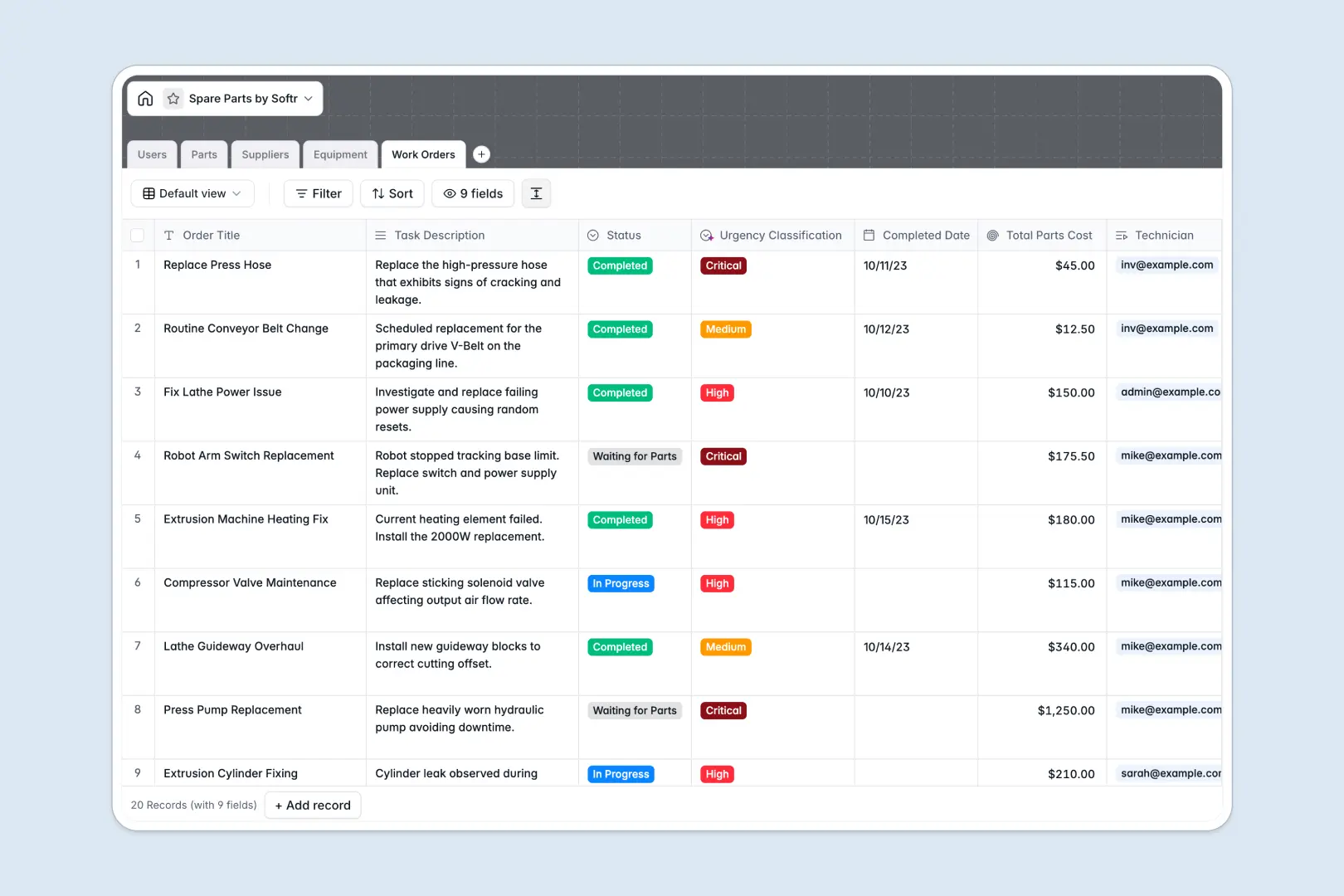
Your Spare Parts database at a glance
This template gives your team a clear, reliable system to manage inventory levels, track supplier details, and monitor maintenance across all machinery.
It connects four dedicated tables, linking Parts directly to compatible Equipment, assigned Suppliers, and active Work Orders so you never lose track of consumed stock.
Built-in AI automatically summarizes technical part descriptions, enriches supplier profiles from company websites, and categorizes work order urgency in real time.
When a spreadsheet becomes a maintenance liability
Google Sheets makes sharing easy, but it was never designed to run maintenance operations. As rows multiply, someone accidentally overwrites a stock count, breaks a VLOOKUP linking a SKU to a machine, or enters text into a date column.
What a structured database changes
A structured database enforces real data types, keeping stock numbers numeric, dates strictly formatted, and parts natively linked to specific machines.
When a technician logs parts used on a maintenance ticket, totals calculate instantly without fragile formulas reaching across separate tabs. This is exactly what Softr Databases are designed for.
Softr can also connect an existing Google Sheet as a data source, but moving to a native database gives your operational data the permanence it needs.
What you can do with this template
Keep technicians, inventory managers, and administrators aligned around real stock levels, open maintenance tasks, and equipment downtime.
Natively embedded Database AI agents analyze task descriptions to classify maintenance urgency, while live web research populates supplier details automatically.
You get a clear, production-ready system right out of the box with zero complex setup required.
-
Users
Manage staff profiles, inventory access levels, and technician work orders
-
Parts
Track spare components, inventory counts, and AI technical summaries
-
Suppliers
Store vendor contact info and generate AI web-based company overviews
-
Equipment
Monitor machinery status, operational locations, and linked spare parts
-
Work Orders
Coordinate maintenance tasks with AI urgency triage and parts logging
Who is this Spare Parts database for
This database helps maintenance and operational teams keep critical machinery running without parts shortages:
- Maintenance Managers: Monitor machine downtime, schedule work orders, and ensure replacement parts are always available.
- Inventory Managers: Track stock thresholds, unit costs, and reorder points across multiple part categories.
- Field Technicians: Log consumed parts, check equipment compatibility, and complete work orders from the field.
- Procurement Leads: Maintain verified supplier contacts and track part costs across vendors.
How to take it further
1. Customize the database
Add custom categories like pneumatic or hydraulic parts, adjust stock threshold fields, or create new views for out-of-service equipment. Modifying fields in your native Softr Database takes just a few clicks.
2. Import your existing data
Bring in current SKUs, supplier contacts, and asset registers using instant CSV imports or automated API syncing. Your existing inventory numbers map directly into structured relational tables.
3. Build a full app around it
When your team needs dedicated interfaces, you can build an app on top of this database in minutes. Use plain language to generate custom portals for technicians and managers, complete with role-based permissions to control who edits stock levels.
-
1
-
2
-
3
-
4
Frequently asked questions
-
What is a spare parts database?
-
Why use a no-code database to build a spare parts system?
-
How can AI help managing data for spare parts?
-
Can I build an app with this spare parts database?
-
Is this Spare Parts template free?
-
How is a spare parts database different from Google Sheets?
Start building today. It's free!
Build and launch your first app in under 30 minutes.