


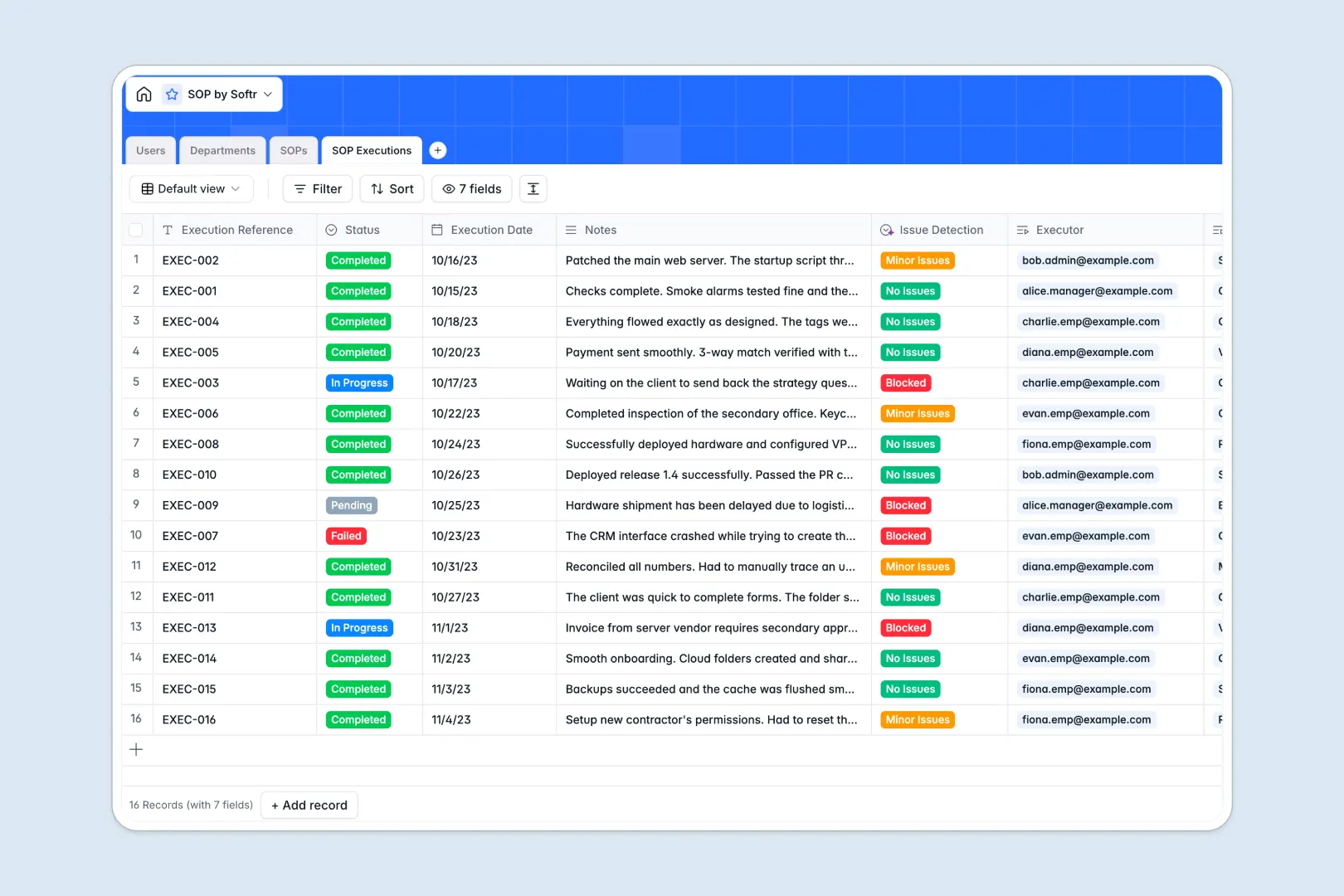
Your SOP database at a glance
This template gives your team a central repository to document standard operating procedures, assign them to team members, and monitor compliance across departments.
It connects four dedicated tables: SOPs, Departments, Users, and SOP Executions. Every procedure links directly to its author, assigned team members, and detailed execution logs without manual cross-referencing.
Built-in AI automatically creates concise bullet-point summaries of procedure content and categorizes execution notes to instantly flag blockers.
When a shared SOP tab becomes an operational risk
Google Sheets makes sharing documents easy, but it was never designed to manage operational workflows, track version control, or protect sensitive execution logs.
When multiple team members edit the same sheet, formulas break, rows get overwritten accidentally, and anyone with access can view or modify every procedure across every department.
What a structured database changes
A database enforces data integrity by giving every column a strict type, ensuring dates stay dates and procedure statuses follow designated stages.
Relational tables link execution logs directly to specific SOPs and team members, giving managers clear visibility into accountability without maintaining complex lookup formulas.
This is exactly what Softr Databases are designed for, giving you a structured operational hub where data stays organized as your company scales. While you can connect an existing Google Sheet to Softr, a native database provides far greater stability and performance for critical business procedures.
What you can do with this template
Maintain published procedures alongside active drafts, tracking updates and departmental assignments in clean, organized views.
Use Database AI agents to summarize lengthy documentation and evaluate execution notes to detect blockers before they disrupt operations.
Log team completions with timestamps and user references to maintain audit trails and ensure critical operational standards are consistently met.
-
Users
Manage personnel profiles, departmental roles, and assigned procedures
-
Departments
Organize business units with designated team members and related SOPs
-
SOPs
Centralize standard operating procedures with automated AI summaries
-
SOP Executions
Track procedure execution logs with automated AI issue detection
Who is this SOP database for
This database provides operational clarity and procedural compliance for teams of any size:
- Operations Managers: Centralize company-wide procedures, track compliance, and spot execution bottlenecks in real time.
- Department Heads: Organize department-specific workflows and ensure onboarding documentation remains accurate and up to date.
- Team Leads: Assign procedures to team members and monitor completion statuses without endless check-in meetings.
- Compliance Officers: Maintain verifiable logs of procedure executions and changes across all operational units.
How to take it further
Customize this database to fit your exact operational structure. Add custom select tags to the SOPs table for compliance categories, introduce revision history fields, or adjust the Role options in the Users table to match your organization's hierarchy.
Bring in your existing documentation in seconds. Use CSV import to bulk upload procedures and team lists, or connect via API to sync procedure completions from other internal tools directly into your SOP Executions table.
When your team is ready, build an app on top of this database. Softr's AI Co-Builder can generate a dedicated internal portal with secure users and permissions, allowing employees to view assigned procedures, submit execution logs, and keep sensitive department documents restricted to authorized managers.
-
1
-
2
-
3
-
4
Frequently asked questions
-
What is an SOP database?
-
Why use a no-code database to build an SOP management tool?
-
How can AI help managing data for an SOP database?
-
Can I build an app with an SOP database?
-
Is this SOP template free?
-
How is an SOP database different from Google Sheets?
Start building today. It's free!
Build and launch your first app in under 30 minutes.