


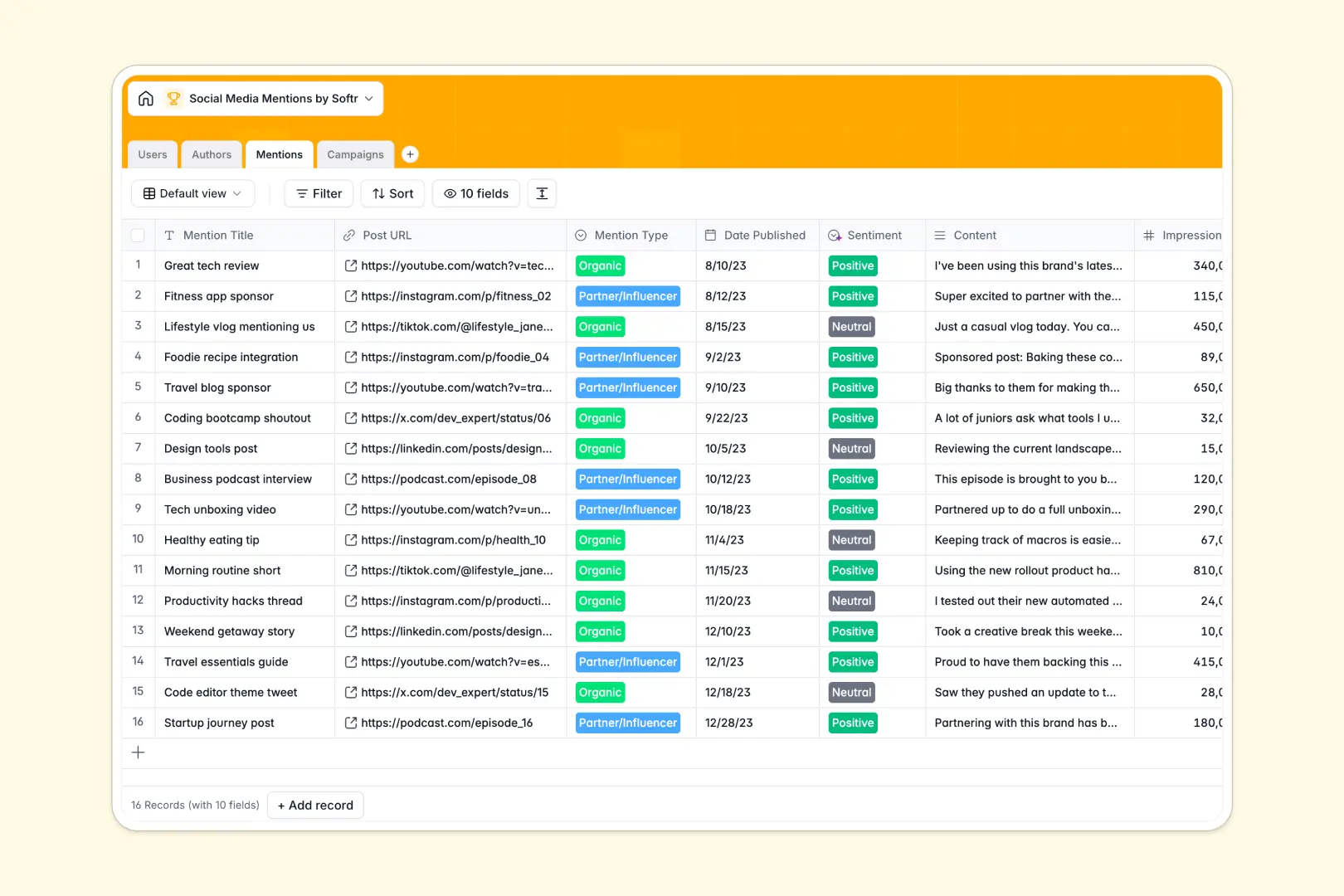
Your Social Media Mentions Database at a glance
This template automatically organizes your brand's social footprint so you can easily measure campaign impact and track influencer relationships.
It connects individual mentions directly to overarching campaigns and specific authors. If a creator posts about you, their content, follower count, and the related marketing initiative are linked instantly without messy formulas.
Built-in AI automatically assesses the sentiment of every post and browses the live web to summarize new influencer bios on the fly.
Why tracking social media mentions in Google Sheets breaks down
When your brand grows, logging every post, link, and influencer in a spreadsheet quickly turns into an unreadable wall of text and broken metrics.
What a structured database changes
In a spreadsheet, connecting an influencer's handle to their thirty different mentions requires endless copy-pasting or fragile VLOOKUPs. If someone accidentally deletes a row, your campaign tracking falls apart instantly.
A structured relational approach ensures data stays clean—an author exists once, and all their posts link back to that single profile natively.
This is exactly what Softr Databases are designed for. You get absolute clarity on who is saying what without wrestling with rows and columns.
What you can do with this template
Stop manually grading every piece of content that comes your way. Because this system natively analyzes content, it calculates whether a post is positive, neutral, or negative the moment you log the text.
You can instantly see rollups showing total impressions for specific campaigns or track how many times a given creator has supported you. It is a completely ready-to-use foundation that turns scattered social posts into actionable marketing data.
-
Users
Manage internal team members with roles, profile details and access levels
-
Authors
Track influencers and accounts with AI-powered summaries of public personas
-
Mentions
Log brand mentions across platforms using AI for automated sentiment analysis
-
Campaigns
Organize marketing initiatives with AI-generated executive result summaries
Who is this Social Media Mentions database for
This tracking system is built for marketing and communications teams who need to quantify their social impact without wrangling data entry.
- Marketing Directors: View aggregated campaign impressions and overall brand sentiment instantly.
- Social Media Managers: Log daily organic mentions and track which platforms drive the most visibility.
- Influencer Managers: Maintain a clean roster of creators enriched automatically with web-searched bios.
- PR Specialists: Keep a pulse on brand reputation and quickly navigate negative sentiment posts.
How to take it further
Customize the database
You can easily adapt this template to fit your exact workflow in seconds. Add new platforms like Threads to the dropdown field, or create a new column to track creator compensation.
Import your existing data
Upload your historic PR clippings or influencer lists instantly via CSV. You can also connect via API to funnel in new mentions automatically from your existing social listening tools.
Build a full app around it
When your tracking needs to scale, you can turn this database into an internal influencer management portal. Full-stack apps combine your database, business logic, and a secure frontend directly within Softr.
Instead of sharing a vulnerable spreadsheet, you can deploy distinct users and permissions to ensure external agency partners can only log new mentions without seeing your broader campaign analytics.
-
1
-
2
-
3
-
4
Frequently asked questions
-
What is a social media mentions database?
-
Why use a no-code database to build a social tracking system?
-
How can AI help managing data for social media tracking?
-
Can I build an app with this social media mentions database?
-
Is this Social Media Mentions template free?
-
How does this template calculate campaign performance?
Start building today. It's free!
Build and launch your first app in under 30 minutes.