


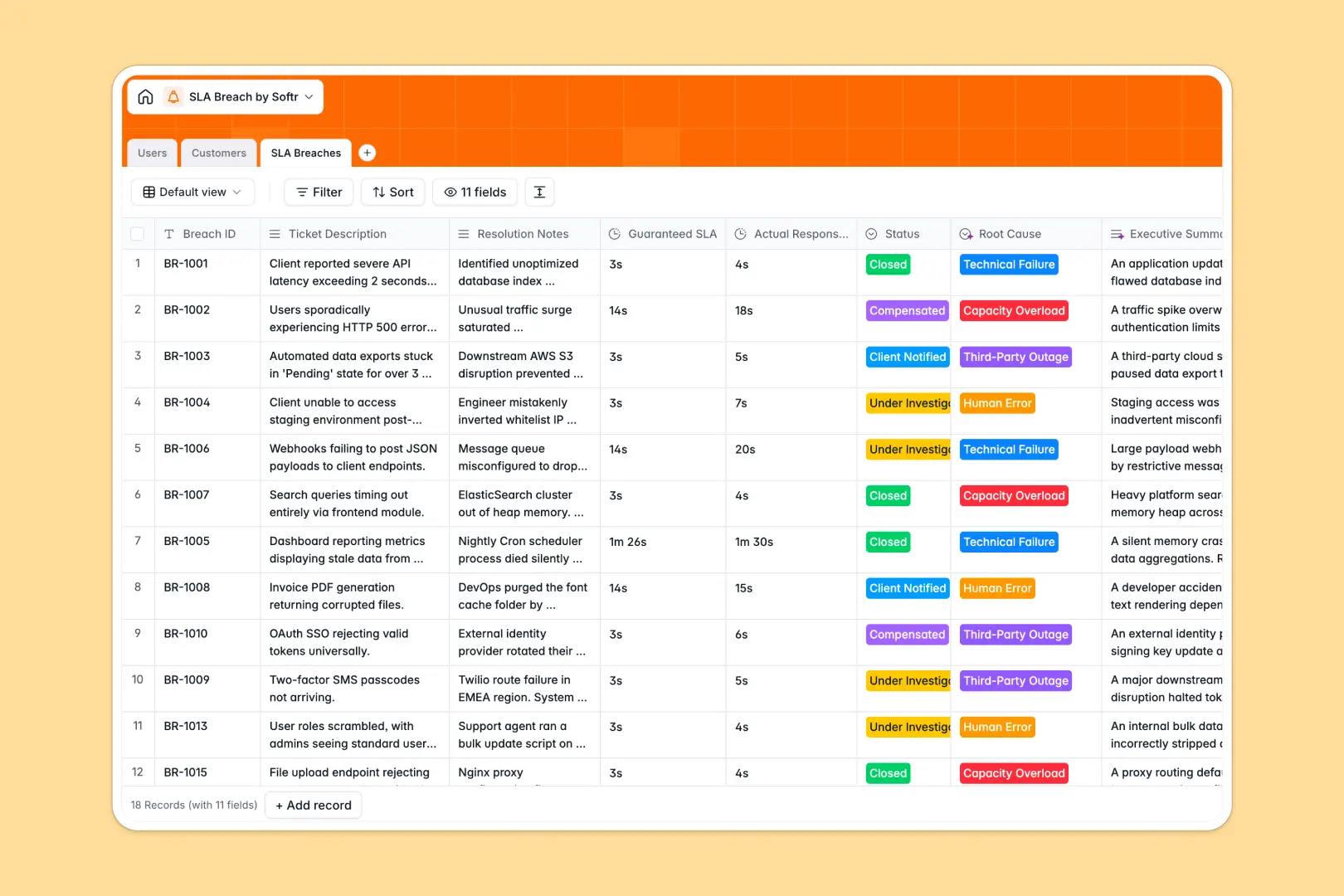
Your SLA Breach Database at a glance
Track missed response time guarantees, automatically classify root causes, and manage client communications in one centralized system.
It connects three core tables—Customers, Users, and SLA Breaches—so you can instantly link an incident to the right premium client and assigned investigator without duplicate data entry.
Built-in AI automatically drafts an executive summary of the breach, categorizes the root cause from resolution notes, and researches customer backgrounds via live web search.
Why tracking SLA breaches in Google Sheets breaks down
When you manage service level agreements in spreadsheets, response times get buried in endless rows, and linking an incident to a specific customer tier requires fragile formulas that constantly break.
What a structured database changes
Every column has a strict data type, meaning your precise duration metrics and exact breach dates stay perfectly formatted at all times.
Instead of copying and pasting client details across rows, you can link a specific support ticket directly to a customer's account profile instantly.
This is exactly what Softr Databases are designed for—keeping data clean, connected, and scalable as your support ticket volume grows.
What you can do with this template
Instantly log new SLA incidents and track guaranteed versus actual response times effortlessly.
Automatically calculate total breaches per customer using native rollups to identify high-risk accounts at a single glance.
Deploy Database AI agents to automatically categorize "Human Error" or "Technical Failure" based purely on the assigned investigator's resolution notes.
-
Users
Manage internal support staff and managers responsible for breach investigations
-
Customers
Manage client profiles with SLA tiers and AI-generated company background info
-
SLA Breaches
Log incidents using AI to classify root causes and generate executive summaries
Who is this SLA Breach Database for
This template is built for teams that need strict oversight of their service level agreements and customer guarantees.
- Support Managers: Track actual response times against guarantees and automatically summarize ticket histories.
- Customer Success Leads: Monitor exactly how many total breaches have affected premium tier clients.
- Technical Investigators: Document root causes and detailed resolution notes in a clean, organized workspace.
How to take it further
Easily customize this template instantly by adding new SLA Tiers or modifying the exact root cause dropdowns to match your internal infrastructure. Because it's a native database, adjusting fields is simple and immediate.
You can easily import your existing Google Sheets breach logs via a quick CSV upload. If you use external ticketing tools, simple API connections will populate your tables with live records seamlessly.
When you're ready to share this data, you can build a full-stack portal using our interface builder. Create a dashboard for your support team to log breaches without ever touching the raw database tables.
Because everything is connected, you can set strict users and permissions to ensure that external clients can only view their own specific SLA metrics. A properly structured, relational database makes launching these custom business apps completely effortless.
-
1
-
2
-
3
-
4
Frequently asked questions
-
What is an SLA breach database?
-
Why use a no-code database to build an SLA tracking tool?
-
How can AI help managing data for SLA breaches?
-
Can I build an app with this SLA breach database?
-
Is this SLA Breach Database free?
-
How is this SLA breach system different from Google Sheets?
Start building today. It's free!
Build and launch your first app in under 30 minutes.