


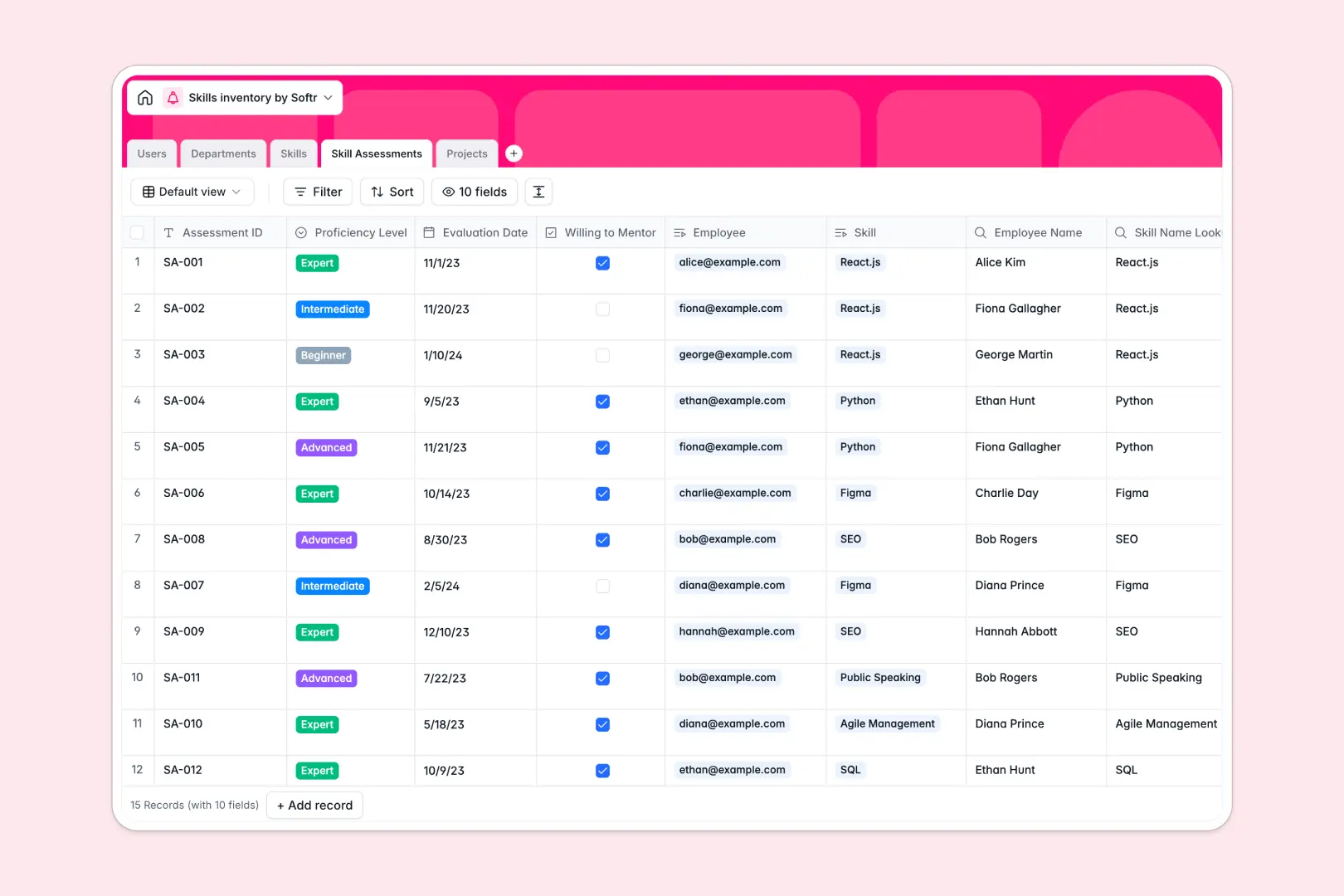
Your Skills Inventory database at a glance
Organize team competencies, proficiency levels, and department data in one clean workspace. This template connects employees, master skill definitions, and project requirements through relational tables so you always know who has the right expertise.
Built-in AI agents automatically generate detailed skill descriptions and personalized growth suggestions for every employee profile. Keep your entire organization aligned without manual tracking or outdated spreadsheets.
When a grid tab breaks under growing team competencies
Managing team expertise across multiple rows often leads to messy records, broken formulas, and overlapping tabs that nobody trusts. Anyone can overwrite a cell by accident, and there is no secure way to control who views sensitive performance data.
What a structured database changes
Typed columns keep your data clean and reliable so dates stay dates, proficiency levels stay standardized, and skill records link directly to employee profiles. This is exactly what Softr Databases are designed for, keeping all your organizational data connected and secure in one place.
You can easily map required competencies to upcoming initiatives without digging through disconnected files. Everything stays synchronized as your team grows and projects evolve.
What you can do with this template
Track proficiency levels from beginner to expert and identify team members who are willing to mentor others. Database AI agents instantly suggest tailored growth paths and learning resources for every team member.
Keep project resourcing transparent by matching required skills directly to available personnel. Get started immediately with a pre-built structure that requires zero technical setup.
-
Users
Manage employee profiles, job titles, roles, and department allocations
-
Departments
Organize business divisions, track descriptions, and monitor team sizes
-
Skills
Catalog competencies with categories and AI-generated skill descriptions
-
Skill Assessments
Track proficiencies and generate AI career growth recommendations
-
Projects
Coordinate initiatives, required skills, teams, and AI project summaries
Who is this Skills Inventory database for
- HR Teams: Maintain a clear, searchable directory of company-wide skills and proficiencies.
- Department Leads: Identify internal expertise quickly and staff upcoming projects with confidence.
- Operations Managers: Track skill gaps and plan targeted training programs across the organization.
How to take it further
Customize your database by renaming fields, adding new skill categories, or adjusting proficiency levels to match your exact company terminology. Making changes is fast and intuitive using native Softr Database controls.
Import your existing employee data seamlessly using CSV uploads or connect external tools via API to keep records up to date automatically. Start with a structured database and scale at your own pace.
When your team is ready, you can build an app on top of this exact database in a single prompt using the AI Co-Builder. Design internal portals with granular users and permissions so everyone sees only what they need to see. Combine databases, interfaces, and workflows into one unified system.
-
1
-
2
-
3
-
4
Frequently asked questions
-
What is a Skills Inventory database?
-
Why use a no-code database to build a skills inventory system?
-
How can AI help managing data for a skills inventory?
-
Can I build an app with this Skills Inventory database?
-
Is this Skills Inventory template free?
-
Can I import existing employee data into this template?
Start building today. It's free!
Build and launch your first app in under 30 minutes.