


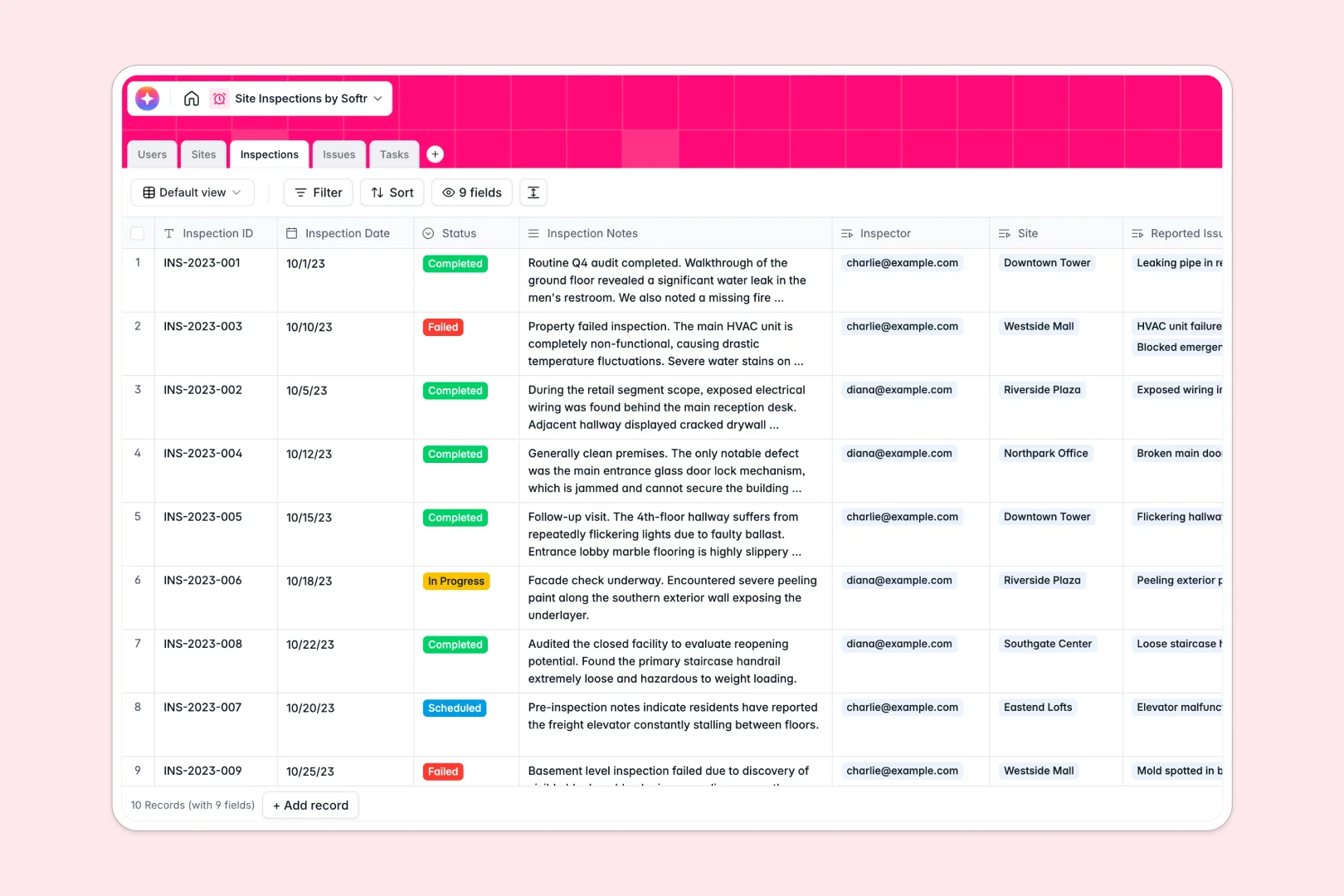
Your Site Inspections Database at a glance
This template provides a complete system to record site visits, log safety violations, and track corrective tasks. It keeps your field inspectors and operations teams perfectly aligned without scattered paperwork.
The database uses native connections to link Users to specific Sites and their individual Inspections. When an inspector logs a new defect in the Issues table, it cleanly attaches to actionable Tasks assigned directly to your team.
Built-in AI features do the heavy lifting by automatically writing inspection summaries and classifying issue severity based on field notes. They even generate step-by-step resolution advice for assigned tasks with zero manual effort.
Why tracking site inspections gets messy in Google Sheets
Managing field audits in spreadsheets quickly becomes a chaotic mix of deleted rows, broken VLOOKUPs, and lost photos. When multiple inspectors try to log issues and upload evidence simultaneously, data integrity completely falls apart.
What a structured database changes
A structured system enforces strict data types, meaning photos stay securely attached to specific issue records and status columns only accept predefined options. You can link corrective actions directly to failed inspections without writing a single fragile formula.
This is exactly what Softr Databases are designed for. Your compliance data stays incredibly clean and reliable, regardless of how many new sites, audits, or inspectors you add to the system over time.
What you can do with this template
Start logging inspections immediately with a ready-to-use structure that automatically connects field issues to corrective tasks. You can track exactly which site manager is responsible for resolving specific safety violations in real time.
By leveraging Database AI agents, this template can auto-research site background information and summarize lengthy inspection notes into bite-sized executive findings. Your team spends less time compiling written reports and more time fixing actual site problems.
-
Users
Manage personnel profiles, inspector roles, and site management assignments
-
Sites
Track locations with AI-powered background research and status monitoring
-
Inspections
Record audit visits using AI to generate concise executive summaries
-
Issues
Log site defects with AI-powered severity classification and evidence
-
Tasks
Assign corrective actions with AI-generated step-by-step resolution advice
Who is this Site Inspections database for
This template is built for operations leaders and field teams who need reliable audit tracking.
- Site Managers: Monitor the status of active sites, track total inspections, and ensure compliance standards are met.
- Field Inspectors: Log inspection notes, upload photo evidence of issues, and record audit outcomes from a central source of truth.
- Operations Leads: Track corrective tasks, oversee issue resolution, and measure efficiency across all locations in one view.
How to take it further
Customizing this database takes just a few clicks. You can easily add new "Severity" levels to the Issues table or modify the dropdown choices to fit your specific site statuses.
Bring your historical audit data into the system in seconds. Simply upload your existing CSV files or connect via API to sync ongoing task management alongside past records effortlessly.
When you're ready to share this data with the field securely, you can build an app directly on top of this foundation. This turns your database into a fully-functional, mobile-friendly portal for field workers and site managers.
By setting up proper users and permissions, inspectors only see the sites they manage, while contractors only see their assigned tasks. A clean, well-structured database makes building these robust workflows seamless.
-
1
-
2
-
3
-
4
Frequently asked questions
-
What is a site inspections database?
-
Why use a no-code database to build a site inspections system?
-
How can AI help managing data for site inspections?
-
Can I build an app with this site inspections database?
-
Is this Site Inspections Database free?
-
How is a site inspection database different from Google Sheets?
Start building today. It's free!
Build and launch your first app in under 30 minutes.