


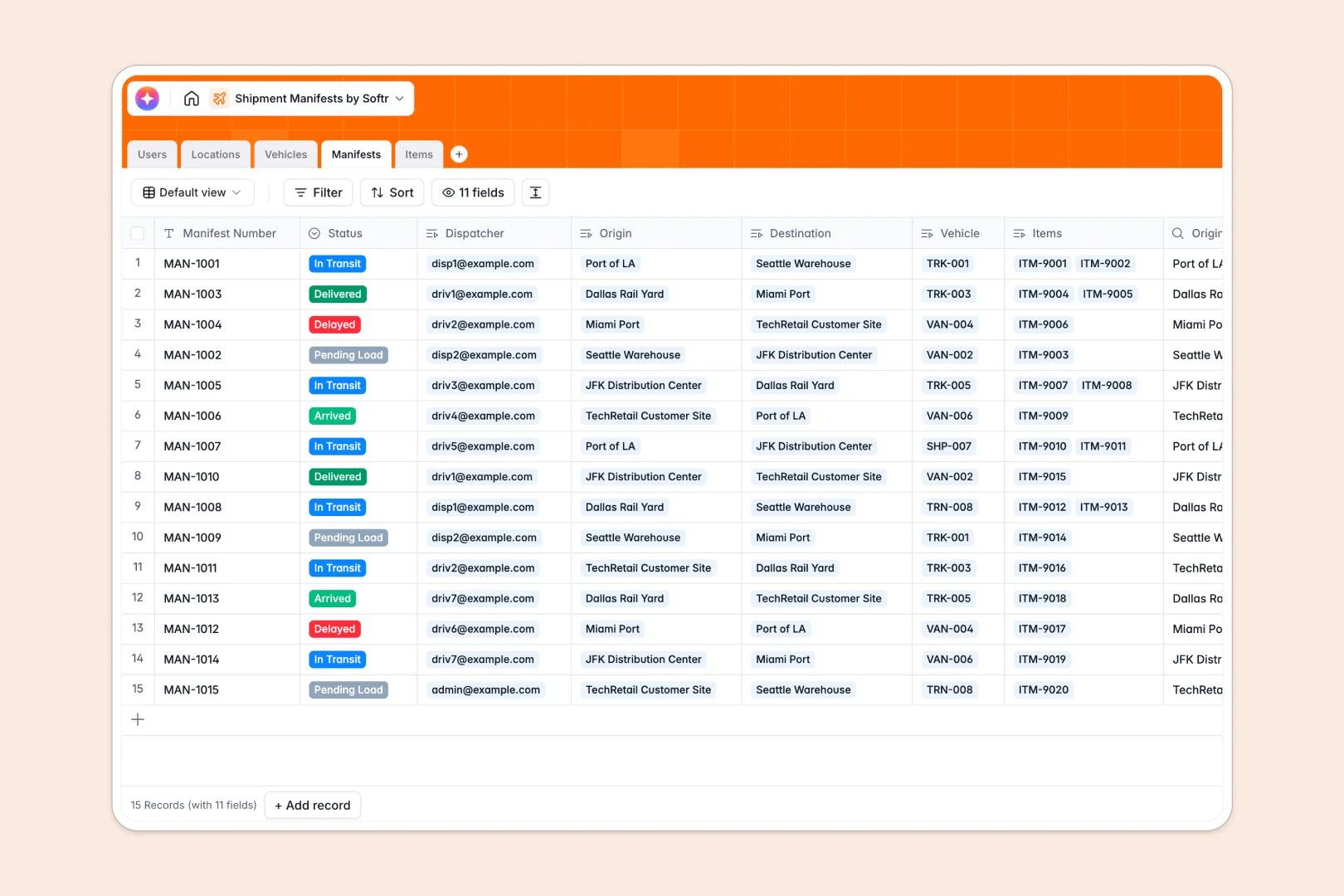
Your Shipment Manifests Database at a glance
This system tracks your end-to-end logistics, connecting dispatchers, vehicles, and freight so nothing gets lost in transit. It provides a real-time view into the movement and status of your physical goods.
The database systematically groups individual cargo items into specific manifests. It securely links those manifests to predefined drivers and vehicles while automatically calculating total freight weights.
Built-in AI automatically categorizes raw freight descriptions into specific logistics classes, while instantly generating transit logs as your route statuses change.
Why managing shipment manifests in Google Sheets breaks down
Spreadsheets quickly become chaotic when you try to track moving vehicles, diverse cargo, and updating transit statuses across multiple tabs.
What a structured database changes
In a database, data stays connected and safe. Instead of fragile VLOOKUPs, your active manifests natively link to exact warehouse locations and authorizated personnel.
This structured approach prevents dispatch errors and ensures total cargo weights calculate perfectly every time. This is exactly what Softr Databases are designed for.
What you can do with this template
Instantly assign semi-trucks or cargo ships to pending manifests while tracking maximum weight capacities effortlessly. You can monitor origin and destination points clearly from a single view.
You also get active Database AI agents that read incoming item descriptions to automatically flag them as hazardous, perishable, or general freight without manual data entry.
-
Users
Manage logistics staff, dispatchers, and drivers with roles and contact info
-
Locations
Monitor warehouses and ports serving as origin or destination relay nodes
-
Vehicles
Track fleet assets and transport units with driver and capacity details
-
Manifests
Coordinate shipments using AI to generate transit summaries and route logs
-
Items
Log cargo items using AI to automatically categorize goods based on descriptions
Who is this Shipment Manifests database for
This system is designed for operational teams coordinating dispatch, transit, and continuous fleet movement.
- Dispatchers: Assign the right vehicles to demanding routes without double-booking drivers or equipment.
- Warehouse Managers: Track departing and arriving freight in real time at specific distribution centers.
- Logistics Leads: Monitor total cargo weight, fleet utilization, and delayed shipments from a macro perspective.
- Drivers: Gain absolute clarity on their active transit routes, cargo contents, and required destinations.
How to take it further
Customize this database effortlessly by adding new vehicle types like cargo planes or renaming manifest statuses to match your unique supply chain. The flexible structure adapts directly to your operations.
Bring in your existing logistics data quickly by uploading a CSV of your current personnel, locations, and active items. This ensures your team can begin operating from the single source of truth immediately.
When your team needs dedicated workflows, use the interface builder to turn this direct database into a full logistics portal.
You can provide your network of drivers with secure logins and specific permissions so they only view and update their active manifest routes. A cleanly structured database is the ultimate foundation for building these custom operational apps.
-
1
-
2
-
3
-
4
Frequently asked questions
-
What is a shipment manifests database?
-
Why use a no-code database over Google Sheets to build a logistics system?
-
How can AI help managing shipment manifests?
-
Can I build an app with this shipment manifest database?
-
Is this Shipment Manifests template free?
-
How do I enforce weight limits internally before dispatching?
Start building today. It's free!
Build and launch your first app in under 30 minutes.