


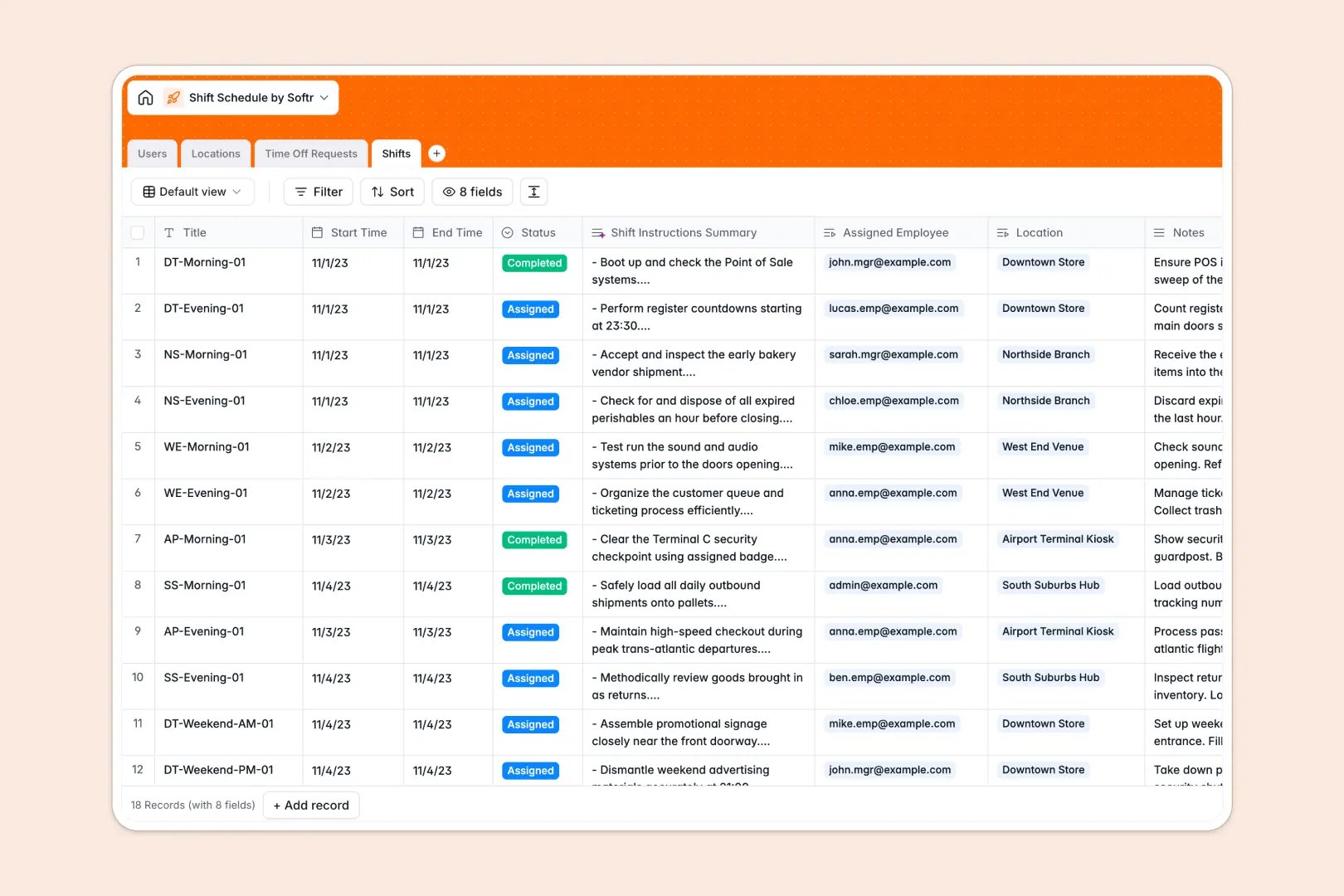
Your Shift Schedule database at a glance
This template gives managers a single operational system to organize rota schedules, track time off, and manage multi-location staff without overlap.
It connects four dedicated tables: Users, Locations, Shifts, and Time Off Requests. Shifts link directly to assigned workers and physical venues, while rollups automatically count open shifts and total assignments.
Built-in AI fields classify time off reasons into categories like Sick Leave or Vacation, and automatically summarize shift instructions for staff.
When a shared spreadsheet exposes every row to every worker
Google Sheets is easy to share, but sharing an entire sheet means employees can view everyone's private notes, time off reasons, and personal contact details.
What a structured database changes
Unlike an open spreadsheet where accidental edits overwrite shift times, a database enforces typed fields for start times, roles, and status tags.
Instead of copy-pasting names across tabs, shifts link directly to user records and venues, keeping capacity totals accurate without fragile cross-sheet formulas.
This is exactly what Softr Databases are designed for: clean, structured business data where each entity lives in its own dedicated table.
While Softr can connect an existing Google Sheet, running your core operations on a dedicated database prevents accidental formula breaks and data corruption.
What you can do with this template
Manage open, assigned, and completed shifts across multiple venues while keeping an accurate count of total staffing coverage.
Review incoming leave requests, track approvals, and prevent double-booking workers on approved leave.
Use Database AI agents to automatically categorize leave requests and generate clear shift handoff instructions from raw notes.
-
Users
Manage employee and manager profiles, assigned shifts, and permissions
-
Locations
Track physical venue locations, department addresses, and shift totals
-
Time Off Requests
Process leave requests using AI to categorize reason and absence types
-
Shifts
Schedule work blocks with AI-generated task and instruction summaries
Who is this Shift Schedule database for
This system is built for operations leaders who need reliable scheduling across distributed teams:
- Retail and hospitality managers: Coordinate store rotas and assign floor staff across multiple branch locations.
- Healthcare and clinic administrators: Manage on-call rotations, track coverage gaps, and process leave requests quickly.
- Field service coordinators: Assign technicians to specific project sites and provide clear on-site task summaries.
- HR and operations leads: Standardize employee records and keep time off records organized for payroll.
How to take it further
Customize your database in seconds by adding custom shift tags, tailoring time off categories, or adjusting user roles to match your internal hierarchy.
Import your existing staff directory and location lists via CSV upload or sync data automatically using the REST API.
When you are ready to give your team a dedicated portal, generate an app with AI directly on top of this database. Use granular users and permissions so employees only view their own assigned shifts and submit leave, while managers get full schedule control.
-
1
-
2
-
3
-
4
Frequently asked questions
-
What is a shift schedule database?
-
Why use a no-code database to build a shift schedule tool?
-
How can AI help managing data for shift schedules?
-
Can I build an app with this shift schedule database?
-
Is this Shift Schedule template free?
-
How is this template different from a shift schedule in Google Sheets?
Start building today. It's free!
Build and launch your first app in under 30 minutes.