


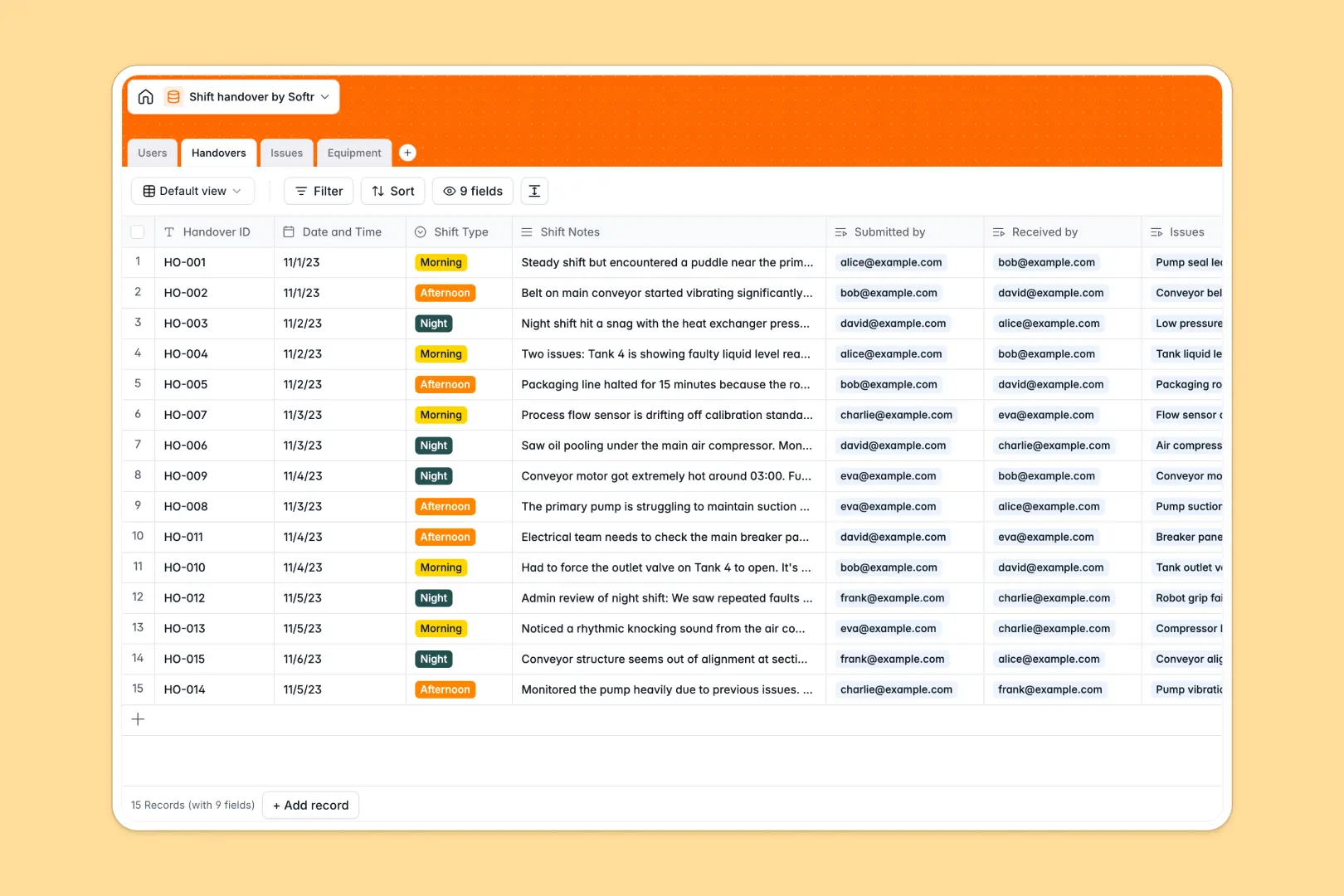
Your Shift Handover database at a glance
This template gives operations teams a structured way to record shift transitions, track ongoing maintenance, and maintain accountability between teams.
Key tables for Handovers, Issues, Equipment, and Users link together automatically, ensuring critical maintenance tasks and operational notes attach directly to the relevant assets and operators.
Built-in AI fields auto-generate executive summaries from detailed handover notes, classify issue categories automatically, and search the web for equipment specifications.
When a shift log in Google Sheets becomes hard to control
Google Sheets makes sharing simple, but running mission-critical handover logs in a sheet often leads to missed maintenance tasks, untracked equipment downtime, and unformatted notes that incoming supervisors have to dig through.
What a structured database changes
In a structured database, every entry adheres to clean field types, timestamps, and direct relational links. Operators select equipment and assign issues directly to incoming staff without copying rows or managing fragile formulas across multiple tabs.
This is exactly what Softr Databases are designed for: giving teams a dedicated operational backend that maintains data integrity as shifts rotate around the clock. You can also connect an existing Google Sheet if needed, but a dedicated database ensures strict structure for critical operations.
What you can do with this template
Incoming supervisors can review structured handover logs with linked open issue counts, priority levels, and assigned personnel in one view.
With native Database AI agents, incoming teams get instant 3-bullet executive summaries of previous shifts, while new issues are automatically categorized into Mechanical, Electrical, or Safety concerns without manual sorting.
-
Users
Manage shift staff, assigned roles, and linked operational records
-
Handovers
Log shift handovers with AI-powered summaries of key transition notes
-
Issues
Track maintenance issues with AI categorization and priority workflows
-
Equipment
Monitor machinery status with web-enabled AI for specs and maintenance info
Who is this Shift Handover database for
- Plant Managers: Track operational continuity across morning, afternoon, and night shifts with zero communication gaps.
- Shift Supervisors: Receive clear executive summaries and prioritize open equipment issues before stepping onto the floor.
- Maintenance Teams: Monitor asset health, view logged issues by machine, and access manufacturer specs instantly.
- Field Operators: Log shift notes, flag urgent hazards, and hand off responsibilities with complete accountability.
How to take it further
Customize this database by adding custom shift types, adjusting issue priority options, or adding safety checklist fields to match your facility's exact standard operating procedures.
Import your historical handover logs, operator directories, and machine registries instantly using standard CSV uploads or automated API syncs.
When you are ready, use Softr's AI app generator to turn this database into a dedicated shift management portal with granular users and permissions so operators log updates on mobile devices while supervisors manage high-level logs and maintenance approvals.
-
1
-
2
-
3
-
4
Frequently asked questions
-
What is a Shift Handover database?
-
Why use a no-code database to build a shift handover system?
-
How can AI help managing data for shift handovers?
-
Can I build an app with this Shift Handover database?
-
Is this Shift Handover template free?
-
How is a Shift Handover database different from Google Sheets?
Start building today. It's free!
Build and launch your first app in under 30 minutes.