


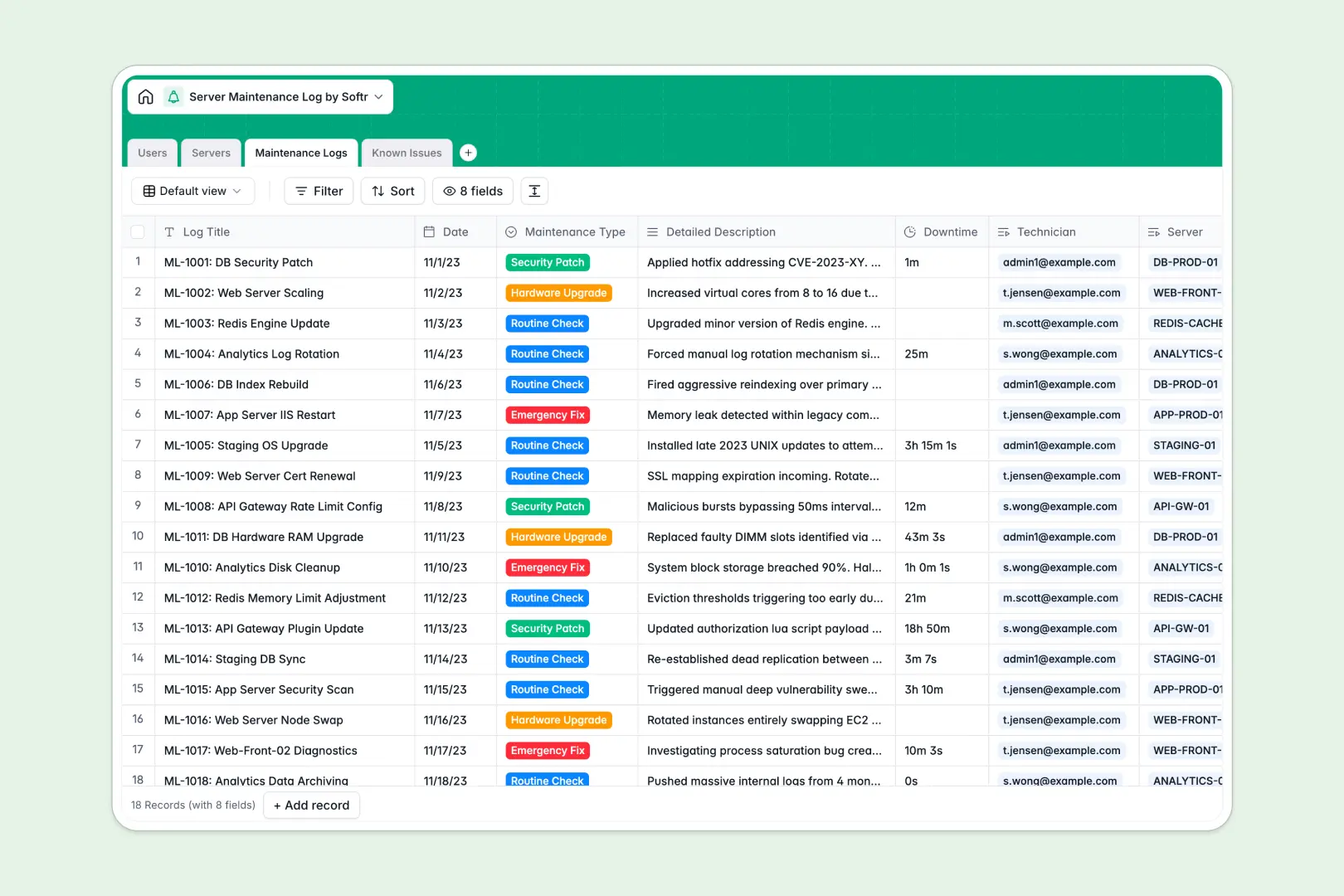
Your Server Maintenance Log database at a glance
This template helps IT teams and sysadmins log maintenance routines, track server downtime, and resolve system issues systematically.
It connects your Servers, Maintenance Logs, Known Issues, and Users tables so every patch and hardware check is linked to the right machine and technician.
Built-in AI fields automatically summarize long technical descriptions for executive reporting and categorize issue severity on the fly.
When a shared sheet becomes an unreliable server log
Google Sheets makes sharing easy, but it quickly falls apart when used as an operational backend for IT infrastructure. A misplaced filter or accidental row edit can wipe out downtime calculations, and unstructured cells let technicians enter conflicting timestamps and invalid formats.
What a structured database changes
A database enforces strict data types so IP addresses, dates, and durations remain clean and valid across every record. It also connects records natively, linking routine checks and critical alerts directly to specific servers without brittle formulas.
This is exactly what Softr Databases are designed for: giving your technical team a reliable single source of truth that never breaks when multiple technicians update it.
What you can do with this template
Log emergency fixes and routine checks with exact downtime tracking while rolling up maintenance totals automatically. Built-in Database AI agents analyze issue titles to assign severity levels and generate concise executive summaries from detailed engineering logs.
You can also connect an existing Google Sheet if you need to pull in legacy hardware lists, while running your active maintenance workflows in this structured database.
-
Users
Manage system admins, technicians, and assign logs and servers
-
Servers
Track server assets and generate AI environment profile descriptions
-
Maintenance Logs
Record routine checks, downtime, and generate AI executive summaries
-
Known Issues
Track server incidents with AI-assisted severity classification
Who is this Server Maintenance Log database for
Manage physical and virtual infrastructure with structured logging and automated summaries.
- IT Systems Administrators: Track routine maintenance windows, OS updates, and server health across all environments.
- DevOps Engineers: Document emergency hotfixes, monitor downtime durations, and resolve critical hardware alerts.
- IT Department Managers: Review automated AI summaries of technical maintenance work without reading raw server logs.
- Compliance & Security Officers: Maintain an immutable, audit-ready log of security patches and technician assignments.
How to take it further
1. Customize the database
Tailor the database to your infrastructure by adding custom server environments, tracking warranty expiration dates, or expanding maintenance types to include backup verifications. Adjust user roles to match your internal IT hierarchy.
2. Import your existing data
Quickly bring in existing server inventories and historical logs using CSV import or connect external monitoring tools via API to log uptime checks automatically.
3. Build a full app around it
When you are ready, use Softr to build an app on top of this database in seconds. Describe what you need, and the AI Co-Builder will generate an IT portal with tailored users and permissions so technicians only edit their assigned servers while auditors receive read-only access.
-
1
-
2
-
3
-
4
Frequently asked questions
-
What is a server maintenance log database?
-
Why use a no-code database to build a server maintenance log?
-
How can AI help managing data for server maintenance?
-
Can I build an app with server maintenance log database?
-
Is this Server Maintenance Log template free?
-
How is a server maintenance log database different from Google Sheets?
Start building today. It's free!
Build and launch your first app in under 30 minutes.