


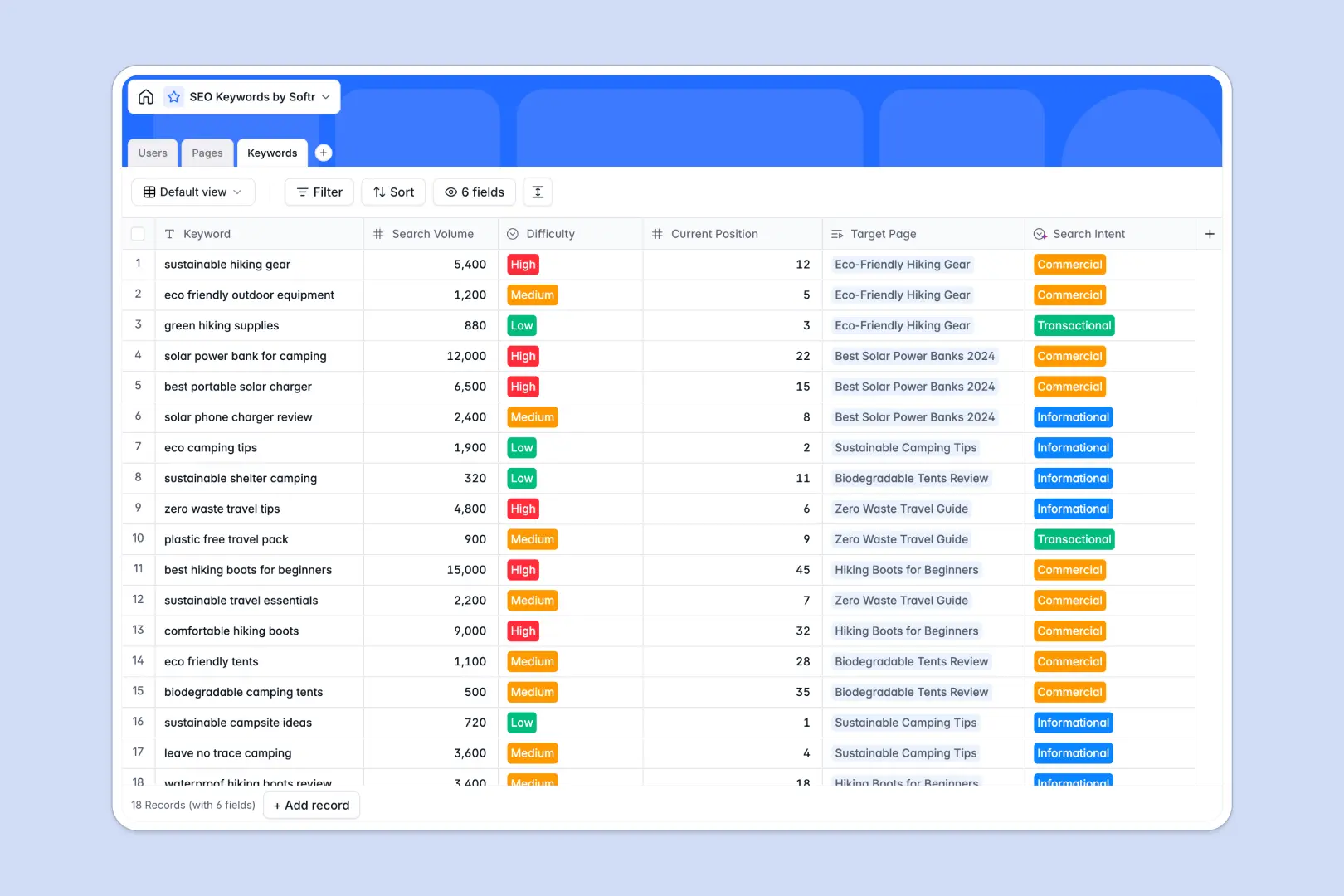
Your SEO Keywords Database at a glance
This SEO Keywords Database helps you organize target phrases, assign content to writers, and track publishing statuses all in one place. It eliminates the chaos of scattered spreadsheets by directly connecting your strategy to execution.
It works by connecting three core tables: Users, Pages, and Keywords. When you assign a keyword to a specific page, the exact search intent and writer automatically map together.
Built-in AI agents instantly classify keyword search intent and generate full content outlines based on your targets. They even draft optimized meta descriptions automatically, saving hours of manual work.
Why managing SEO keywords in Google Sheets breaks down
Tracking search volumes, intents, and content assignments in Google Sheets quickly turns into a messy grid of broken links and outdated rows. Once your site grows, keeping track of which writer is handling which target becomes incredibly frustrating.
What a structured database changes
A structured database enforces strict column types so search volumes stay as numbers and URLs stay clickable. You can naturally link multiple keywords directly to a single page without relying on fragile VLOOKUP formulas.
This means your data stays perfectly clean, no matter how large your content pipeline gets. This is exactly what Softr Databases are designed for.
What you can do with this template
You can instantly map specific keywords, search volumes, and ranking difficulty metrics directly to your live URLs. Track real-time progress as pages move from drafting to published.
Thanks to native Database AI agents, this template categorizes search intent automatically and browses the web to generate detailed H2/H3 content briefs for your writers.
-
Users
Manage SEO team members, their contact details, and page assignments
-
Pages
Optimize website pages using AI to generate content briefs and meta tags
-
Keywords
Track search terms and volumes while using AI to detect search intent
Who is this SEO Keywords database for
This template is designed for content teams, search marketers, and publishers who need a reliable system to scale organic traffic.
- SEO Managers: Link high-value targets to specific content deliverables effortlessly.
- Content Writers: Access auto-generated briefs and exact search intent without leaving their dashboard.
- Marketing Directors: Track the entire pipeline from missing keywords to published ranking pages.
How to take it further
Customizing this system is effortless because it's a native Softr Database. You can easily add new fields to track backlink counts or adjust the status options to fit your team's unique workflow.
Getting started is immediate: just upload your existing CSV exports from Ahrefs or Semrush directly into the Keywords table.
Once your data is structured, you can easily build an app to give writers their own secure dashboard. By setting up custom users and permissions, writers will naturally only see the specific pages assigned to them.
Starting with a well-structured database makes launching these custom content portals incredibly fast.
-
1
-
2
-
3
-
4
Frequently asked questions
-
What is an SEO keywords database?
-
Why use a no-code database to track SEO performance?
-
How can AI help managing data for SEO?
-
Can I build an app with this SEO keywords database?
-
Is this SEO Keywords database free?
-
How is a structured database different from Google Sheets?
Start building today. It's free!
Build and launch your first app in under 30 minutes.