


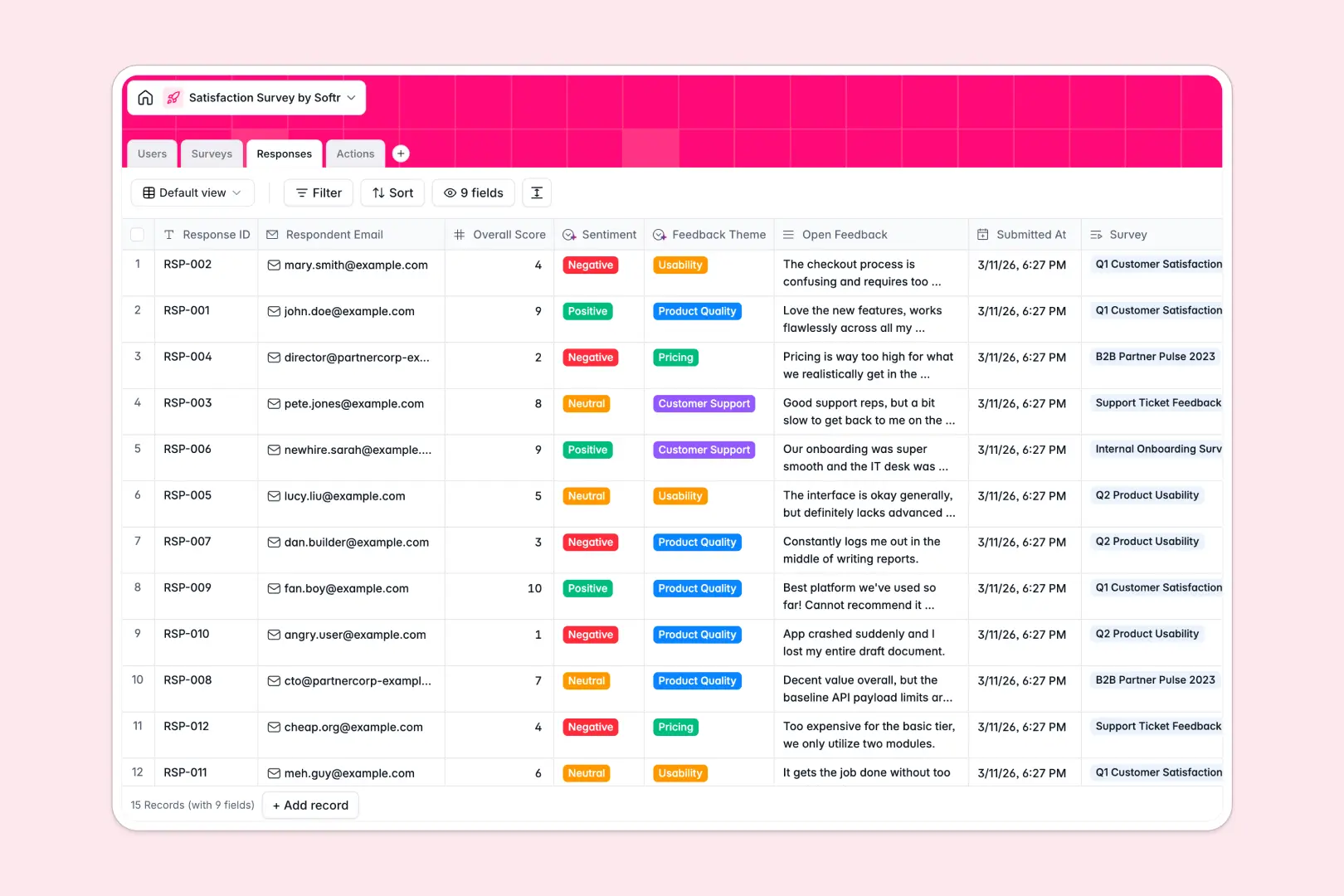
Your Satisfaction Survey database at a glance
This template provides a ready-made structure to capture survey responses, measure overall sentiment, and assign follow-up tasks to your team in one organized system.
It connects four dedicated tables: Surveys, Responses, Actions, and Users. Linking individual responses to broader campaigns and specific follow-up tickets keeps your feedback loop actionable instead of lost in rows.
Built-in AI fields automatically analyze feedback tone, tag themes like usability or pricing, draft executive summaries, and write polite email replies for unresolved tickets.
When a survey spreadsheet turns into a customer blindspot
Google Sheets is great for quick data entry, but it quickly falls apart when managing active feedback workflows. Everyone has full access to the sheet, meaning team members can accidentally overwrite customer comments or expose sensitive emails. Formulas calculating average scores break easily when new columns get inserted, and raw feedback sits unread without clear task ownership.
What a structured database changes
In a structured database, data types are strictly enforced so ratings remain numeric and submission dates stay accurate.
Instead of messy VLOOKUPs, tables connect natively. A single response links directly to its parent survey and its assigned follow-up action, giving your team clear accountability.
This is exactly what Softr Databases are designed for: giving you the relational power of an operational backend without complex setup. (You can also connect an existing Google Sheet to Softr if you ever need to read external data).
What you can do with this template
With native Database AI agents, every incoming feedback response is instantly classified as positive, neutral, or negative, while categorizing themes automatically.
Your team can review rolled-up average scores across entire campaigns, monitor resolution progress on critical issues, and draft empathetic replies without leaving the database.
-
Users
Manage survey team members, administrative roles, and action assignments
-
Surveys
Run feedback campaigns and generate AI executive summaries of sentiment
-
Responses
Track individual submissions with AI-driven sentiment and theme tagging
-
Actions
Resolve feedback issues and draft response emails using automated AI
Who is this Satisfaction Survey database for
This database is built for teams that need to collect customer sentiment and turn feedback into actionable improvements:
- Customer Success Teams: Track client sentiment, identify at-risk accounts, and assign follow-up remediation tasks.
- Product Managers: Categorize feature feedback and usability pain points across specific user cohorts.
- HR & Operations Leads: Run internal employee surveys and aggregate sentiment into concise executive summaries.
- Support Leads: Convert negative survey submissions into structured resolution workflows with clear assignees.
How to take it further
Customize this database in seconds by adding tailored categories to the Feedback Theme field or adjusting target audience options. You can easily tweak AI prompts to match your brand voice or add custom fields to track specific product tiers.
If you already have survey history, import your existing records via CSV in a few clicks or connect via API to sync real-time responses from external forms.
When your team is ready, you can build an app on top of this database. Use the AI Co-Builder to turn your tables into a full customer portal or internal triage dashboard in minutes. Configure granular users and permissions so support agents only see assigned action items while managers view campaign-level analytics.
-
1
-
2
-
3
-
4
Frequently asked questions
-
What is a satisfaction survey database?
-
Why use a no-code database to build a satisfaction survey system?
-
How can AI help managing data for satisfaction surveys?
-
Can I build an app with this satisfaction survey database?
-
Is this Satisfaction Survey database free?
-
How is a satisfaction survey database different from Google Sheets?
Start building today. It's free!
Build and launch your first app in under 30 minutes.