


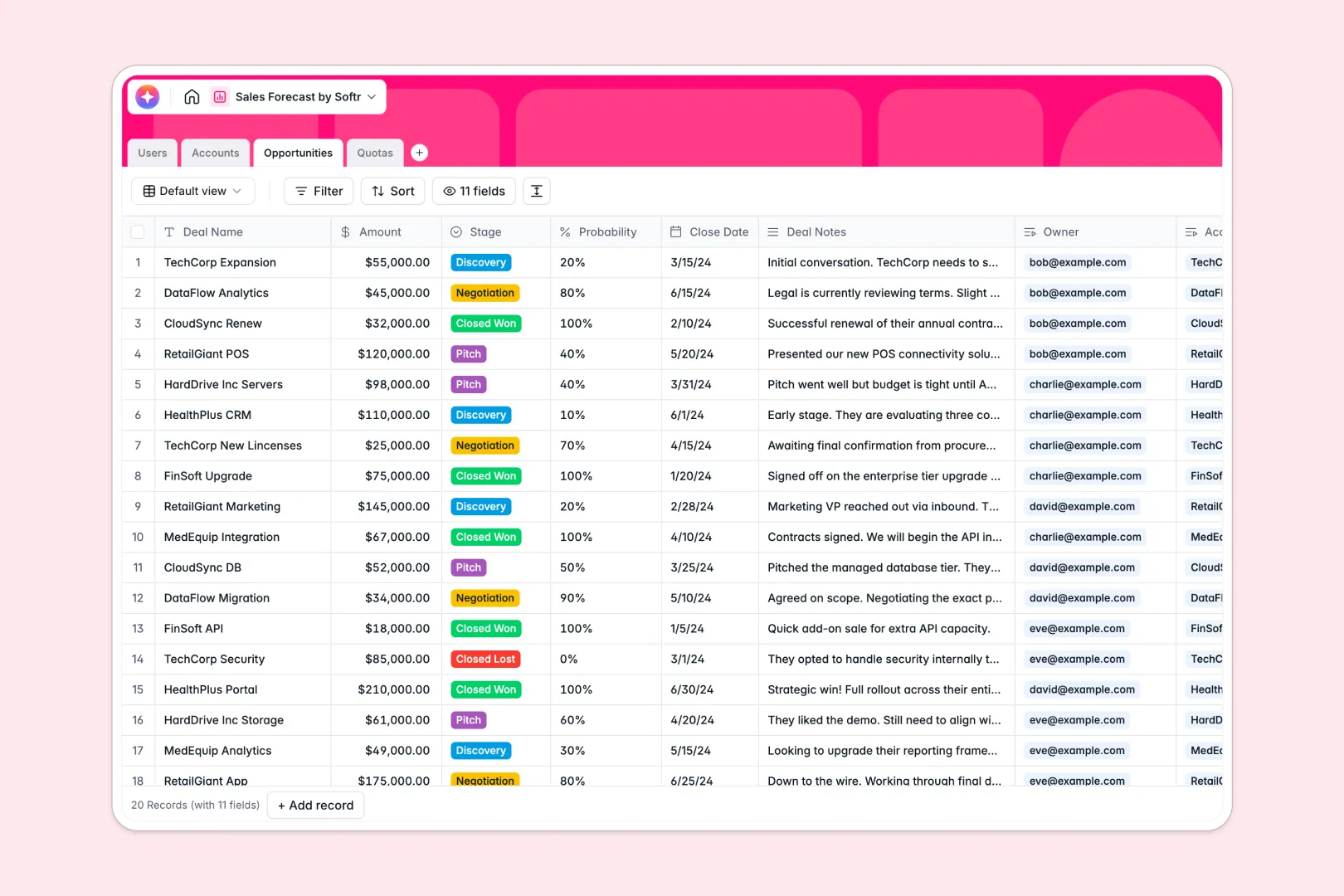
Your Sales Forecast database at a glance
This template simplifies pipeline tracking and revenue forecasting by keeping your deals, accounts, and quotas perfectly aligned in real time. It ensures your sales metrics remain accurate and up-to-date without the manual effort of standard spreadsheets.
The database connects Opportunities to both Accounts and Users, letting you track individual deal owners and roll up team-wide forecasts. Every table communicates natively, automatically updating expected revenue and total pipeline calculations.
Built-in AI fields save time by running business research on linked websites and generating targeted next steps directly from your deal notes.
Why tracking sales forecasts in Google Sheets breaks down
Managing a pipeline in Google Sheets starts easy but quickly devolves into a web of broken formulas, misaligned rows, and outdated calculations. When reps edit the same sheet, dates get formatted inconsistently, and vital deal updates get lost in buried threads.
What a structured database changes
Unlike a flat sheet, a database enforces clear integrity guidelines so your currencies, close dates, and percentages remain formatted perfectly. You don't have to rely on fragile lookup formulas to connect a contact to an account—relationships are built directly into the structure.
This clean, relational architecture is exactly what Softr Databases are built for. Information updates instantly across all connected views, allowing managers to plan with reliable, real-time metrics.
What you can do with this template
With this template, you can track real-time pipeline valuations and roll up total revenue forecasts automatically for each representative per quarter. It completely removes the manual mathematics of calculating expected revenue based on deal probability.
Additionally, you can run Database AI agents to enrich prospective customer profiles and compile summaries of deal next steps directly inside your database records. This transforms your data from a static list into an engine that drives sales team velocity.
-
Users
System users with sales roles, contact info, and linked performance data
-
Accounts
Manage organizations using AI-powered web search for profile enrichment
-
Opportunities
Track pipeline deals and use AI to generate actionable next steps from notes
-
Quotas
Define sales targets per quarter to monitor pipeline and forecast revenue
Who is this Sales Forecast database for
This tracking database provides immediate visibility into the revenue pipeline across several roles:
- Sales Executives: Stay on top of company forecasts and compare current pipeline velocity against active quarters.
- Sales Managers: Assign precise quotas to individual reps and track overall progress without chasing updates.
- Sales Representatives: Manage daily opportunities, record critical notes, and prioritize high-value accounts.
- Revenue Operations: Maintain clean accounts registries, standardize deal stages, and scale reporting structures.
How to take it further
Customize the database
You can tailor this template to your specific sales motion in seconds. Modify selection choices for deal stages, adjust quota quarters, or expand fields to record sales-qualified lead parameters that are unique to your pipeline.
Import your existing data
Migrating from your existing sheets is simple. Use the CSV import tool to upload active opportunities and accounts in bulk, or sync external platforms via API to seed your forecasting engine immediately.
Build a full app around it
When your pipeline scales, you can easily build a dedicated sales portal around this structured data. Using Softr's native interface builder, you can create beautiful dashboards for your management team and private portals for reps.
Customized users and permissions ensure that representatives only edit their assigned opportunities, while managers maintain full visibility over quarterly quotas. Starting with a structured database ensures your custom software remains robust and modular from day one.
-
1
-
2
-
3
-
4
Frequently asked questions
-
What is a sales forecast database?
-
Why use a no-code database to build a sales forecast tool?
-
How can AI help managing data for sales forecasting?
-
Can I build an app with this sales forecast database?
-
Is this Sales Forecast Database free?
-
How does this template prevent the mess of sales forecast Google Sheets?
Start building today. It's free!
Build and launch your first app in under 30 minutes.