


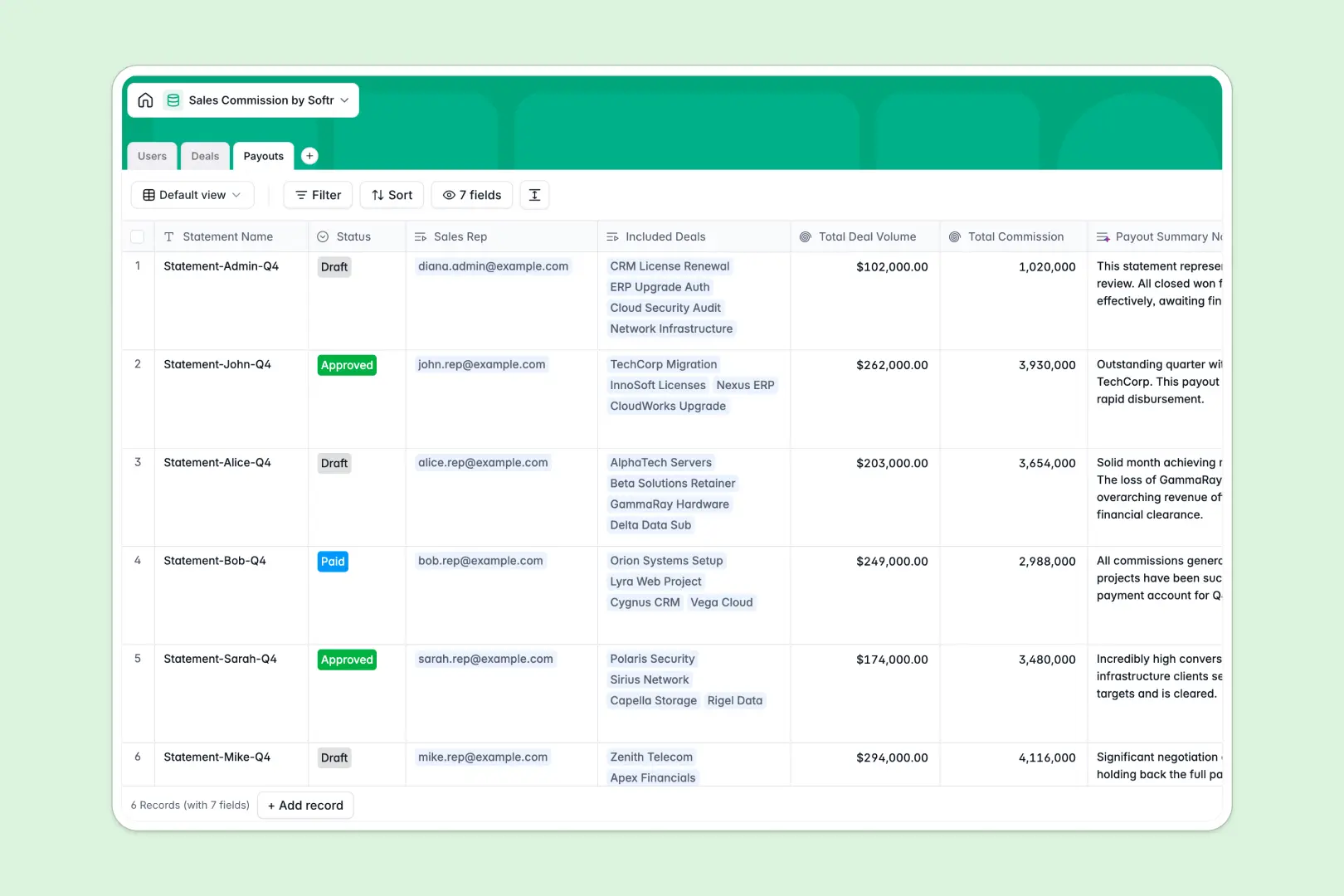
Your Sales Commission Database at a glance
This template replaces fragile spreadsheets with a reliable system to track reps, deals, and payouts. It automatically calculates owed commissions based on individual rates without breaking a single formula.
Everything connects intuitively across three simple tables: Users, Deals, and Payouts. When a deal closes, it links directly to a rep and rolls up into a monthly payout statement automatically.
Built-in AI features make the process even smoother. The database automatically researches client companies from the web and drafts professional payout summaries for quick approval.
Why calculating sales commissions gets messy in Google Sheets
When your sales team grows, tracking deal values and commission tiers in Google Sheets quickly turns into a nightmare of broken VLOOKUPs and manual data entry.
What a structured database changes
In a spreadsheet, you rely on fragile formulas pulling data across unconnected tabs. In a database, each table represents a core business object like a rep or a deal, and they link together natively.
This means when a rep's base commission rate changes, you don't have to hunt down every row to update it. This reliable structure is exactly what Softr Databases are designed for.
Your commission calculations stay perfectly accurate as your team scales. Strict column types ensure numbers stay numbers and calculated payout formulas never get accidentally overwritten.
What you can do with this template
Instantly connect won deals to specific sales reps to calculate commissions using reliable, unbreakable formulas. Group these closed deals into draft payout statements in one click.
You can also let Database AI agents handle the heavy lifting. They will automatically summarize client company details from the web and draft concise payout notes for finance to approve.
-
Users
Manage internal staff roles and track individual base commission metrics
-
Deals
Track sales opportunities with AI-powered insights into client company profiles
-
Payouts
Consolidate periodic commission statements using AI to generate summary reports
Who is this Sales Commission database for
This template is designed for revenue and finance teams who need a reliable, transparent way to manage variable compensation.
- Sales Leaders: Track team performance and ensure reps are compensated accurately for closed-won deals without delay.
- RevOps Managers: Standardize the commission tracking process without relying on fragile spreadsheet formulas.
- Finance Teams: Generate clear, approved payout statements that group multiple deals into single monthly payments effortlessly.
How to take it further
You can easily customize this database to fit your exact compensation model. Adjust the deal stages, modify base commission rates, or add new formula fields for complex tiered payouts.
Once your structure is set, bring in your historical commission data. Import your existing deals and rep lists via CSV or connect an API to sync closed-won deals directly from your CRM.
When you are ready, you can build a fully functional portal using an interface builder. Give every rep their own secure login so they can track their earnings in real time.
By setting up users and permissions, sales reps will only see their own deals and payout statements, while finance teams see the global overview. A well-structured database makes building this custom app incredibly simple.
-
1
-
2
-
3
-
4
Frequently asked questions
-
What is a sales commission database?
-
Why use a no-code database to build a commission tracker?
-
How can AI help managing data for sales commissions?
-
Can I build an app with this sales commission database?
-
Is this Sales Commission Database free?
-
How is a sales commission database different from Google Sheets?
Start building today. It's free!
Build and launch your first app in under 30 minutes.