


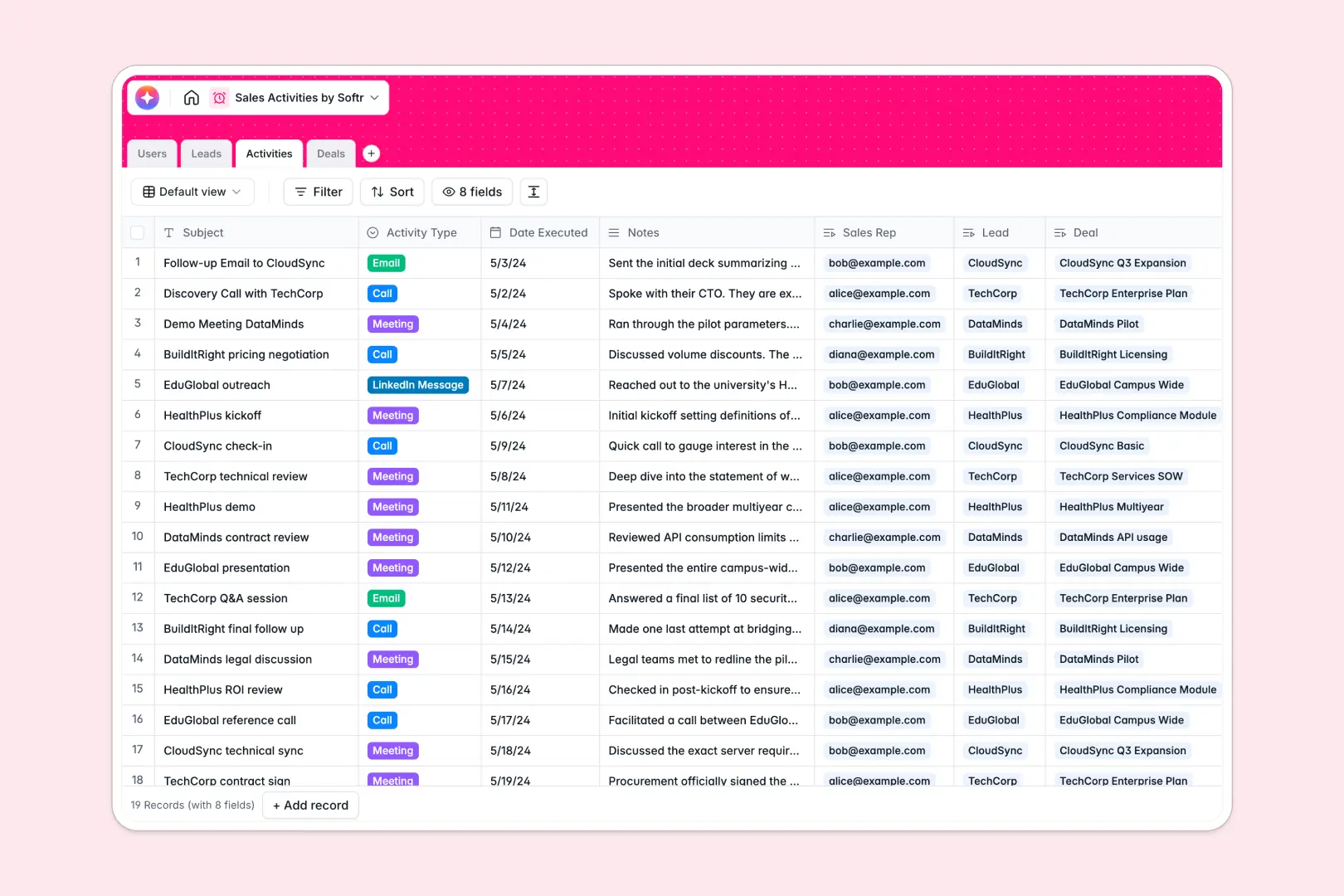
Your Sales Activities database at a glance
This template gives you a centralized system to organize every call, email, and meeting attached to specific clients. It helps your sales team maintain a clear history of interactions so nothing falls through the cracks.
The system connects four core tables: Users, Leads, Activities, and Deals. This structure means every activity is instantly linked to the correct sales rep, the prospective company, and the active deal.
Built-in AI automatically enriches lead profiles by searching their websites for company details. It also summarizes long meeting notes into quick bullet points and suggests the next best action to move deals forward.
Why tracking sales activities gets messy in Google Sheets
Using a spreadsheet to log multi-channel interactions quickly turns into a nightmare. You end up with endless tabs, fragile formulas connecting leads to rep activities, and missing crucial context when notes get buried in text-wrapped cells.
What a structured database changes
In a structured system, columns enforce strict rules for dates, select menus, and file attachments like user avatars. You don't have to duplicate data or rely on easily broken VLOOKUPs to know which activities belong to which active deal.
This is exactly what Softr Databases are designed for. You get native relational connections, meaning a single deal can hold the complete history of emails and meetings without needing endless new spreadsheet rows.
What you can do with this template
You can immediately start tracking deal values by their pipeline stage while assigning ownership to specific reps. Every interaction logged automatically updates the lead's complete activity timeline.
This template comes equipped with Database AI agents to automate administrative tasks natively. They evaluate deal stages to recommend your next move, summarize lengthy call notes, and pull company data—saving your team hours of manual research.
-
Users
Manage internal sales staff with roles, contact info, and activity logs
-
Leads
Track target accounts enriched by AI company descriptions and web data
-
Activities
Log interactions with 3-point AI summaries for calls, emails, and meetings
-
Deals
Monitor pipeline value with AI recommended next steps to accelerate sales
Who is this Sales Activities database for
This system is built for teams looking to bring structure to their outreach and pipeline management.
- Sales Representatives: Easily view assigned leads, manage active pipeline opportunities, and log daily calls or emails.
- Sales Managers: Track total deal values, monitor team activity volume, and jump in to help stalled negotiations.
- Revenue Operations: Maintain clean, consistent CRM data without dealing with broken formulas or duplicate entries.
How to take it further
Customizing this database to match your exact sales process takes only a few clicks. You can easily modify the deal stage dropdowns, add new activity types like "In-person event," or add custom fields to track win probabilities.
Bringing your existing pipeline into the system is just as simple. You can import your current leads and deals instantly via a CSV upload, or connect an API to sync contacts right from your marketing tools.
When your team is ready, you can transform this database into a complete custom application using the interface builder. This enables you to construct a full internal CRM where reps log in to manage only their own active pipeline.
By configuring users and permissions, you can ensure reps only see the specific leads and deals assigned directly to them. Starting with this well-structured database makes building that completely secure, scalable app seamless.
-
1
-
2
-
3
-
4
Frequently asked questions
-
What is a sales activities database?
-
Why use a no-code database to build a sales activities tool?
-
How can AI help managing data for sales activities?
-
Can I build an app with this sales activities database?
-
Is this Sales Activities template free?
-
How is a sales activities database different from Google Sheets?
Start building today. It's free!
Build and launch your first app in under 30 minutes.