


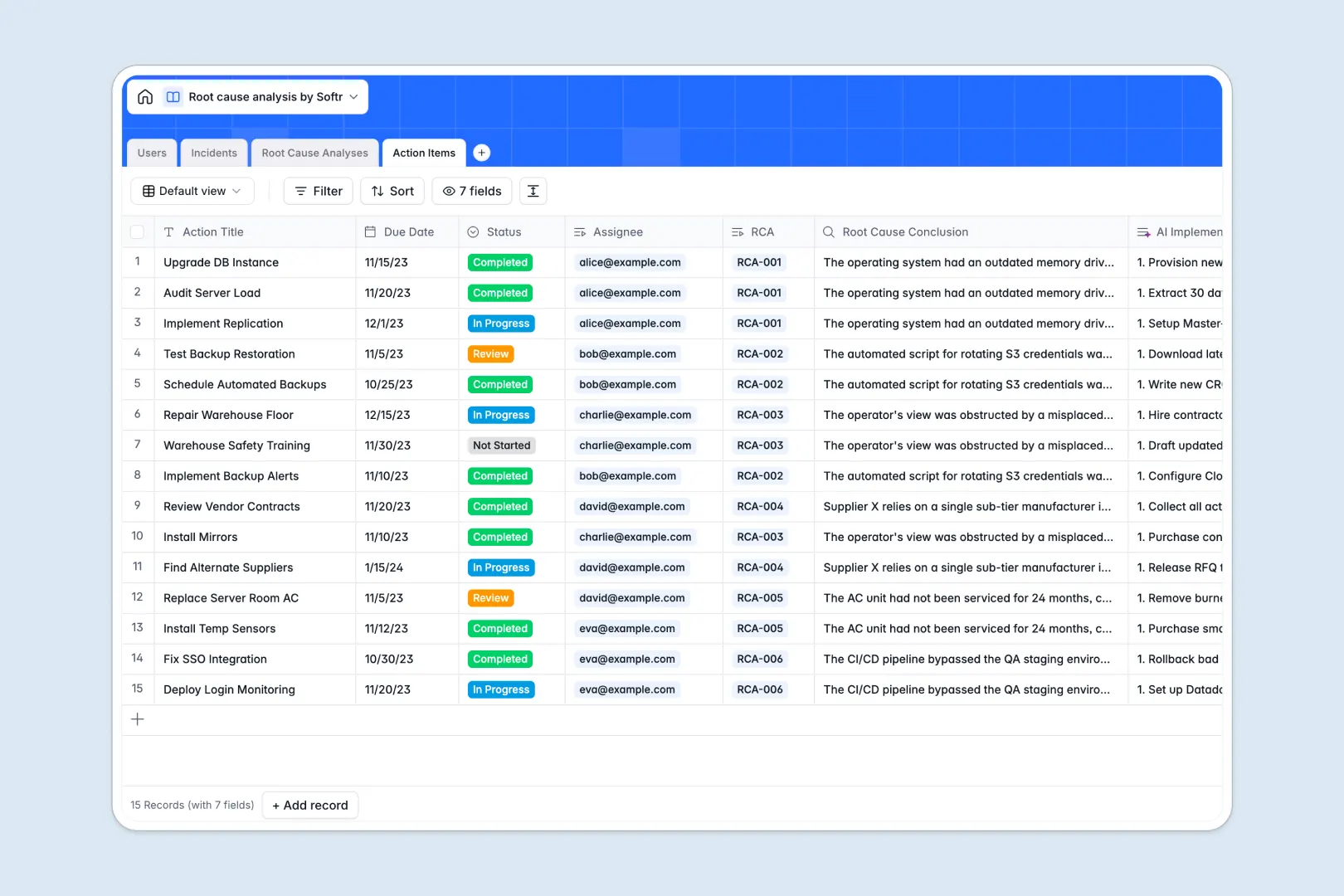
Your Root Cause Analysis database at a glance
This template helps your team systematically log critical incidents, conduct deep-dive investigations, and track corrective action items to completion.
It organizes your problem-solving process into distinct relational tables: Incidents, Root Cause Analyses, Action Items, and Users. Incidents link directly to root cause investigations and assigned corrective tasks without brittle spreadsheet formulas.
Built-in AI fields automatically generate executive summaries, draft structured problem statements, guide 5 Whys questions, and create actionable implementation plans.
Why incident investigations break down across shared sheets
Google Sheets makes collaboration easy, but tracking complex incident investigations requires strict data integrity and structured task management that simple grids cannot support.
When multiple team members edit the same sheet, formulas break, dates get entered as free text, and critical follow-ups get buried across chaotic tabs. A spreadsheet cannot restrict sensitive investigation notes or enforce relational links between incidents and corrective actions.
What a structured database changes
A dedicated database ensures every field maintains its integrity, keeping dates valid, statuses standardized, and file attachments properly linked.
Instead of messy lookups, records connect natively: an incident links directly to its investigation and all resulting action items, giving you a dependable audit trail.
This is exactly what Softr Databases are designed for, providing structured relational data that scales safely with your operations. You can also connect an existing Google Sheet as a secondary data source if needed.
What you can do with this template
Log incoming issues with severity levels and instantly assign dedicated investigators to lead the analysis.
Use native Database AI agents to draft 5 Whys analysis paths and build actionable resolution checklists in real time.
Track every preventive action item from assignment to review, ensuring problems get permanently resolved rather than forgotten.
-
Users
Manage incident investigators and staff members with roles and assignments
-
Incidents
Log operational issues and generate concise AI executive summaries automatically
-
Root Cause Analyses
Conduct structured investigations with AI-formulated problem statements and 5 Whys
-
Action Items
Track corrective tasks and generate AI implementation checklists to fix causes
Who is this Root Cause Analysis database for
This template is designed for teams that need a reliable, collaborative system to resolve operational breakdowns and prevent repeat failures.
- Operations Managers: Track incident trends across departments and ensure preventive measures are completed on schedule.
- Quality Assurance Leads: Standardize investigation workflows using structured 5 Whys methodologies and clear audit trails.
- Engineering and IT Teams: Document outages and anomalies while assigning targeted remediation tasks to team members.
- Safety and Compliance Officers: Maintain clean historical records of workplace incidents and corrective actions for regulatory reviews.
How to take it further
Customize the database in seconds to match your exact internal investigation protocols. Add custom severity tiers, rename status tags, or add dedicated fields for equipment IDs and root cause categories directly in Softr.
Import your historical incident logs using a quick CSV upload to keep all past investigations searchable in one central location.
When your team is ready, build an app on top of this database. You can instantly turn these records into an internal incident portal where employees submit tickets and investigators manage analyses, while granular users and permissions ensure staff only see the investigations they are assigned to.
-
1
-
2
-
3
-
4
Frequently asked questions
-
What is a Root Cause Analysis database?
-
Why use a no-code database to build a root cause analysis tool?
-
How can AI help managing data for root cause analysis?
-
Can I build an app with this Root Cause Analysis database?
-
Is this Root Cause Analysis database template free?
-
How is a Root Cause Analysis database different from Google Sheets?
Start building today. It's free!
Build and launch your first app in under 30 minutes.