


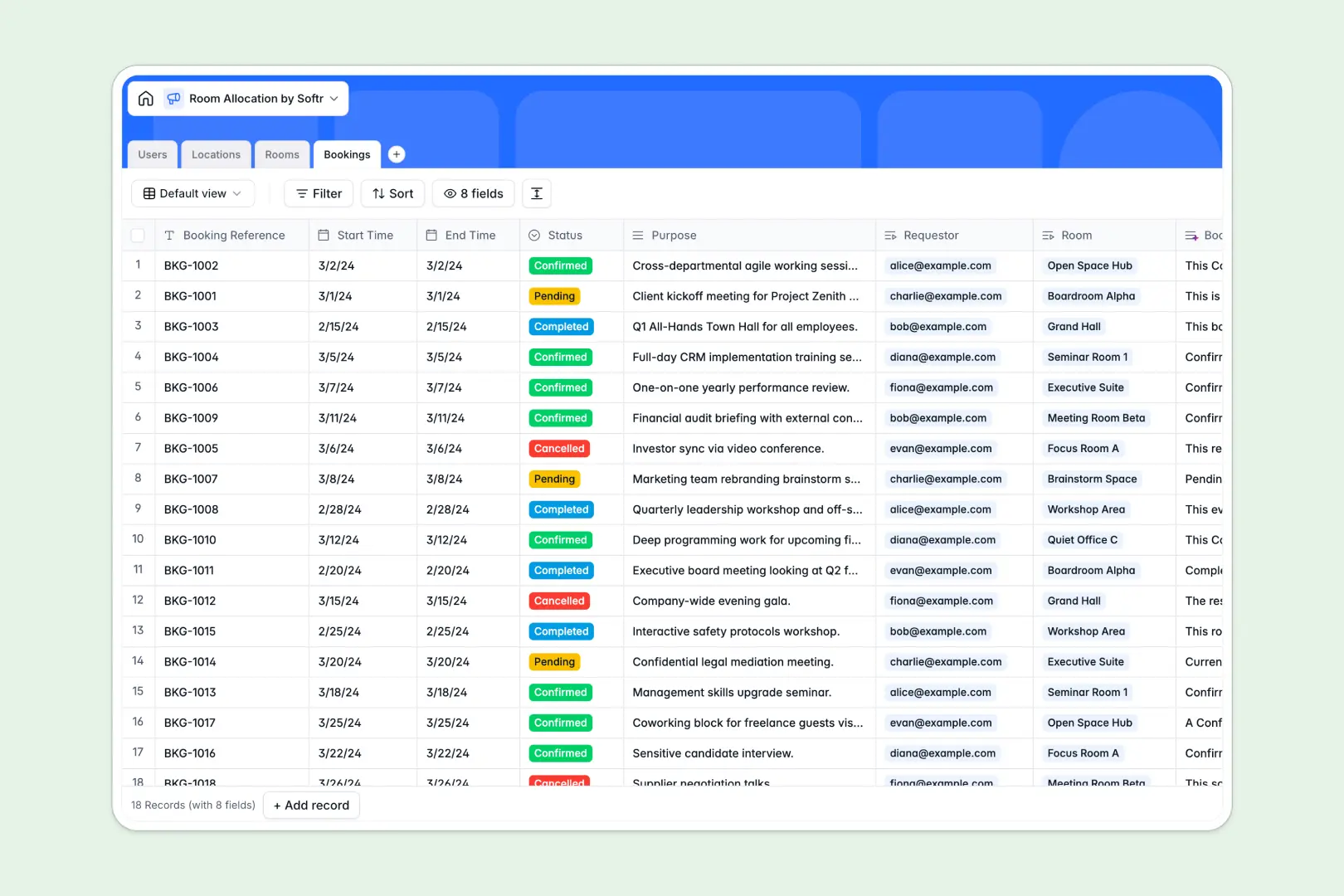
Your Room Allocation database at a glance
Manage shared spaces, desks, and meeting rooms across campuses without the risk of scheduling overlaps. This template gives you a central hub to coordinate reservations, monitor capacity, and organize requests clearly.
Everything connects cleanly: Bookings link directly to Rooms, Locations, and Users. When a reservation is added, capacity details and location addresses populate automatically without cross-tab lookups.
Built-in AI fields auto-generate room descriptions, draft facility overviews using live web search, and create concise booking summaries as reservations update.
When a shared sheet becomes an accidental booking backend
Google Sheets is great for quick lists, but using it to manage reservations creates messy overlaps. Anyone with edit access can accidentally overwrite a time slot, sort a sheet incorrectly, or enter invalid text into a date column.
What a structured database changes
A database enforces strict field types: dates stay dates, phone numbers stay valid, and rooms connect directly to their building records. You never have to worry about a broken VLOOKUP when someone inserts a new row.
Instead of trusting open cells, your team works with structured records that maintain integrity automatically. This is exactly what Softr Databases are designed for.
While Softr can connect an existing Google Sheet as a data source, a dedicated database ensures your space allocation data stays reliable, secure, and ready for real operations.
What you can do with this template
Track reservations by status, filter availability by room capacity, and oversee multi-building facilities from a single source of truth.
With native Database AI agents, you can automatically summarize reservation purposes and research facility details straight into your tables.
The template is ready to use immediately, so you can start assigning rooms without building complex table schemas from scratch.
-
Users
Manage user accounts, contact details, roles, and linked room reservations
-
Locations
Track facilities and campuses with AI web-generated overview summaries
-
Rooms
Organize allocatable spaces, capacity limits, and AI-generated descriptions
-
Bookings
Handle space reservation schedules, statuses, and automated AI summaries
Who is this Room Allocation database for
This template helps teams of all sizes coordinate spaces, prevent scheduling conflicts, and manage facilities.
- Office Managers: Keep track of conference room capacity, daily desk allocations, and building resources.
- Operations Teams: Coordinate multi-location spaces and oversee equipment or room reservation statuses.
- Coworking Operators: Manage hot desks, meeting rooms, and member bookings across several campuses.
- Event Coordinators: Schedule auditoriums and private suites without duplicate entries or communication delays.
How to take it further
1. Customize the database
Tailor the template to fit your specific facilities in seconds. Add custom room amenities, introduce new space types like podcast studios, or modify booking status tags to match your approval workflow.
2. Import your existing data
Move your existing room inventories and user lists directly via CSV upload. You can also connect via API to sync data automatically from existing company tools.
3. Build a full app around it
Turn this database into an interactive booking portal for your team or guests. You can build an app in seconds using the AI Co-Builder by describing what you need, then customize screens visually.
Set up custom users and permissions so staff only see their own reservations while admins manage facility approvals. Connecting your database, interface, and automated notifications into one Softr app keeps space management simple.
-
1
-
2
-
3
-
4
Frequently asked questions
-
What is a Room Allocation database?
-
Why use a no-code database to build a room allocation tool?
-
How can AI help managing data for room allocation?
-
Can I build an app with this Room Allocation database?
-
Is this Room Allocation database template free?
-
How is a Room Allocation database different from Google Sheets?
Start building today. It's free!
Build and launch your first app in under 30 minutes.