


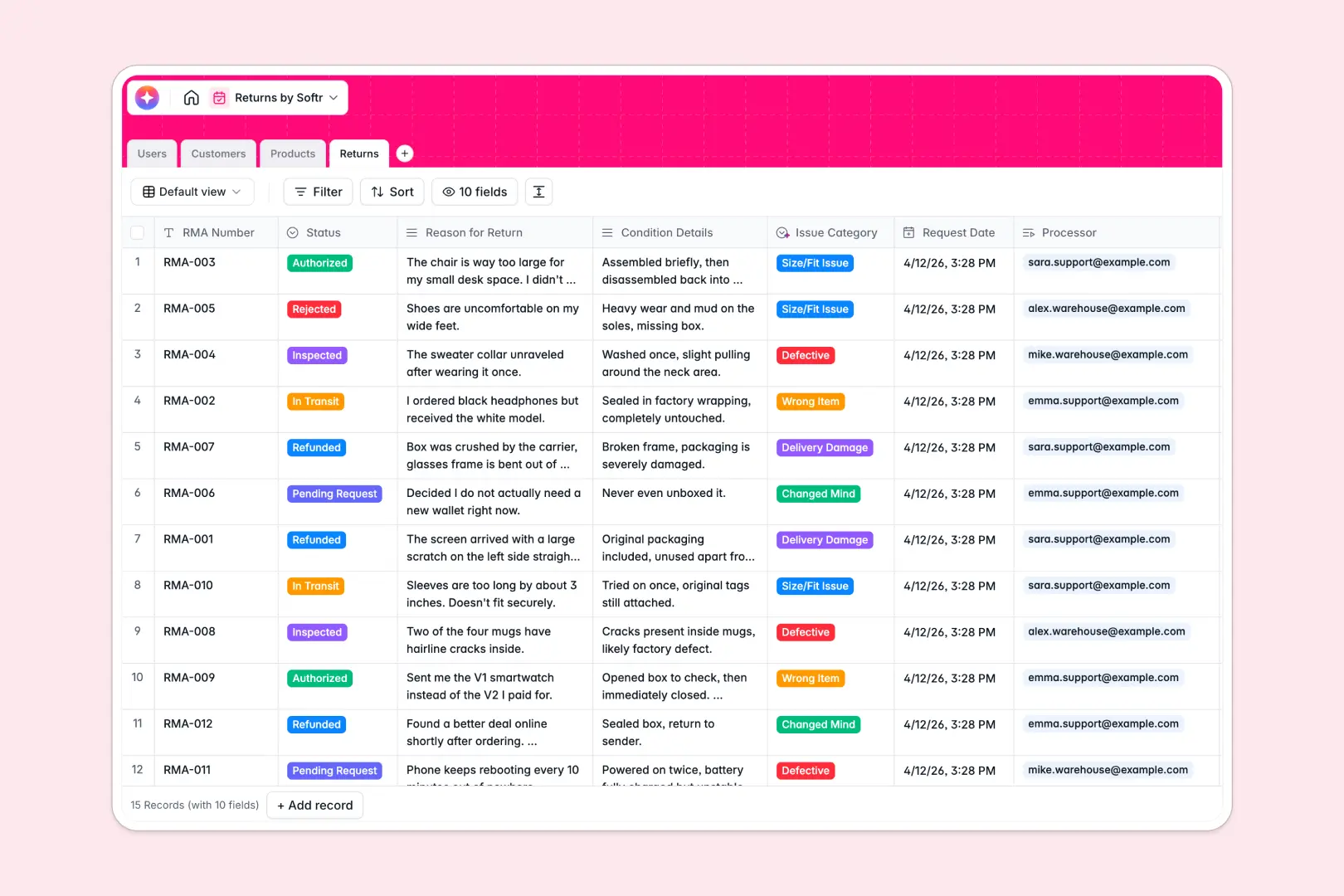
Your Returns database at a glance
This functional template centralizes your reverse logistics so you can track RMAs, products, and customer resolutions in one connected hub.
It works by linking users processing the return directly to the customer and the specific product, automatically counting lifetime returns per shopper. You can instantly see whether a return is pending, in transit, or ready for a refund without jumping between tools.
AI features work natively in the background to automatically categorize the specific issue and summarize lengthy customer complaints into fast, readable bullet points for your warehouse team.
Why processing returns gets messy in Google Sheets
Tracking RMAs across scattered spreadsheet tabs quickly leads to lost requests, angry customers, and chaotic warehouse operations.
What a structured database changes
Every piece of information has a strict, dependable format. Contact details stay as emails and phone numbers, while statuses move neatly from pending to refunded without rows getting accidentally deleted or overwritten.
You can instantly associate a defective product with the customer who returned it, all without relying on fragile VLOOKUPs that break when your team adds a new column. This is exactly what Softr Databases are designed for.
What you can do with this template
Centrally manage the entire lifecycle of a return, linking support agents directly to the customers they are helping and the exact inventory items arriving at the warehouse.
Use Database AI agents to automatically read the customer’s unstructured text, classify the exact issue (like "Defective" or "Size/Fit Issue"), and summarize the case into actionable bullet points.
You can also automatically look up the latest product descriptions from the web to keep your product catalog perfectly up to date.
-
Users
Maintain system users with roles to manage logistics and returns
-
Customers
Track client contact details and history of initiated return requests
-
Products
Manage inventory with AI-generated marketing descriptions for catalog items
-
Returns
Process RMA workflows using AI to classify issues and summarize cases
Who is this Returns database for
This template provides a reliable structure for any business managing reverse logistics and resolving customer issues.
- E-commerce Managers: Track specific return reasons and identify high-return products to improve future quality control.
- Customer Support Agents: View full customer return histories and understand summarized individual cases instantly.
- Warehouse Crew: See exactly what is arriving, inspect condition details, and update statuses to trigger faster refunds.
How to take it further
Easily adapt this template to fit your specific logistics workflow. Modify the AI prompts to extract different details from the customer's return reason, or add custom fields to track restocking fees.
Bring your existing RMA logs into the system immediately. You can upload a CSV or connect an API to sync live return requests directly from your main storefront or helpdesk.
When your team scales, you can easily build an app on top of this structure. Turn this foundation into a secure customer portal where shoppers log in to initiate returns and track statuses themselves.
Thanks to native users and permissions, customers only see their own return requests while your warehouse team sees the entire queue. A clean, connected database makes launching these self-serve portals completely effortless.
-
1
-
2
-
3
-
4
Frequently asked questions
-
What is a returns database?
-
Why use a no-code database to build a returns system?
-
How can AI help managing data for returns?
-
Can I build an app with this returns database?
-
Is this returns database free?
-
How is a returns database different from Google Sheets?
Start building today. It's free!
Build and launch your first app in under 30 minutes.