


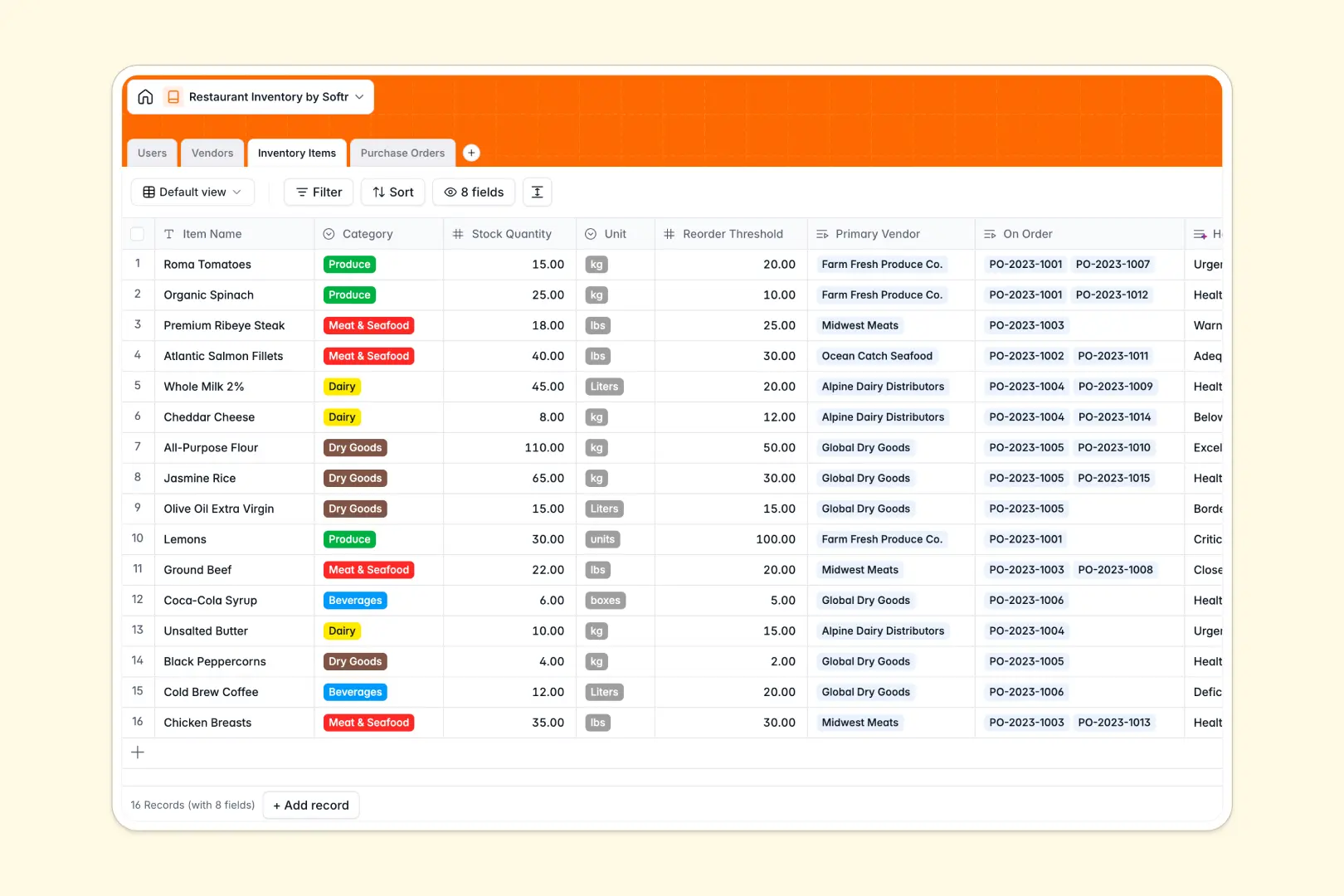
Your Restaurant Inventory database at a glance
This template gives kitchen managers and operators a reliable way to monitor ingredients, track supplier details, and manage purchase orders across service shifts.
It connects four dedicated tables: Inventory Items, Vendors, Purchase Orders, and Users. Linking stock items directly to primary vendors and incoming shipments eliminates manual double-entry.
Built-in AI assesses stock health against reorder thresholds and enriches vendor records directly from supplier websites.
When a shared spreadsheet tries to run a commercial kitchen
Google Sheets makes sharing simple, but busy kitchens need strict data types, relational logic, and automated stock health checks that a shared sheet cannot provide.
What a dedicated database changes
In a standard spreadsheet, anyone can accidentally overwrite a formula, misplace a decimal in stock counts, or enter text where a unit quantity belongs. Rows lack true relations, forcing you to maintain duplicate supplier contact rows across multiple sheets.
A structured database enforces strict data integrity: numbers stay numbers, dates stay timestamps, and stock items link natively to purchase orders. This is exactly what Softr Databases are designed for, keeping back-of-house operations clean as you scale.
While Softr can also connect an existing Google Sheet, using a native database provides real relational tables that prevent stock tracking errors.
What you can do with this template
Monitor your pantry, produce, dairy, and beverage stock while automatically tying low-stock items directly to active purchase orders.
Leverage built-in Database AI agents to evaluate inventory levels against reorder thresholds and summarize vendor profiles automatically using live web data.
Assign shift responsibilities clearly so staff can log restocks and verify deliveries without risking formula breakage.
-
Users
Manage restaurant staff members, assigned roles, and order histories
-
Vendors
Track suppliers, product catalogs, and generate AI-powered descriptions
-
Inventory Items
Monitor stock levels, reorder thresholds, and AI inventory health checks
-
Purchase Orders
Track replenishment orders, costs, vendor statuses, and delivery receipts
Who is this Restaurant Inventory database for
This database helps hospitality teams maintain accurate stock counts, reduce waste, and streamline procurement.
- Executive Chefs: Monitor ingredient quantities, spot waste, and ensure prep stations stay fully stocked.
- Restaurant Managers: Manage vendor contacts, log supplier invoices, and oversee kitchen team orders.
- Kitchen Staff: Record stock checks accurately during prep shifts without touching complex spreadsheets.
- Multi-Location Operators: Standardize ingredients, units of measurement, and vendor catalogs across locations.
How to take it further
Customize this database by adding custom fields like storage locations (walk-in, freezer, dry storage) or adjusting ingredient categories and measurement units to match your menu.
Import your existing ingredient lists and vendor directories in seconds using simple CSV uploads or direct API syncs.
When your operations expand, build an app on top of this database using Softr's AI Co-Builder. Generate an internal kitchen portal with granular users and permissions so kitchen staff only edit stock counts while managers handle vendor costs and purchase approvals.
-
1
-
2
-
3
-
4
Frequently asked questions
-
What is a restaurant inventory database?
-
Why use a no-code database to build a restaurant inventory system?
-
How can AI help managing data for restaurant inventory?
-
Can I build an app with this restaurant inventory database?
-
Is this Restaurant Inventory database free?
-
How is a restaurant inventory database different from Google Sheets?
Start building today. It's free!
Build and launch your first app in under 30 minutes.